March 2026
March 2026
Faster Troubleshooting, Reusable Templates, and a Smoother Topology
StackGen’s March 2026 release is all about speed, clarity, and control. Define complex infrastructure effortlessly with nested_objects support for Terraform variables, powered by a Raw HCL editor and real-time HCL validation. Debug faster with request IDs that surface directly on errors; no more digging through network tabs.
Reuse what works with appStack templates, move faster with the Topology command palette (Cmd+K / Ctrl+K), and stay in flow with smoother experiences across environments, modules, snapshots, and add-resource actions; all without losing context as you scroll.
Explore what's new and see how StackGen continues to simplify infrastructure operations.
Discover What's New, What's Enhanced, What's Changed, and What's Fixed; and how these updates make building and managing your infrastructure more intuitive.
What's New
Error Pop-up with Request ID for Support
Click to view
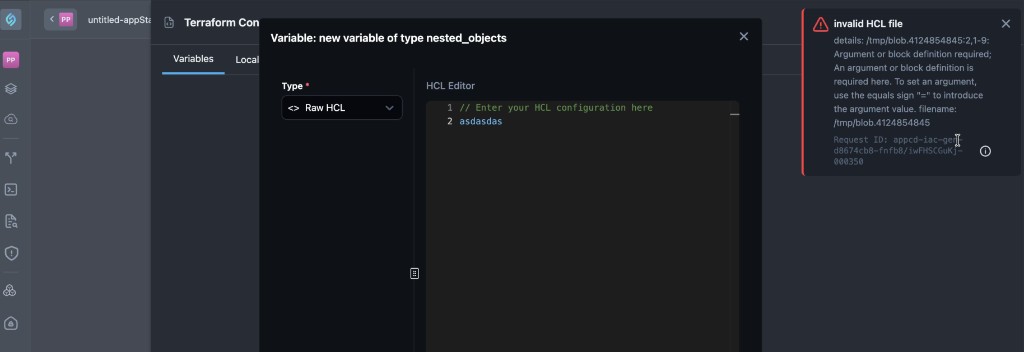
Request IDs in the error experience give you a single, product-surfaced identifier when a request fails. Copy it from the popup and share it with StackGen support so the team can tie your report to the same event in observability and backend logs, without you having to hunt through the browser Network tab first.
Key Changes
-
When an error is shown, StackGen can display a popup that includes a request ID (also described as an error ID tied to the failing request). The same value may be referred to in support conversations as a trace ID you can paste so the team can match it in logs.
-
A copy control lets you capture that ID in one step and send it to us.
-
StackGen can use that ID to locate the event in observability and backend log data, which reduces back-and-forth and speeds up triage from customer environments.
Why It Matters
When you share this ID, support and engineering team from StackGen can look up the exact same error in their tools. They no longer need you to capture the Network tab or send long logs just to find which request failed. That shortens back-and-forth and speeds up fixes for problems you hit in your own StackGen environment.
appStack templates: Start from template
Click to view
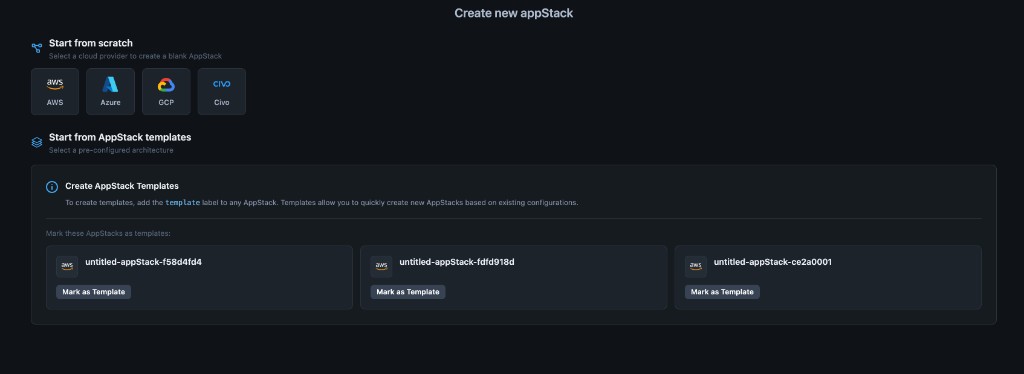
We've added appStack templates so you can start a new appStack from a saved layout instead of adding every resource yourself. On the create appStack page, open Start from appStack template, choose a template, and StackGen auto-populates the new appStack with the resources that were on that template.
Key Features
- Marking an appStack as a template - Use Mark as template on an appStack, or add a
templatelabel so StackGen treats that appStack as a template. - Creating from a template - When you start a new appStack, your templates appear in the list. Selecting one brings the template's resources into the new appStack.
- Templates vs resource packs - Resource packs hit technical limits that could not be solved directly in the product. appStack templates give you the same kind of starting template you can still edit, without relying on resource packs for that workflow.
Template updates and existing appStacks
- Existing appStacks already created from a template do not auto-update when you change the template later.
- New appStacks you create after the template changes do reflect the latest template content.
- StackGen ties an appStack to the template at create time and does not fan out every later template edit to all existing appStacks. That way you can keep older appStacks stable and still use an updated template for new work.
Environment configuration
-
Environment configuration is not fully honored together with template-based creates in the way you might expect if you only relied on project settings. The template is the source of truth for what ends up on appStacks you create from it (for example, if you remove QA or Terraform variable definitions from the template, new appStacks from that template will not include what you took off the template).
Why It Matters
appStack templates help when resource packs no longer fit what you need: you start from a layout someone already built instead of an empty appStack. Updating the template never rewrites appStacks you created earlier from that template. Only new appStacks you create after the change use the new template content. When you create from a template, the template alone drives what is included on the new appStack, so it may not line up with every environment configuration or project setting you rely on in other paths.
Read more in Create appStacks from Templates.
Topology Command Palette (Command+K and Ctrl+K)
Click to view
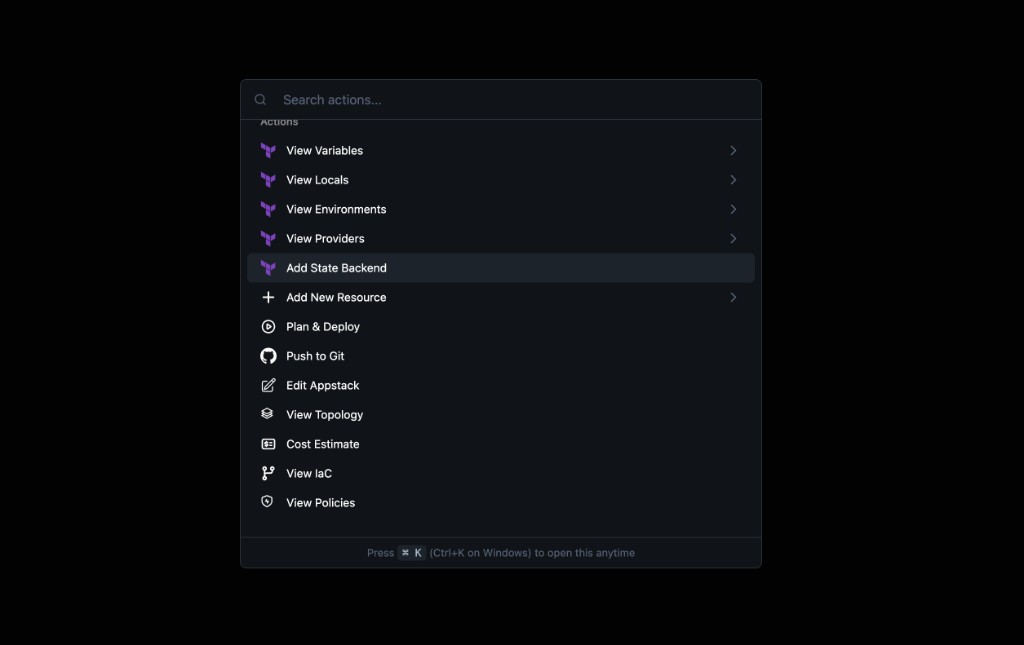
We've added a command palette on Topology so you can search and jump to actions from the keyboard. Open it with Command+K on macOS or Ctrl+K on Windows (the footer in the palette reminds you of the shortcut).
Key Features
-
What you can do - Jump to actions such as View IaC and variables. An add path can open the add variables panel directly. The menu can also list variables already on the app stack and other shortcuts shown in the palette.
-
Moving in the list - Arrow up and Arrow down move the selection.
-
Sub-menus - Enter opens a sub-menu when the item supports one. Backspace or Delete goes back to the previous level.
Why It Matters
You can drive frequent Topology actions from the keyboard, spend less time hunting in the UI, and stay focused while you edit a stack.
Aiden Integrations
Click to view
Datadog
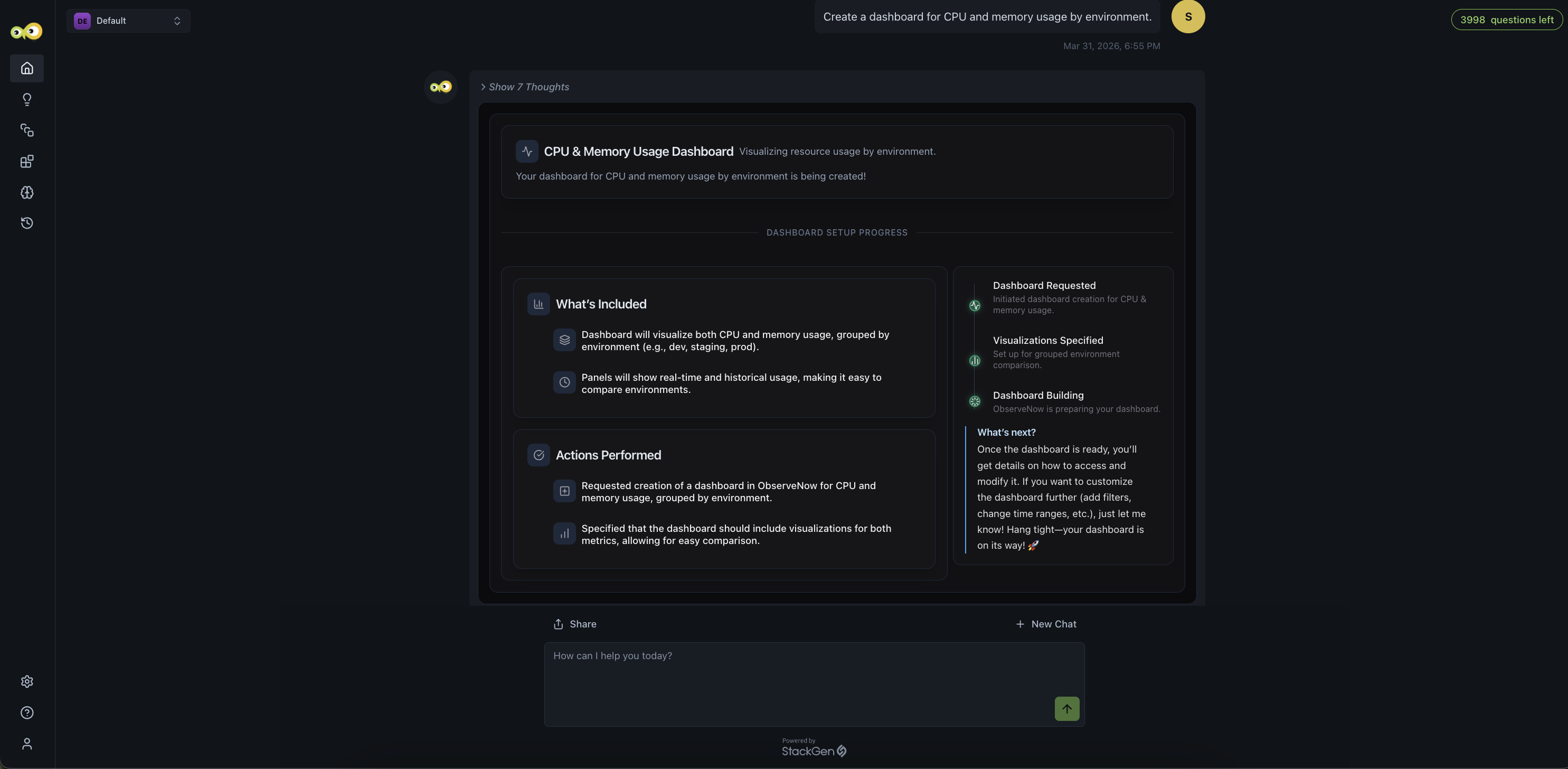
The all-new Aiden-Datadog integration supports observability-driven investigation and monitoring. You can query logs, analyze traces, explore metrics, review monitors, track incidents, and manage dashboards, all directly within Aiden. Interact with your Datadog data conversationally using Aiden for troubleshooting issues, understanding system behavior, and monitoring infrastructure without switching tools.
Typical use case for this integration is investigating production issues by querying logs, correlating traces and metrics, identifying root causes, and taking action, without having to leave the Aiden interface.
Datadog observability in Aiden lets you:
- Query logs with filters, indexes, and time ranges
- Investigate distributed traces and spans
- Analyze time-series metrics and dashboards
- Review monitors and alert configurations
- Track and investigate incidents
- Monitor infrastructure health and hosts
- Explore CI/CD pipeline events
- Browse service catalog and team metadata
Example prompts
- "Show me error logs from api-service in the last hour"
- "What’s causing the latency spike in checkout service?"
- "List all active monitors and their status"
- "Find traces with 5xx errors today"
- "Are there any open incidents?"
Why It Matters
You get unified observability access in Aiden without switching to Datadog; logs, metrics, traces, and incidents are all available in one place, keeping investigation and troubleshooting workflows fast and in context.
Check out the Datadog integration guide to set up and start using the integration.
Jira Service Management (JSM)
The new Aiden-Jira Service Management (JSM) integration allows you to bring service management, CMDB, SLAs, and on-call context into your workflows. You can search assets, check SLA status, query the Knowledge Base, and view alerts or on-call schedules, without having to leave the Aiden interface.
The Aiden-Jira Service Management (JSM) integration enables you to interact with your JSM data conversationally, making it easier to investigate issues, understand service context, and respond faster without switching tools.
Typical use case for this integration is incident investigation and support workflows; checking SLA status, identifying impacted assets, finding relevant Knowledge Base articles, and routing issues to the right on-call engineer.
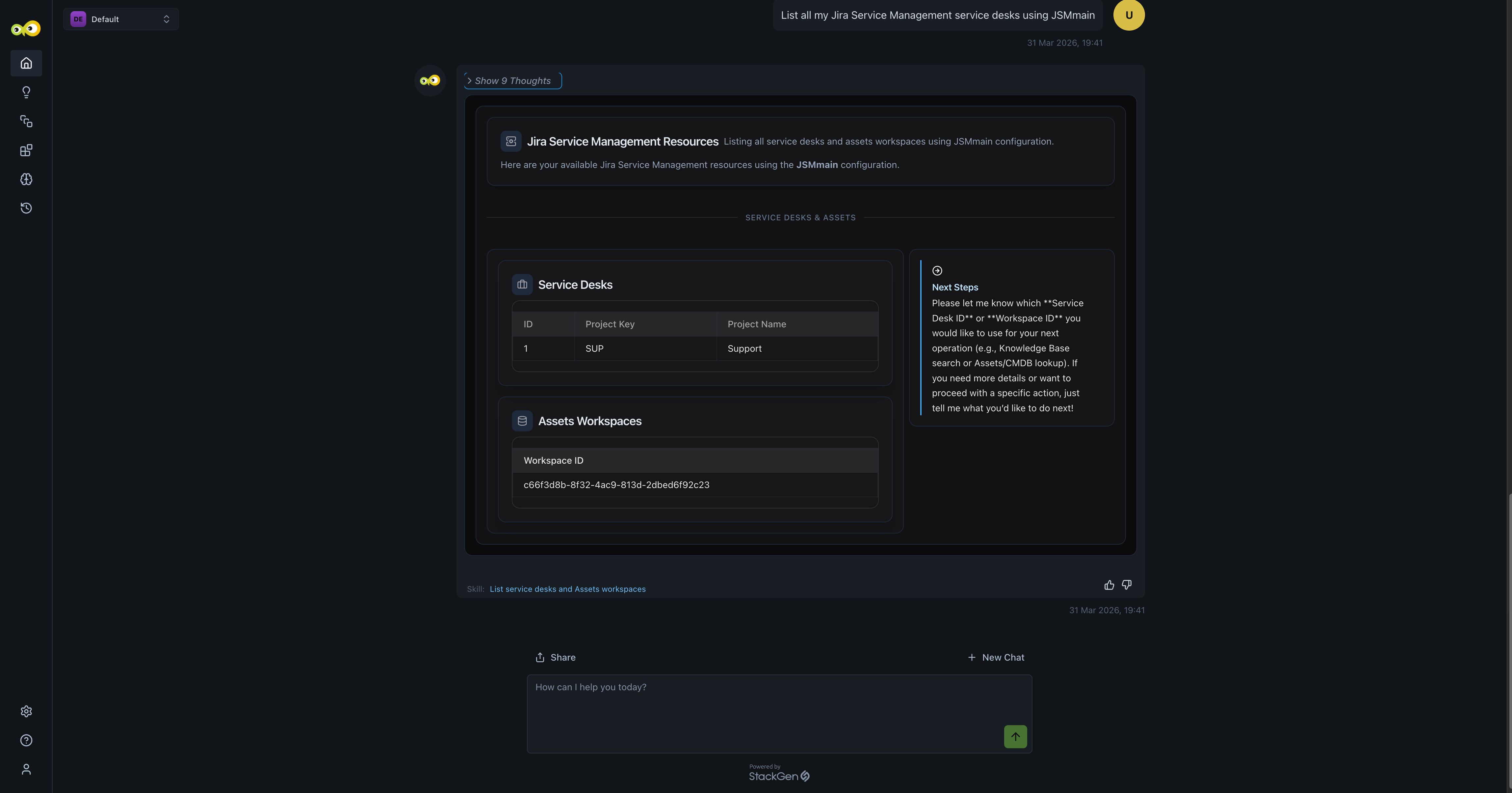
JSM capabilities in Aiden:
- List service desks and access Knowledge Base content
- Search articles across service desks
- Check SLA status (breached, time remaining) for issues
- Explore Assets (CMDB) with AQL-based queries
- Retrieve detailed asset and configuration item information
- List Opsgenie alerts (if configured)
- View on-call schedules and current responders
Example prompts
- "Who is on call right now?"
- "List open Opsgenie alerts"
- "What’s the SLA status for SUP-123?"
- "Search Knowledge Base for password reset"
- "Find laptops in Assets with name containing dev"
- "Are there any breached SLAs for Help Desk?"
Why It Matters
You get unified service management context in Aiden without switching to JSM; assets, SLAs, knowledge, and on-call data are all available in one place, keeping support and incident workflows fast and in context.
Check out the JSM integration guide to set up and start using the integration.
Aiden SRE: Automatically Create Tasks and Skills from Discovery
Click to view
Aiden SRE Discovery now does more than just show you what's running in your environment. It also sets up the tasks and skills you need to act on that information, automatically.
As part of the discovery process, Aiden creates a Knowledge Base, along with ready-to-use tasks and skills, so you can move from insight to action without extra setup. Aiden sets up tasks and skills for the resources it finds using built-in templates eliminating the need for manual configuration.
- Prebuilt skills are generated automatically from discovery: Get started quickly with ready-to-use skills for:
- Monitoring service health
- Investigating incidents
- New incident-response tasks are automatically created:
- Debug Service Outage: runs when an issue is detected
- Monitor Services for Anomalies: runs every hour
- Optional notification setup: You can automatically link tasks to notification channels, so the right people are alerted when something needs attention.
- Updated Discovery Flow
- Tasks and skills are now created automatically.
- Tasks are created in a disabled state, so you can review it before enabling.
- Discovery results now include more context, like schedules, run times, and creators
Why It Matters
You no longer need to manually set things up after discovery. Aiden prepares everything for you, so you can focus on reviewing, enabling, and taking action when you're ready.
To learn more, check out Aiden SRE.
What's Enhanced
Pinned Headers on the Environments Table
Click to view
We've enhanced the environments table so columns and labels stay clear while you scroll: headers in particular stay pinned vertically. Previously, scrolling made it harder to see which column belonged to which environment or which label applied to which cell.
Key Changes
- Headers remain visible as you move down long lists of variables.
- When you add a new environment, its header participates in the same pinned header region so you can still cross-map which variable is for which environment and what value you need to change, without scrolling back to the top.
Why It Matters
You can cross-reference values across environments with less scrolling and fewer mistakes when updating many variables or many environments at once.
Read more in Environment Configurations.
stackgen.yaml Replaces properties.json and metadata.json
Click to view
We've consolidated how custom modules describe UI metadata. StackGen used to rely on two separate files, properties.json and metadata.json, to define how the product interprets the module and how input fields appear. Those responsibilities are now combined into one YAML file (product text refers to stackgen.yaml / stackgen YAML).
Where it applies
- Building a custom module from an appStack (appStack own modules path).
- Working in the module editor path.
Key Features
- An action such as Autogenerate stackgen.yaml creates or refreshes the file when the module is new or already populated.
- The shape of variables in YAML drives how the UI renders inputs (for example boolean values as a dropdown, map types as key/value lists), in line with what you declare.
Why It Matters
One source file reduces drift between “what StackGen thinks the module is” and “what the UI shows,” making custom modules easier to author, review, and support.
Read more in Custom Module Rendering and Module Editor.
Pinned Delete Action While Scrolling
Click to view
We've updated the module catalog so the Delete control stays pinned when you scroll. Before, after scrolling down and selecting an item, you could lose sight of Delete and had to scroll up again to remove the selection.
Why It Matters
Bulk or long-list review workflows stay efficient because destructive and primary actions remain accessible regardless of scroll position.
Read more in Module Catalog.
Custom Identifier Validation
Click to view
We've tightened validation for custom identifiers. Values that include spaces or unsupported special characters now trigger a clear error in the UI. Previously, those inputs could be accepted without feedback, which led to confusing failures later.
Why It Matters
You catch naming problems at entry time instead of downstream in Terraform or deployment, which saves rework and keeps identifiers consistent with platform rules.
Read more in Configure a Resource.
Snapshot Preview and State Backend in Snapshots
Click to view
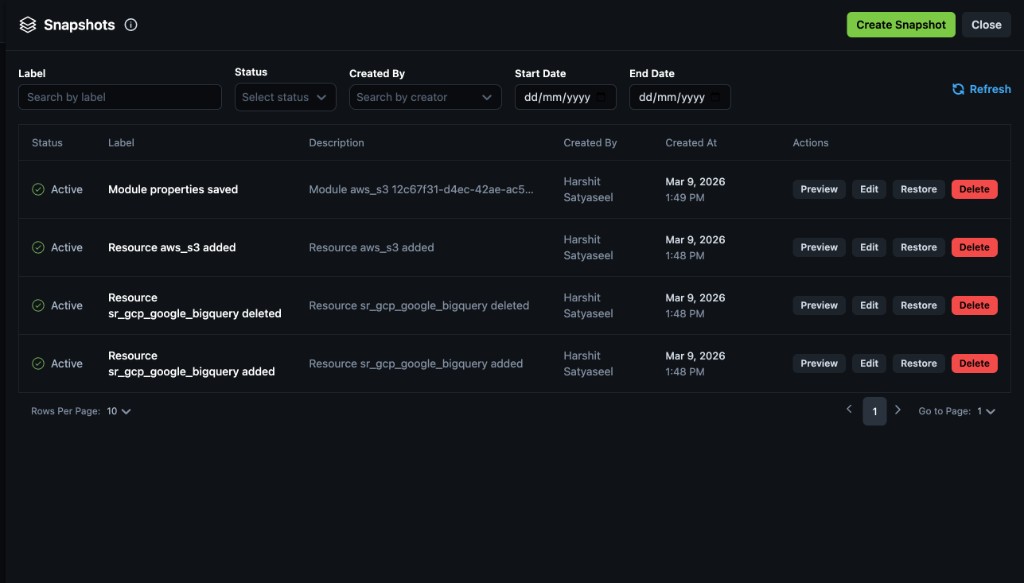
We've enhanced snapshots in two ways: preview before you rely on a snapshot, and correct capture of state backend settings.
Preview
-
The snapshot experience previously surfaced actions such as Edit, Restore, and Delete. It now also includes a Preview action.
-
Preview shows what the snapshot would contain before you rely on it: for example Terraform-related definitions, with variables, providers, and locals in separate blocks when those pieces exist (similar dedicated blocks for each).
State backend
- If you configure a state backend and take a snapshot, that backend configuration is stored in the snapshot.
- Earlier, snapshots could omit backend configuration; that gap is fixed.
Why It Matters
Preview gives confidence about what you are about to restore or share. Including backend configuration keeps restore scenarios faithful to how state was pinned when the snapshot was taken.
Read more in appStack Snapshots.
Add Resources and Terraform Config UI
Click to view
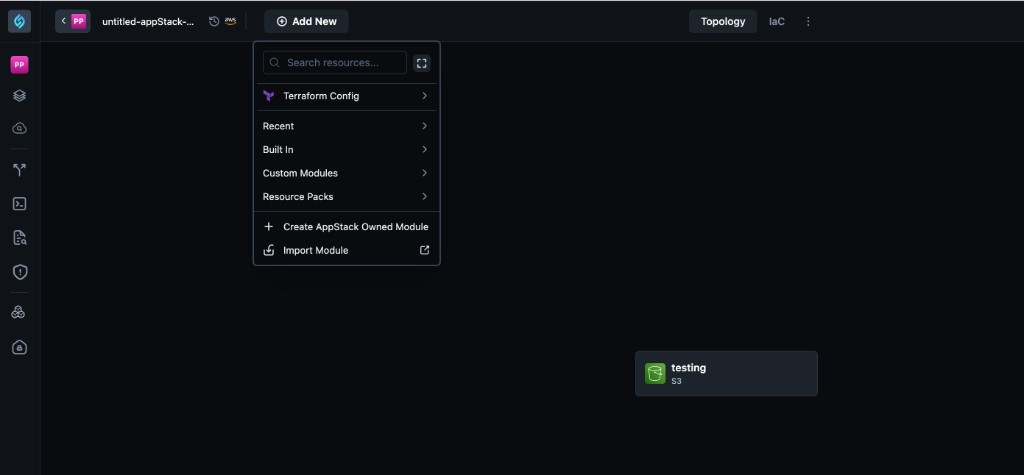
We've reorganized parts of the Topology Add New experience and Terraform configuration panels so actions are grouped more clearly.
Key Changes
-
The Add new entry is consolidated (for example into a dropdown) rather than only a fixed Add placement that behaved differently than the newer layout.
-
The area that focused on Terraform variables is reframed under Terraform config in the product, with a side menu to move between variables, locals, and related sections you add.
-
In the add-resources experience, Recent, Starred, and Built-in (or equivalent) groupings remain, but you now add a resource primarily by clicking it to place it on the canvas instead of relying on drag-and-drop as the default.
-
An expand control still opens the older pop-up style panel if you need the previous layout.
Why It Matters
You spend less time hunting for the right panel, and the Terraform side of the canvas matches how teams think about config blocks (variables, locals, backends) in one coherent place.
Read more in Add New Resource and Topology.
Clickable Suggestions in Expression Mode
Click to view
We've improved expression mode so the suggestions dropdown is clickable. You can pick an entry to insert it instead of typing the full reference every time.
Known limitation
The dropdown is clickable so you can choose a suggestion instead of typing everything. If you type something first and then click a suggestion, the editor may concatenate text in a way you did not intend; choosing a suggestion cleanly (without mixing typed text and a click in that sequence) behaves more predictably and should not rewrite a good selection the way the broken case does. A follow-up fix for concatenation was anticipated beyond the March scope.
Why It Matters
Clickable suggestions reduce typos and speed up authoring for var., local., and similar references, even though mixed typing-and-clicking still needs care until the follow-up ships.
Read more in Configure a Resource.
MCP: SSE and Admin / User Servers
Click to view
We've enhanced StackGen MCP so you can connect AI assistants over SSE (HTTPS) as well as STDIO, where the IDE runs stackgen mcp locally. SSE uses hosted endpoints so you can register two MCP servers in supported clients: one for Admin (Producer) work and one for User (Consumer) work, without relying on a local MCP process for that path.
Key Features
- SSE transport - Configure
stackgen-adminandstackgen-userwithtype: "sse", your StackGen base URL, andBearerauthentication with your PAT. Exact JSON shape depends on the IDE (for example Cursor); VS Code and other tools may differ slightly. - Admin vs User - Admin MCP targets DevOps-style flows: projects, policies, custom modules, secrets, and related operations. User MCP targets developer flows: appStacks, topology and resources, snapshots, and prompts such as Create Infrastructure where the client exposes them.
- Tools match the token - The assistant only sees tools your PAT may run. If you point Admin MCP at a Developer token, you still connect but the tool list stays limited to that role. Use a PAT whose role fits the server you configured.
Why It Matters
You pick STDIO or SSE per workflow, split platform work from appStack work in the IDE, and keep behavior aligned with RBAC instead of a single catch-all MCP entry.
Read more in StackGen MCP.
Aiden: Interactive Chat Experience Enhancements
Click to view
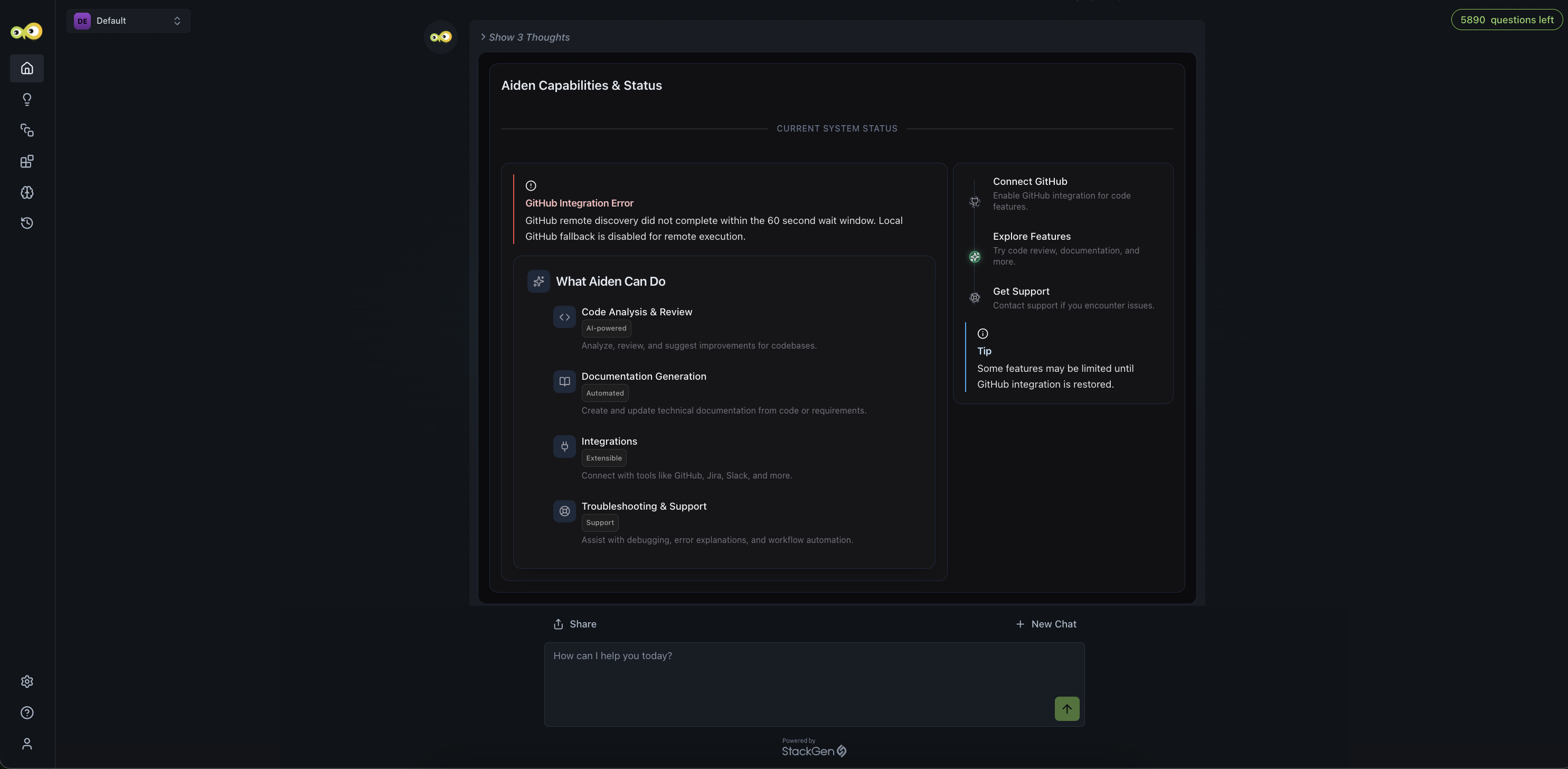
Chat now supports rich, interactive elements such as cards, tables, charts, tabs, and forms, making it easier to explore information and take action directly within conversations.
Why It Matters
You can scan structured answers and complete lightweight actions in the thread instead of parsing plain text only, which speeds up triage and follow-up when you work with Aiden.
What's Changed
Activity Logs Now Include Secret Store Events
Click to view
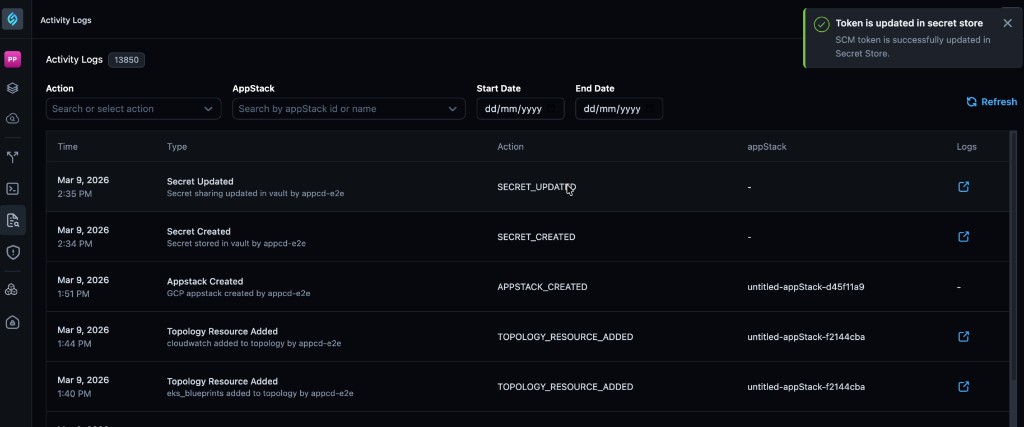
We've extended activity logs so they are not limited to app stack and topology-oriented actions alone.
What you'll see
-
Create, update, and delete operations in the secret store produce entries in activity logs.
-
Logs include JSON-style detail for what happened and which user performed the action.
Why It Matters
Security and operations teams get an auditable trail of secret lifecycle changes alongside the rest of platform activity, without switching to a separate tool for every investigation.
Read more in Activity Logs.
What's Fixed
Environment Variable Values Showing as Undefined
Click to view
We have fixed an issue where, after adding a new environment, variable values could appear as undefined when you tried to edit or set them. Values now load and bind correctly so you can configure the environment as expected.
Read more in Environment Configurations.
Import Source Labeled as Git Instead of Azure DevOps
Click to view
We have fixed an issue in the import flow where repositories hosted on Azure DevOps were labeled as generic Git instead of reflecting Azure DevOps. The source now displays with the correct Azure DevOps identification (wording as shown in-product).
Environment Configuration Variables Not Added to New Abstract
Click to view
We have fixed an issue where environment configuration (including variables you defined there) was not consistently added when you created a new abstract afterward. Configuration you define before creating the abstract now carries through to that new abstract as intended.
Read more in Environment Configurations.
Sensitive Variables Missing Input in Attribute Panel
Click to view
We have fixed an issue for abstract and custom modules where variables declared with sensitive: true did not show an input field in the side attribute panel. The field now appears so you can set sensitive values through the UI.
Read more in Configure a Resource.
K8s Subagent Executes Unnecessary kubectl get pods
Click to view
We have fixed an issue where the Kubernetes subagent executed kubectl get pods -n default as a mandatory first step, even when your query did not require pod-level inspection.
Previously, the system prompt had enforced a rigid investigation flow, so the subagent ran pod checks for unrelated queries such as node storage, CPU usage, services, or ingress details. That produced unnecessary commands, slower responses, and reduced efficiency. The subagent no longer treats that pod listing as a required first step when your question does not need it.
Supported Resources
Click to view
With this release, we've added additional support resources across our clouds. Refer to the Supported Resources document to view the complete list.