February 2026
February 2026
Streamlined Topology, Enhanced Terraform Expressions, and Simplified Snapshots
StackGen's February 2026 Release focuses on improving the day-to-day experience of building and managing infrastructure. We've reorganized the Topology page with a cleaner canvas and consolidated actions. Terraform expressions now provide clearer visual feedback and support complex expressions such as concat, merge, and jsonencode. We've simplified snapshots by removing versioning and correctly capturing variables, locals, and providers when you restore. We've also fixed push to Git for Azure DevOps, spaces in Git subdirectory paths for custom modules, and snapshot propagation for Terraform block configurations.
Explore what's new and see how StackGen continues to simplify infrastructure operations.
Discover What's New, What's Enhanced, What's Changed, and What's Fixed; and how these updates make building and managing your infrastructure more intuitive.
| Feature | Link | |
|---|---|---|
| What's New | Topology | New Topology Page UI |
| Aiden | Aiden SRE for Workspaces | |
| PagerDuty Integration Support | ||
| What's Enhanced | Terraform Expressions | Terraform Expressions: UI and Complex Expressions |
| What's Changed | Snapshots | Snapshots and Versioning |
| What's Fixed | Platform | Push to Git Failing for Azure DevOps |
| Custom Modules | Spaces in Git Subdirectory Paths Not Escaped | |
| Terraform Block | Variables, Locals, and Providers Not Captured in Snapshots | |
| Aiden | Thought Without Actual Answer | |
| AWS CLI Timeout Error Message | ||
| Tabular Data in Code Format | ||
| GCP Integration in Integrated StackGen Aiden |
What's New
New Topology Page UI
Click to view
We've reorganized the Topology page when creating or adding appStacks. All options that were previously on the canvas have been moved to the top navigation bar, giving you a cleaner canvas and a more intuitive workflow.
Key Changes
-
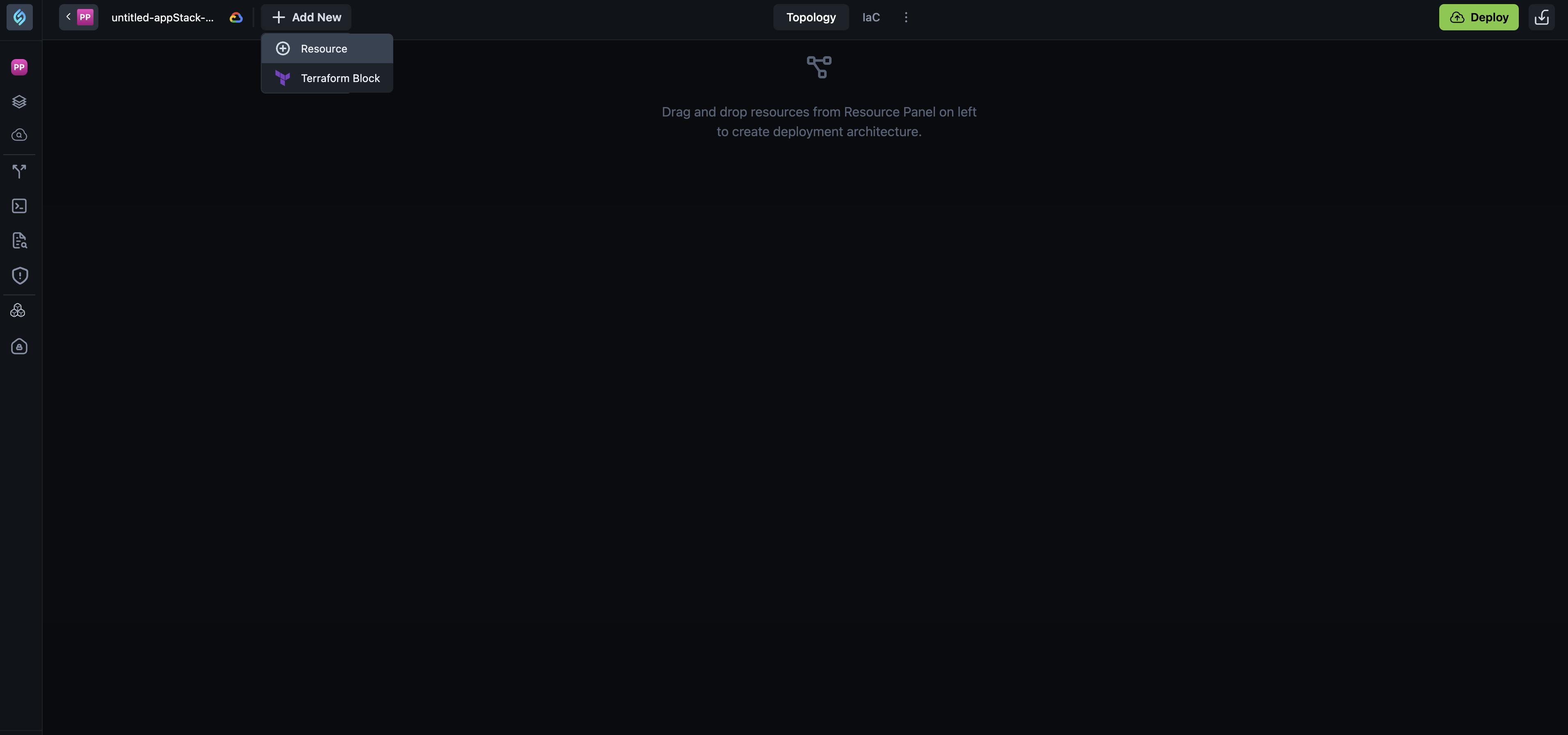
+ Add New button - The Add Resources and Add TF Module buttons have been consolidated into a single + Add New button. When you click it, you get two options:
- Resource - Opens the resource panel so you can add infrastructure resources to your topology.
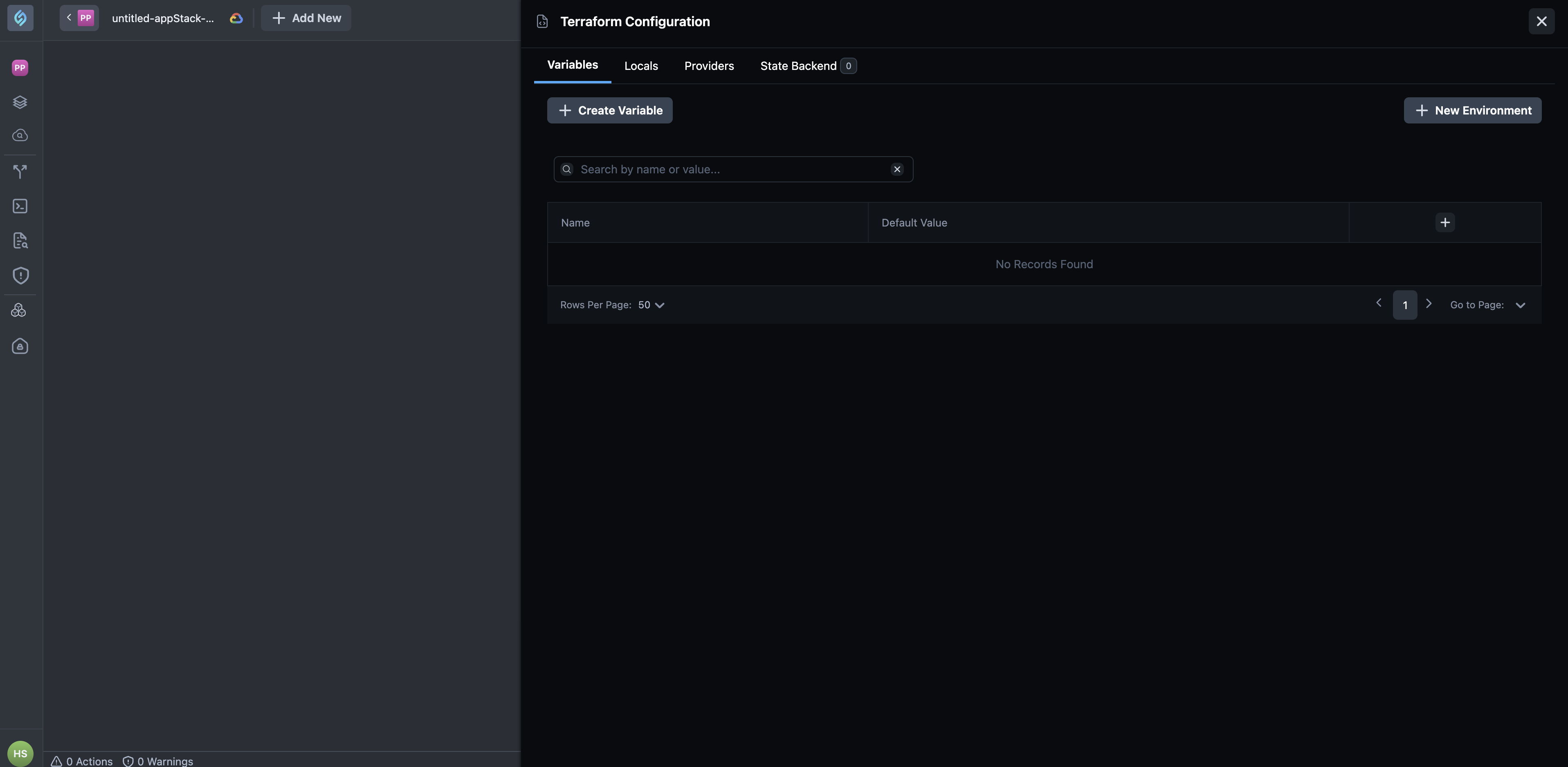
- Terraform Block - Opens the Terraform Configuration panel with tabs for
Variables,Locals,Providers, andState Backend.
-
Resources, Policies, and Cost Estimate - These tabs are now hidden behind a three-dot
(⋮)toggle next to the IaC tab. Click the toggle to reveal these options.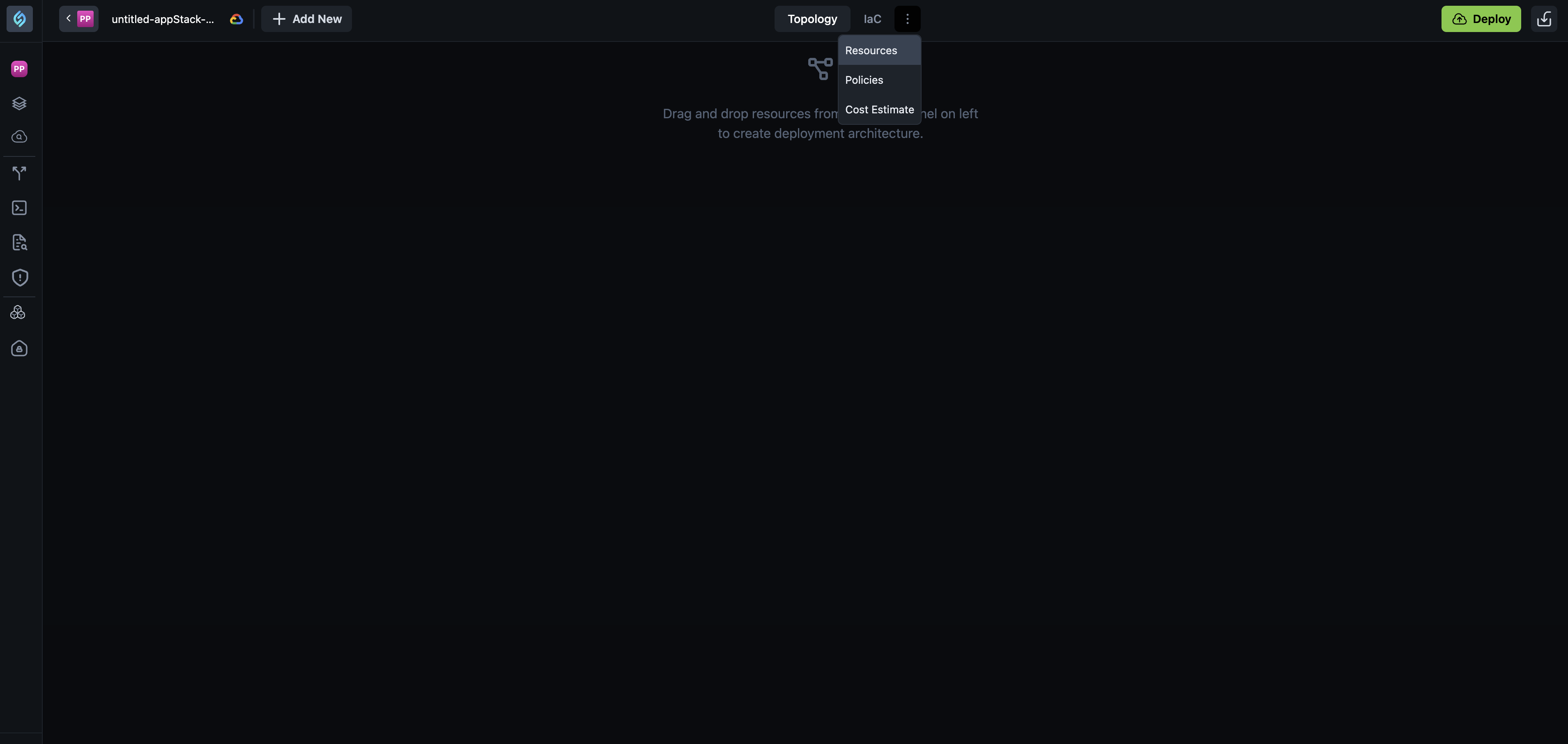
-
Deploy and other actions - The Download IaC button is no longer visible by default. The Push to Git button appears only after you have added resources and there are no violations. Once a module is added, you'll see Push to Git along with Import, Download, Topology, JSON, CLI Runs, ShareInfra, and other options.
Why It Matters
These changes simplify the Topology canvas experience by reducing clutter and grouping related actions in the top bar. You can focus on building your deployment architecture while keeping configuration options easily accessible.
Aiden SRE for Workspaces
Click to view
This release introduces Aiden SRE onboarding and infrastructure discovery. Aiden SRE is an AI assistant that helps you run Site Reliability Engineering (SRE) workflows by connecting to your observability and infrastructure tools. It can monitor systems, investigate incidents, and answer operational questions across your integrations.
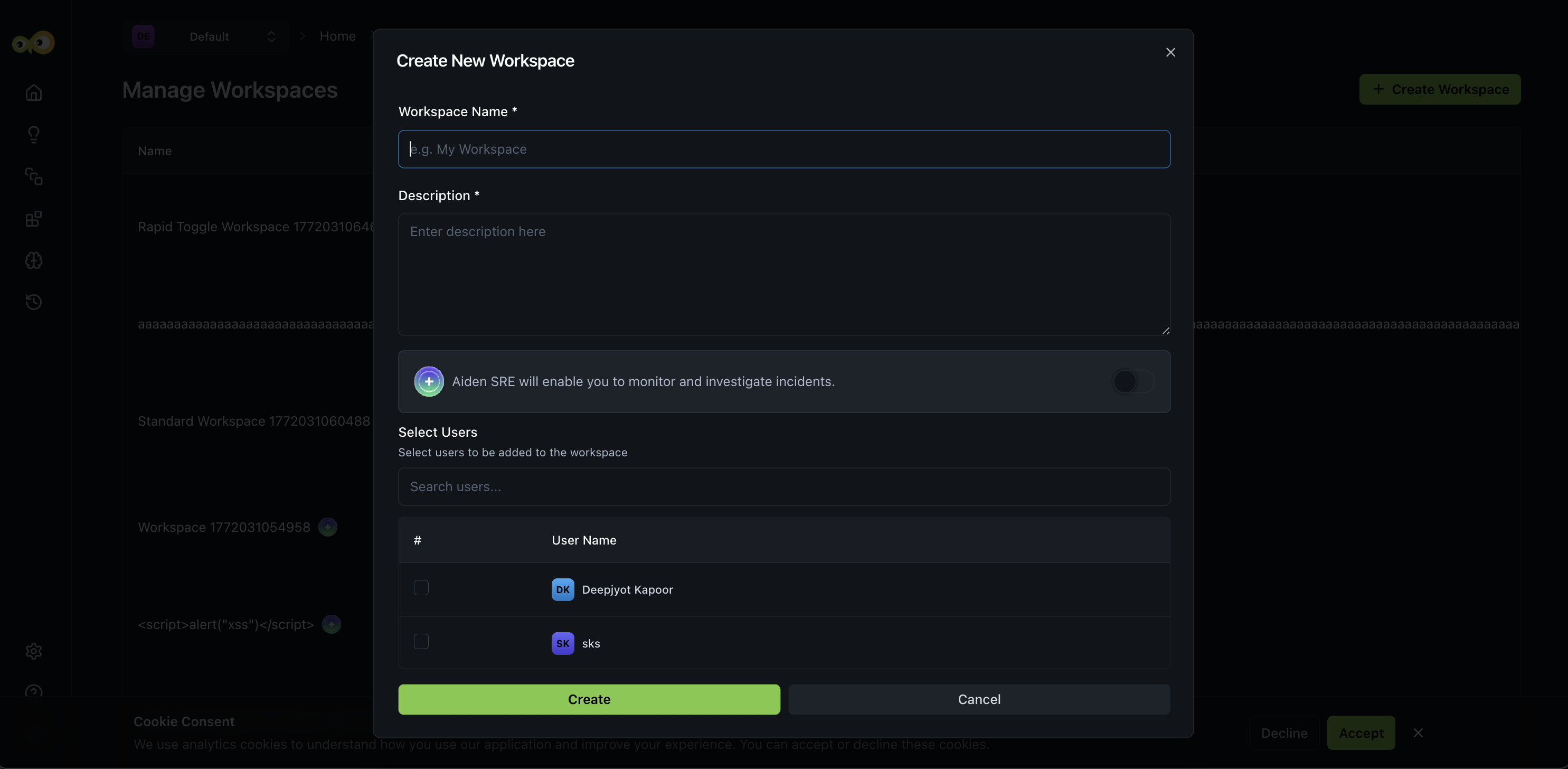
Aiden SRE onboarding
You can now enable Aiden SRE when creating a workspace. The onboarding flow guides you through integration setup and mandatory context entry so Aiden can understand your environment quickly. You then review discovered infrastructure entities. The result is faster time-to-productivity for SRE teams, with clear contextual information up front.
Integration: Infrastructure discovery and recommendations
Once your observability integrations are connected, Aiden discovers your infrastructure and suggests next steps.
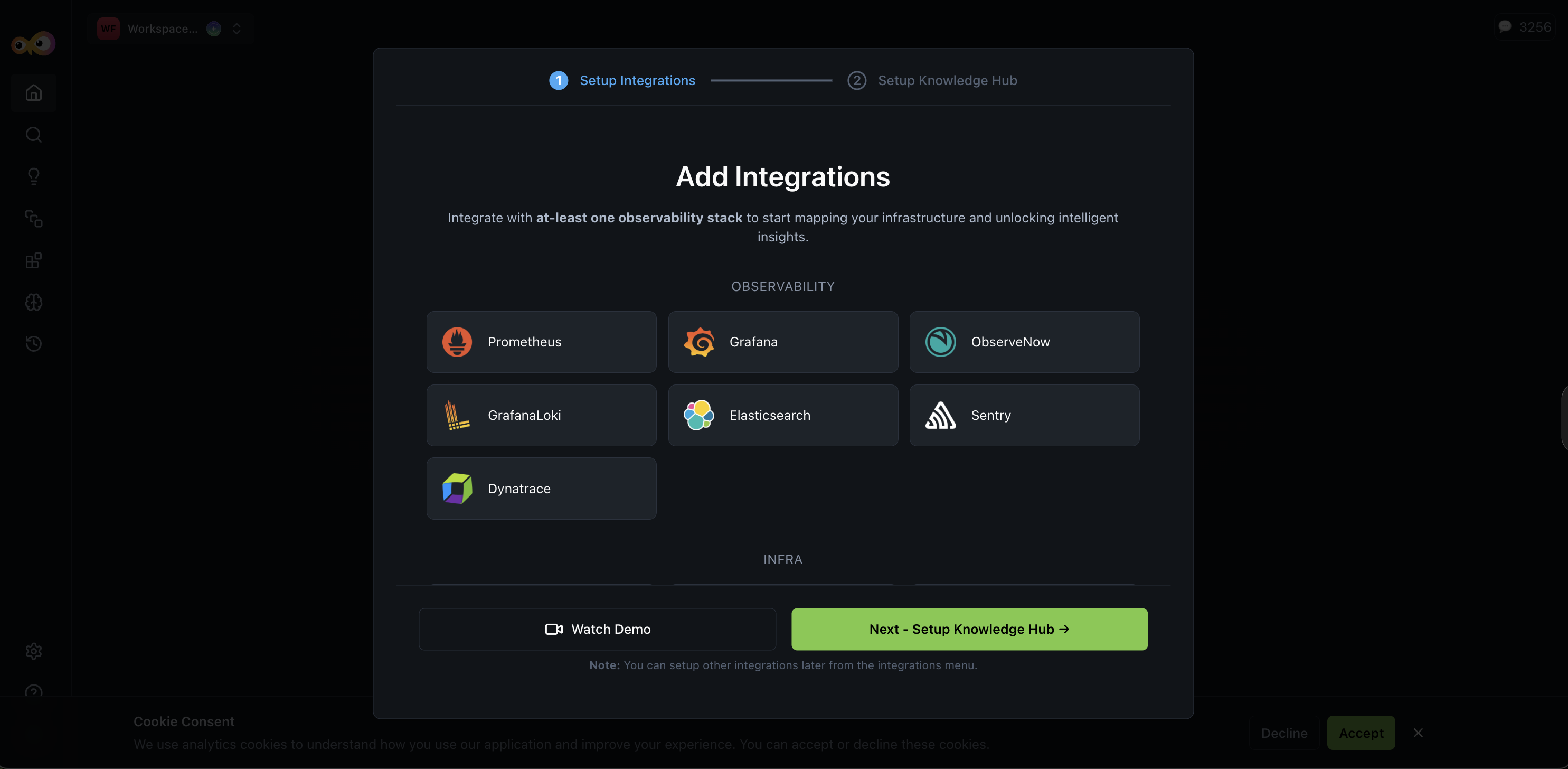
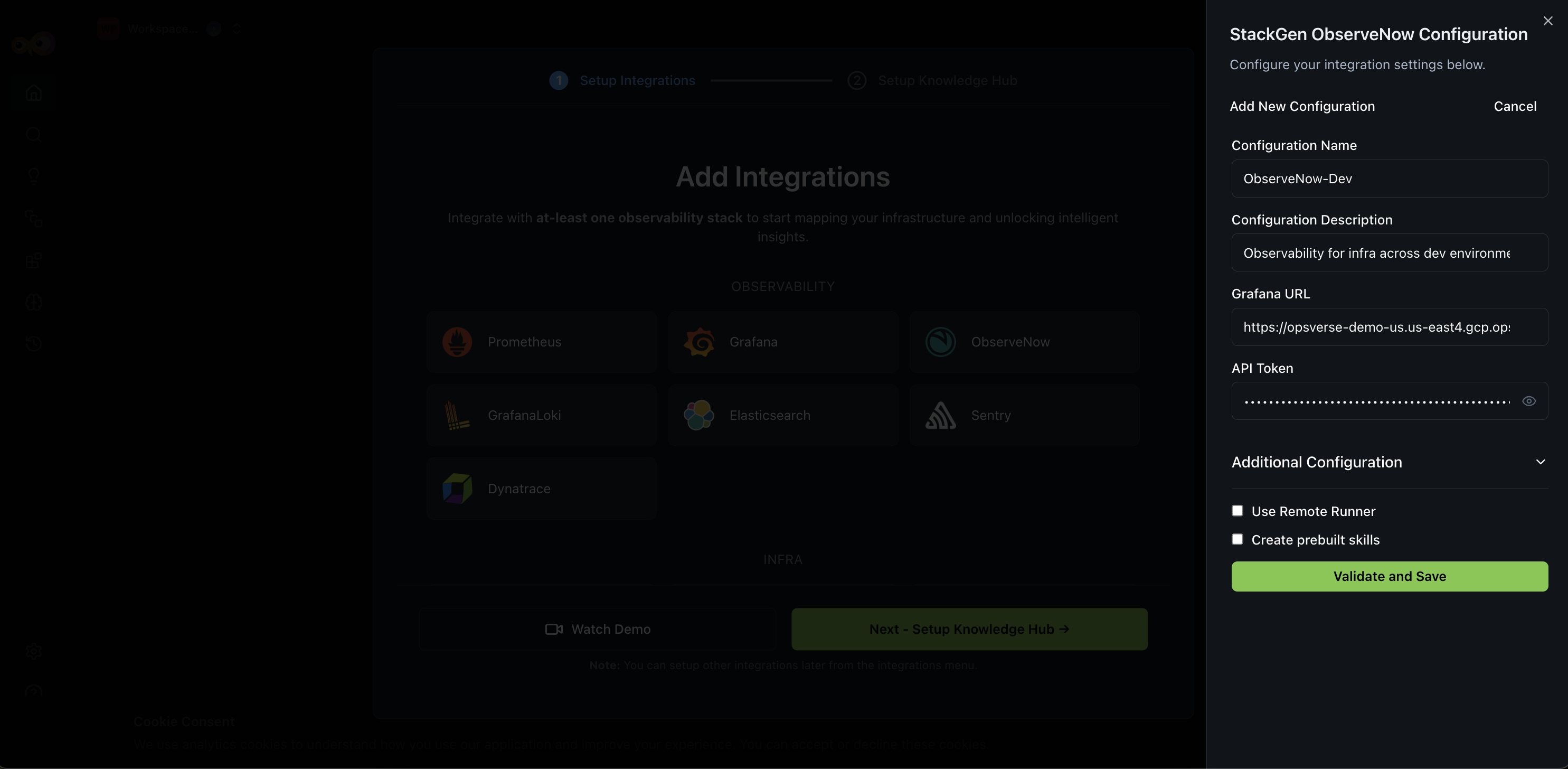
Context input and Knowledge Hub
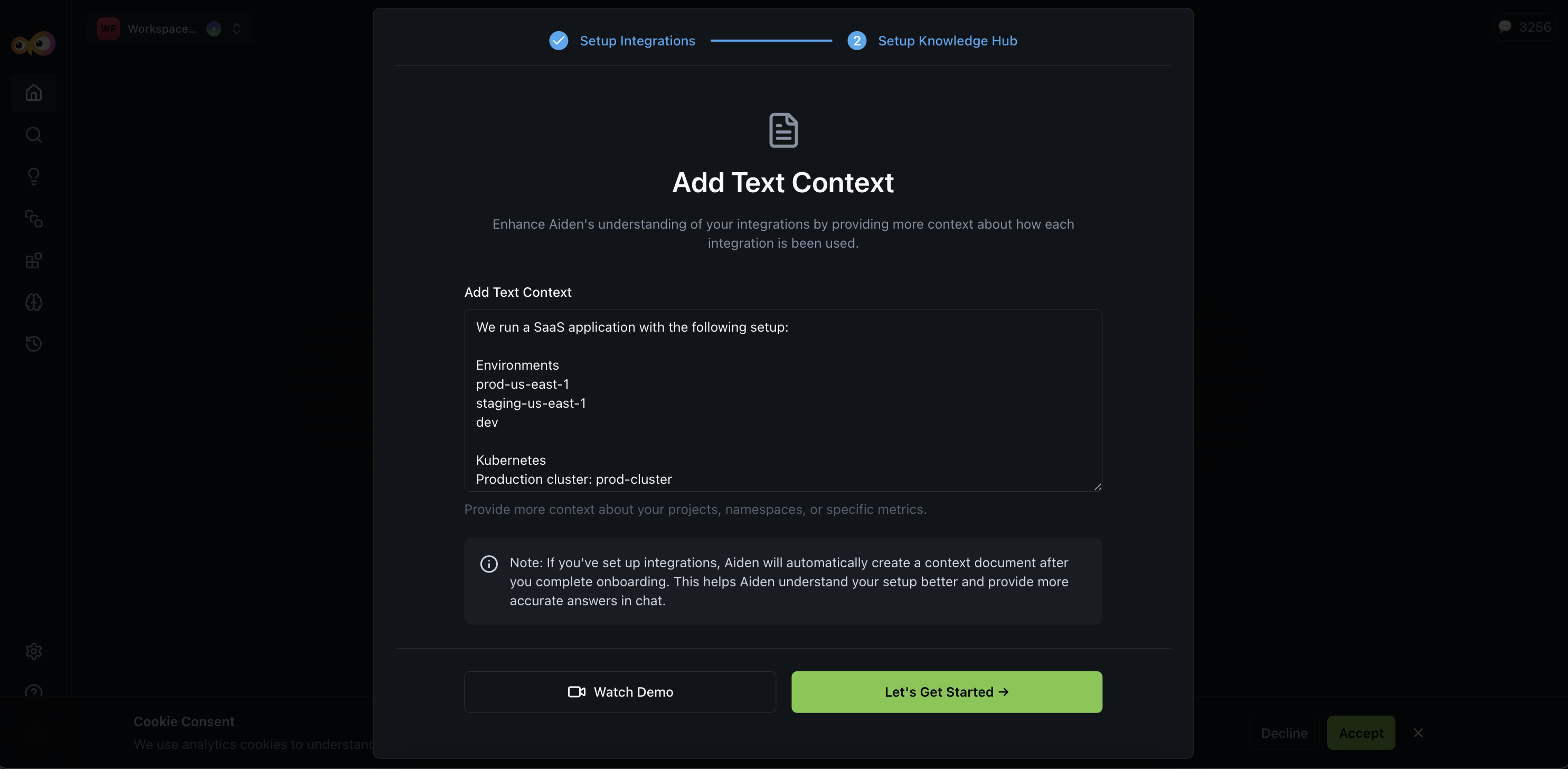
A new Context Input step in onboarding lets you provide structured context so Aiden can reason about your environment and route queries to the right tools. You can describe cluster environments, namespace ownership, alert routing, observability tool usage, and incident management setup. As the next step, the Knowledge Hub is populated with discovered infrastructure data; adding this context reduces ambiguity during incident responses.
After integration setup, Aiden automatically:
- Detects clusters, namespaces, services, and data sources.
- Identifies associated cloud providers (e.g., AWS, Azure).
- Recommends additional integrations based on discovered entities.
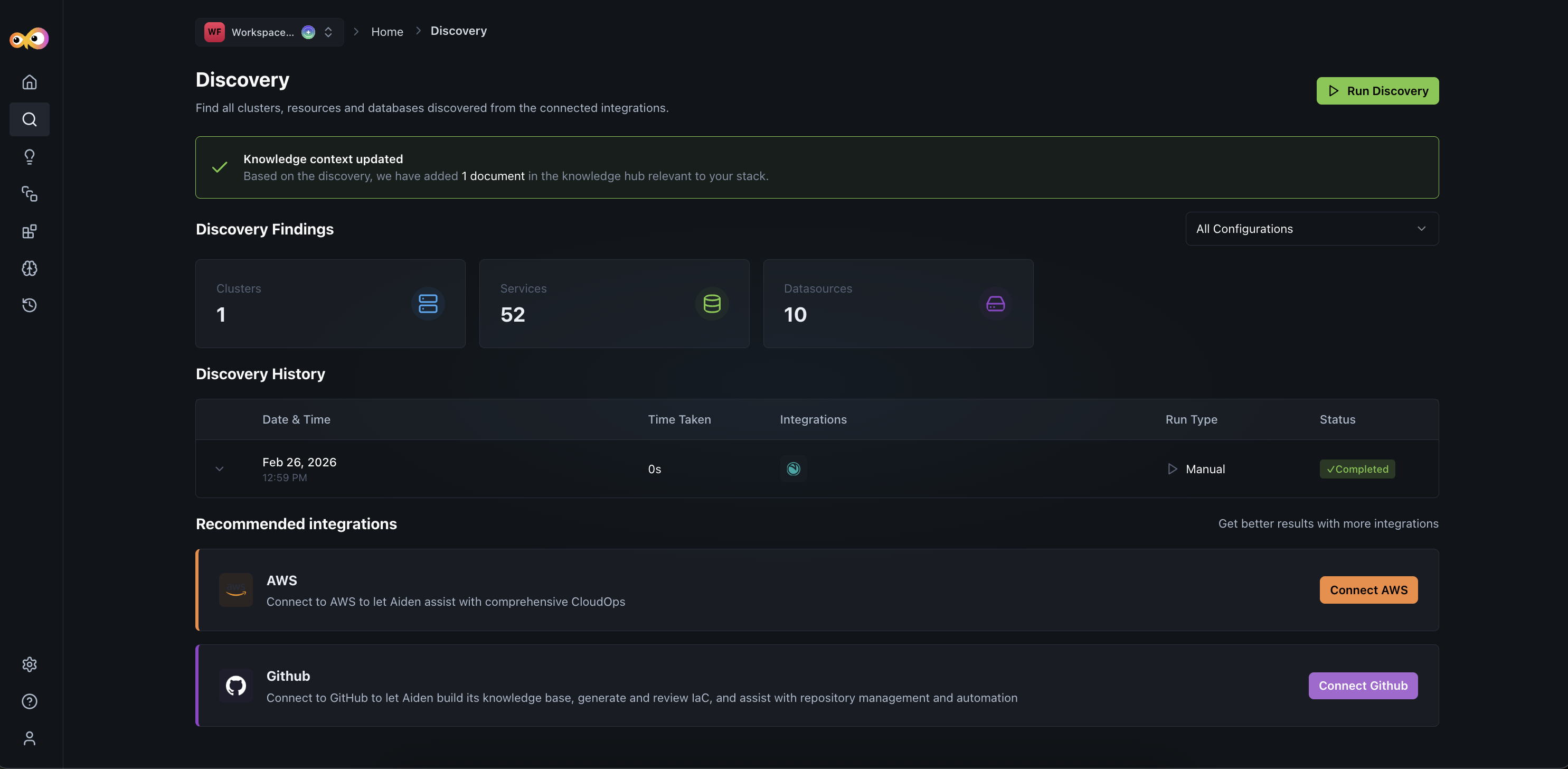
This ensures manual configuration is reduced and faster operational readiness.
Why It Matters
Structured context and discovery give Aiden a semantic understanding of your environment without manual effort. Aiden can monitor clusters and services, investigate incidents across integrations, route queries to the right observability tools, and reduce ambiguity during incident response. Grafana and Prometheus integrations are supported for alerting and incident management.
Aiden: PagerDuty Integration Support
Click to view
Aiden now supports PagerDuty Integration for incident investigation. You can fetch incident details by ID, retrieve summaries, query by status (Triggered, Acknowledged, Resolved), and summarize open incidents from within Aiden.
Typical use case for this integration is automation of your incident response by having Aiden receive a webhook from PagerDuty, correlate data from observability and cloud tools, generate an RCA, and update the PagerDuty ticket.
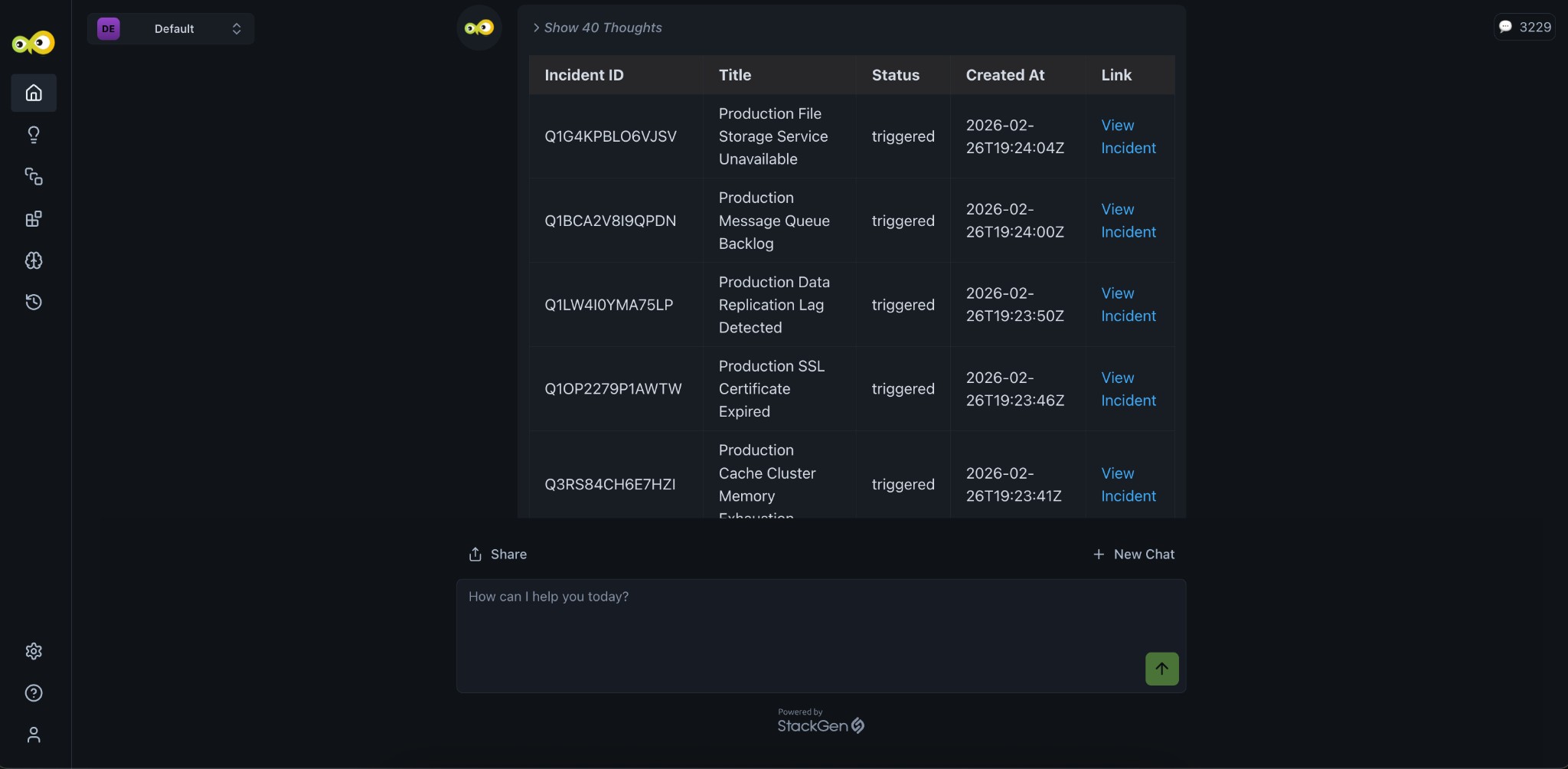
Example prompts
- "Get details for PagerDuty incident INC-1234"
- "Summarize all unresolved incidents"
Why It Matters
You get cross-platform incident visibility in Aiden without switching to PagerDuty; incident lookup and triage stay in context with your other observability and SRE workflows.
Check out the PagerDuty integration guide to set up and use the integration.
What's Enhanced
Terraform Expressions: UI and Complex Expressions
Click to view
We've enhanced the Terraform expressions experience with clearer UI feedback and support for complex expressions.
Improved expression mode toggle
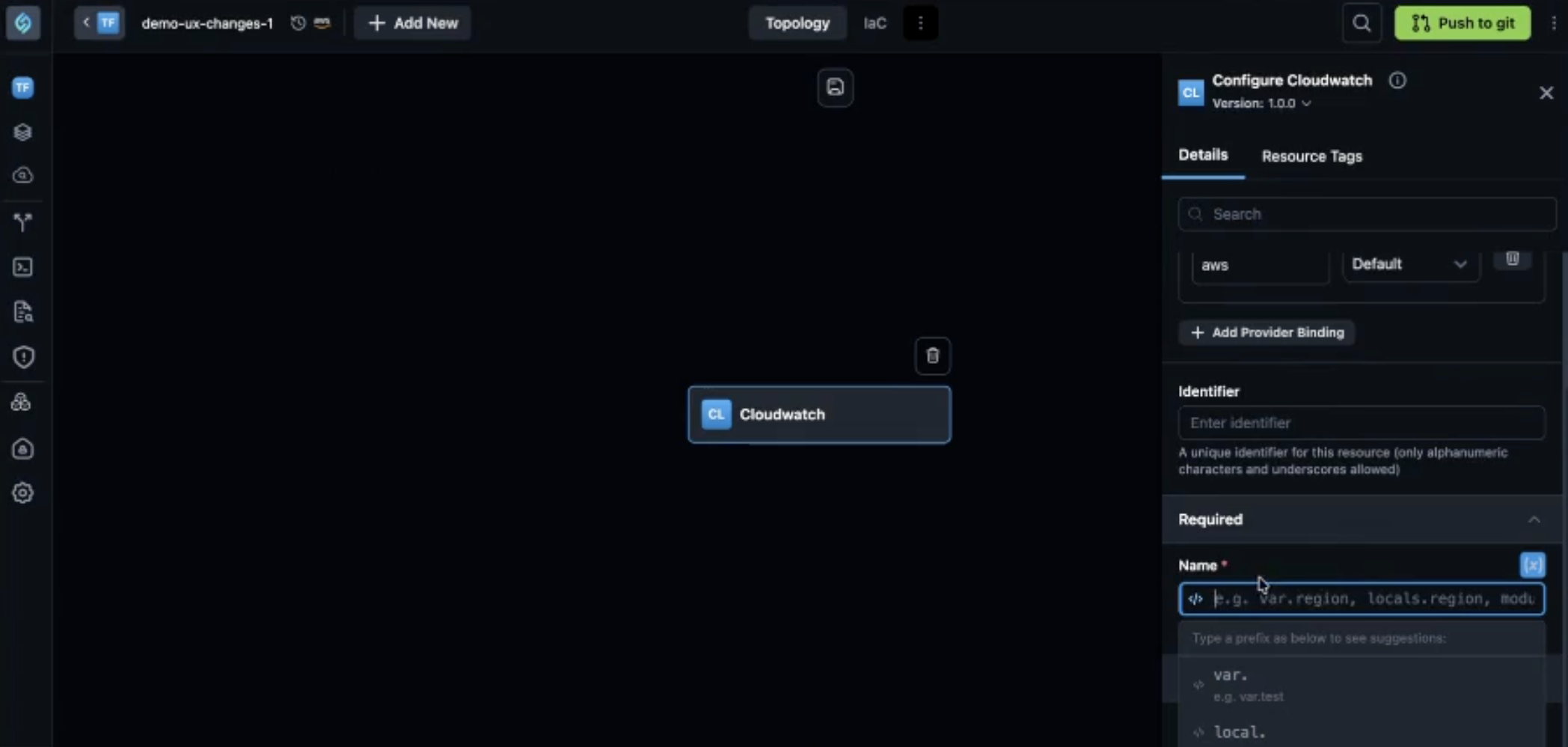
When you click the expression toggle icon (code symbol) next to a resource attribute field, you enter Terraform expression mode. Previously, there was no clear visual indication that the mode had changed.
Now when you toggle expression mode on:
-
The input field switches to a code mode editor with distinct text styling
-
A dropdown with suggestions appears as you type (for example,
var.,local.) -
The text color changes to indicate you are in code mode
Support for complex Terraform expressions
StackGen now supports complex Terraform expressions that were not supported before. You can use Terraform functions such as concat, merge, and jsonencode in resource attribute fields.
For example, when configuring an IAM role's policy as a Terraform expression, you can use jsonencode to wrap the JSON policy. You can now enter any valid Terraform expression, if Terraform supports it, StackGen supports it.
Why It Matters
The clearer UI makes it obvious when you are in expression mode, reducing confusion and input errors. Support for complex expressions lets you use advanced Terraform patterns directly in the resource attribute panel, without workarounds.
What's Changed
Snapshots and Versioning
Click to view
We've made significant changes to snapshots and versioning in appStacks.
Versioning removed
Going forward, StackGen no longer supports manually adding new versions. The Create new version button has been moved, and the option to add new versions has been removed from the dropdown and context menu. Existing appStacks that already have versions will continue to work, and you can still toggle between existing versions using the dropdown.
Snapshot panel
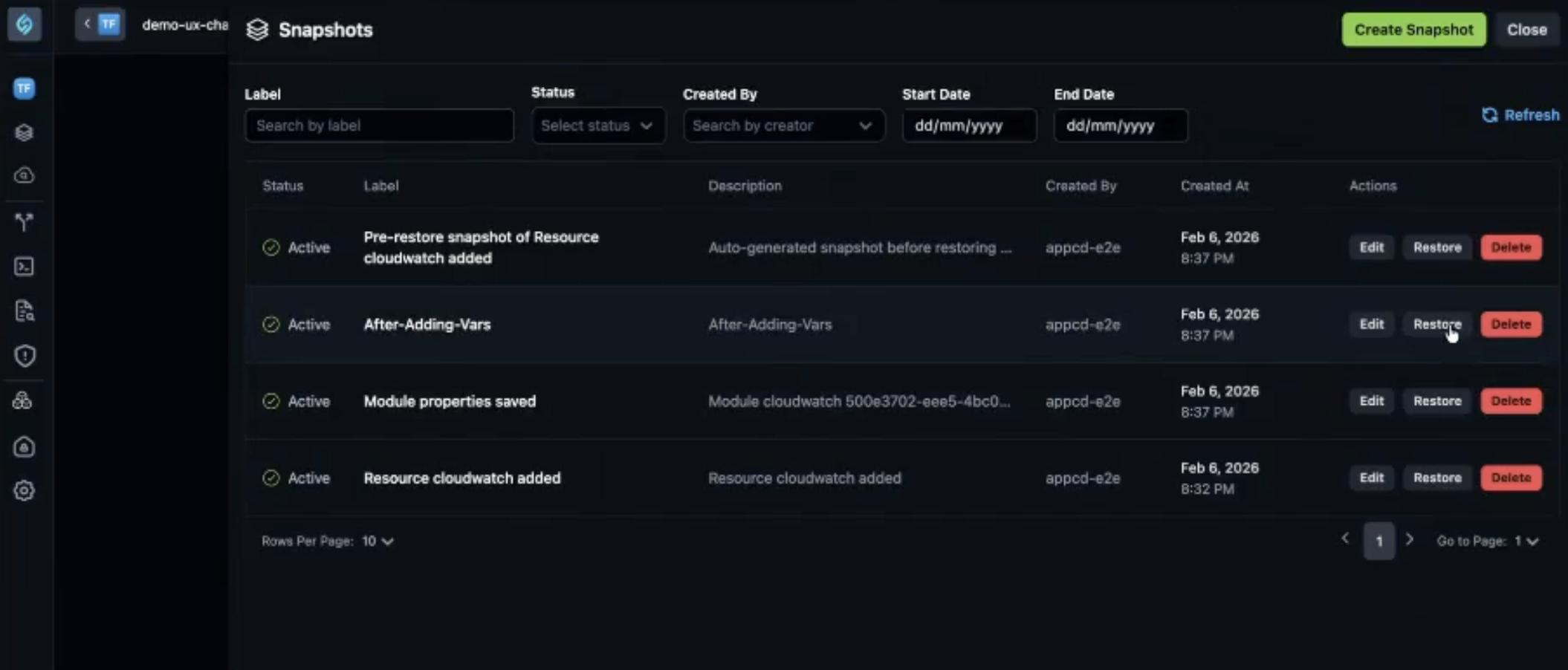
The history icon (snapshot icon) next to Cloud Provider opens the Snapshots panel. Automatic snapshots are taken when:
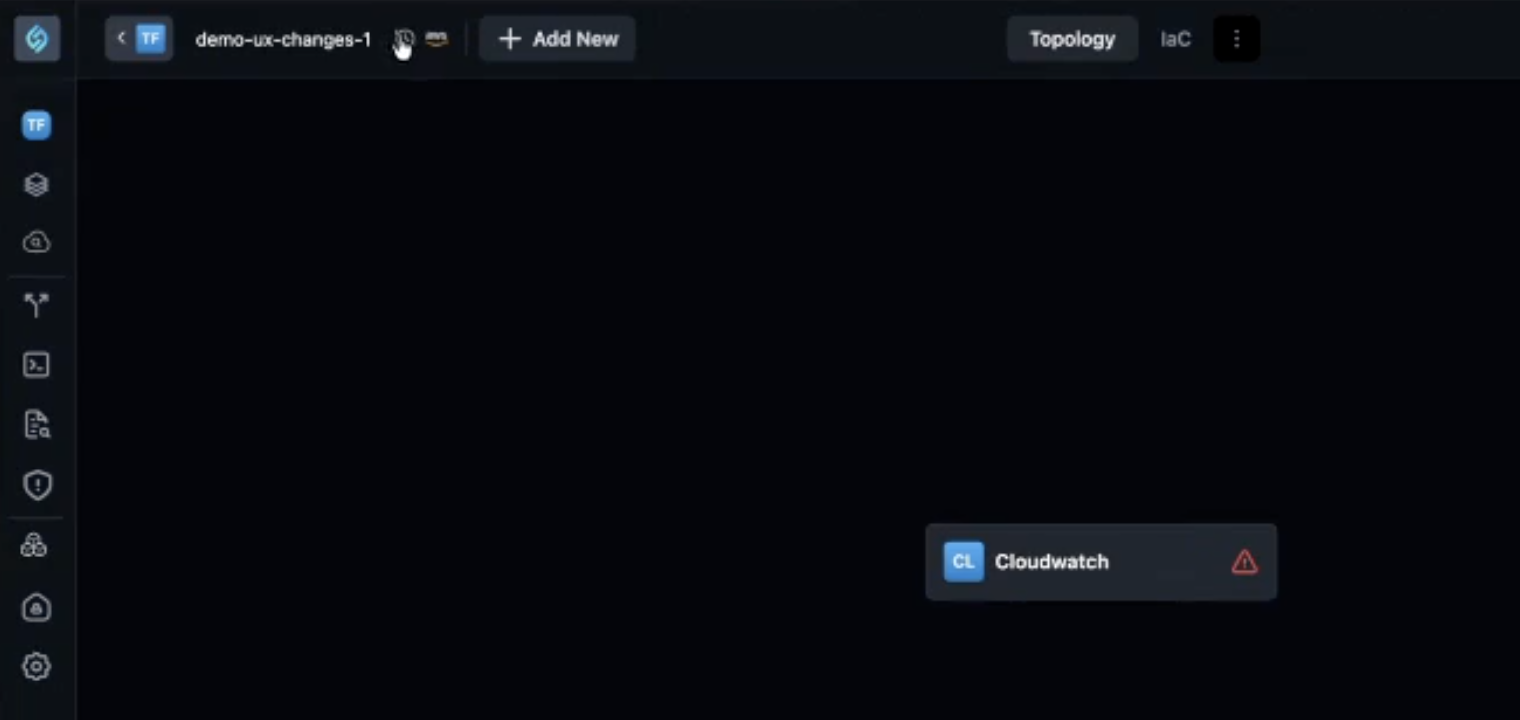
- A resource is added to the topology
- A resource is deleted from the topology
- You fill a value in the resource attribute panel and click Save
Variables, locals, and providers are now correctly captured and restored when you restore a snapshot (see What's Fixed).
Why It Matters
Snapshots give you a clear history of changes to your appStack, so you can restore to a previous state if needed. By removing versioning and focusing on snapshots, StackGen simplifies how you track and revert changes. The improved capture of variables, locals, and providers means your Terraform block configurations are fully preserved when you restore, reducing the risk of losing configuration when rolling back.
State backend configuration is not yet supported in snapshots. Support is planned for a future release.
What's Fixed
Platform: Push to Git Failing for Azure DevOps
Click to view
We have fixed an issue where push to git was failing for Azure DevOps. Previously, you would not be alerted when fields marked as required were left blank, and you would see validation errors that would not specify the field for which the validation failed.
Push to git for Azure DevOps now works correctly, with proper validation messaging and successful loading of generated infrastructure to the repository.
Spaces in Git Subdirectory Paths Not Escaped
Click to view
We have fixed an issue where custom modules that reference a subdirectory within a Git repo would break Terraform when the subdirectory path contained spaces. StackGen was not properly escaping spaces in the source URL.
Previously, a path like //hardened modules/ in the Git source would be exported as-is, causing Terraform to fail. The path must be URL-encoded (for example, //hardened%20modules/) for Terraform to parse it correctly.
StackGen now properly escapes spaces in Git subdirectory paths when generating the module source URL, so custom modules with spaces in their subdirectory names work correctly.
Variables, Locals, and Providers Not Captured in Snapshots
Click to view
We have fixed an issue where variables, locals, and providers were not propagating through snapshots. Previously, when you added a variable, local, or provider and created a snapshot, those values were not captured in snapshots. Restoring a snapshot would not show the Terraform block configurations correctly.
Now when you restore a snapshot, variables, locals, and providers are correctly restored. For example, if you add a variable and create a snapshot, then restore an older snapshot where that variable did not exist, the Terraform Block will show blank. When you restore the snapshot where the variable was present, it will appear correctly.
Aiden
Click to view
Thought Without Actual Answer
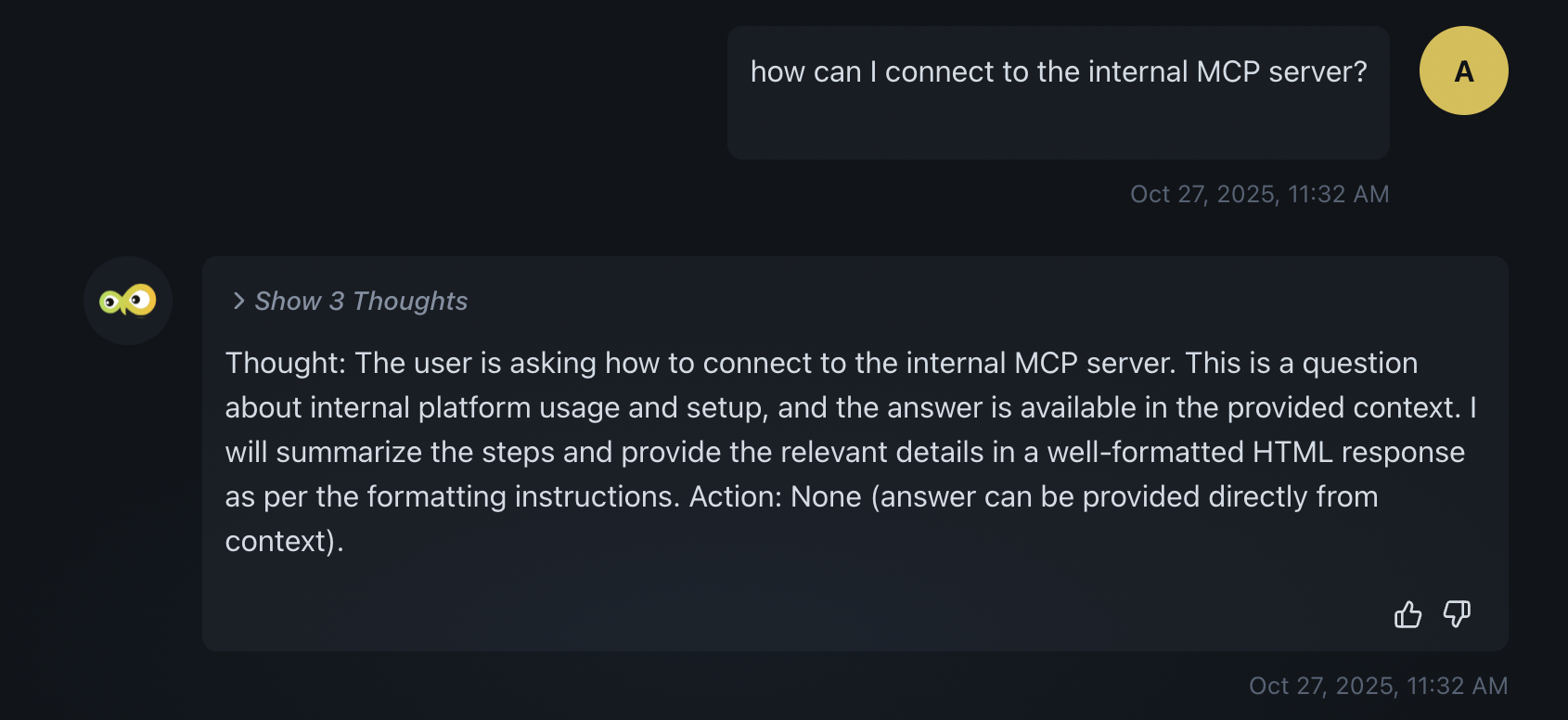
We have fixed an issue where Aiden sometimes returned only the thought (reasoning) and not the actual answer. Previously, you might see only the "Thought" and "Action" (e.g., "Show 3 Thoughts") with no final answer below. Aiden now returns the full response so you get both the reasoning and the answer.
AWS CLI Timeout Error Message
We have fixed an issue where an AWS CLI timeout produced the error: The AWS CLI command timed out. Please ask the user for necessary permissions. Aiden interpreted this as a permissions problem even when the cause was something else (e.g., network or resource delay). The timeout error message has been updated so Aiden no longer defaults to a permissions explanation and can respond more accurately.
Tabular Data Shown in Code Format
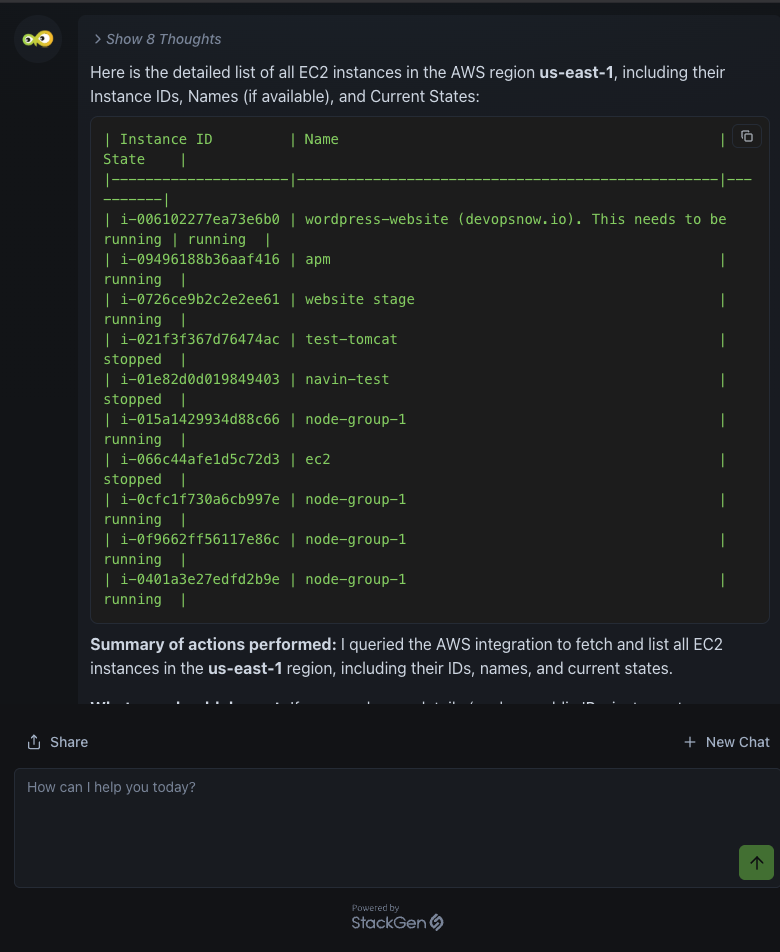
We have fixed an issue where Aiden sometimes displayed tabular data (e.g., EC2 instance lists, query results) as plain text in a code block instead of a formatted table. That made the data hard to scan and understand. Aiden now renders tabular data using HTML table markup so responses are organized and easier to read.
GCP Integration in Integrated StackGen Aiden
We have fixed an issue where users could not create GCP integrations when using Aiden in the integrated StackGen experience (e.g., from your company StackGen URL). GCP integrations can now be created and used in integrated Aiden environments.
Supported Resources
Click to view
With this release, we've added additional support resources across our clouds. Refer to the Supported Resources document to view the complete list.