Aiden SRE
Aiden SRE
Aiden SRE is an AI assistant that helps you run Site Reliability Engineering (SRE) workflows by connecting to your observability and infrastructure tools. It can monitor systems, investigate incidents, and answer operational questions across your integrations.
You can enable Aiden SRE when creating a workspace. The onboarding flow guides you through integration setup and context entry so Aiden understands your environment quickly, then you review discovered infrastructure. The result is faster time-to-productivity for SRE teams, with clear contextual information up front.
Why use Aiden SRE
- Semantic understanding: Structured context and discovery give Aiden an understanding of your environment without manual effort.
- Monitoring and investigation: Aiden can monitor clusters and services and investigate incidents across your integrations.
- Smart routing: Queries are routed to the right observability tools.
- Incident response: Context reduces ambiguity during incident response. PagerDuty and Prometheus (and other supported integrations) are available for alerting and incident management.
Enable Aiden SRE
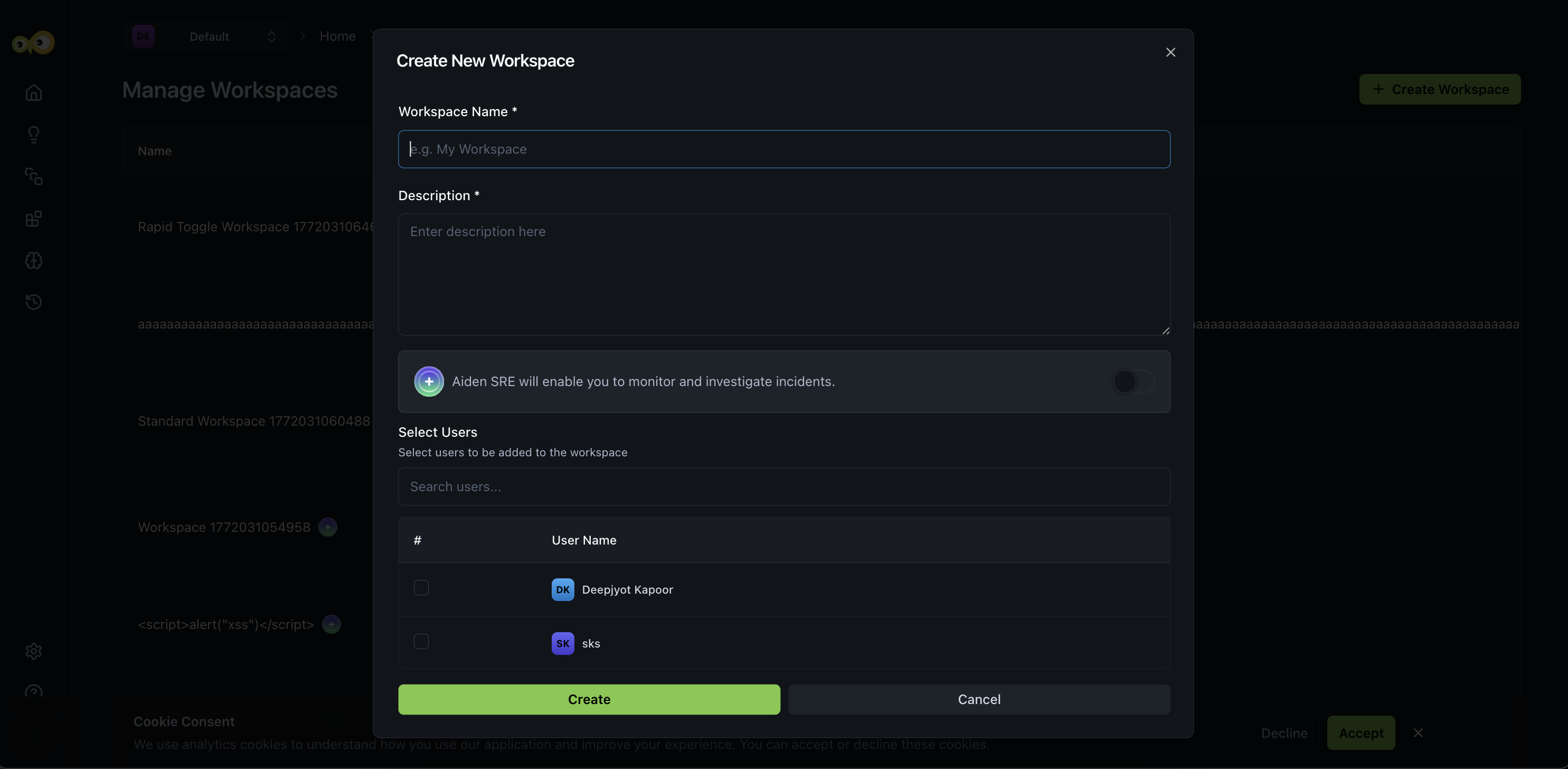
See Manage Workspaces for the full workspace creation steps.
When creating a workspace, turn-on the Enable Aiden SRE toggle if you want this workspace to use Aiden for SRE workflows. After the workspace is created, you will be guided through SRE onboarding.
Aiden SRE Onboarding
Aiden SRE Onboarding walks you through three steps:
- Connecting your observability and incident-management integrations.
- Adding a structured Knowledge Base context so Aiden understands your environment.
- Reviewing the infrastructure that Aiden discovers and adding recommended integrations.
Completing these steps gives Aiden the context it needs for monitoring, investigation, and incident response.
Setup integrations
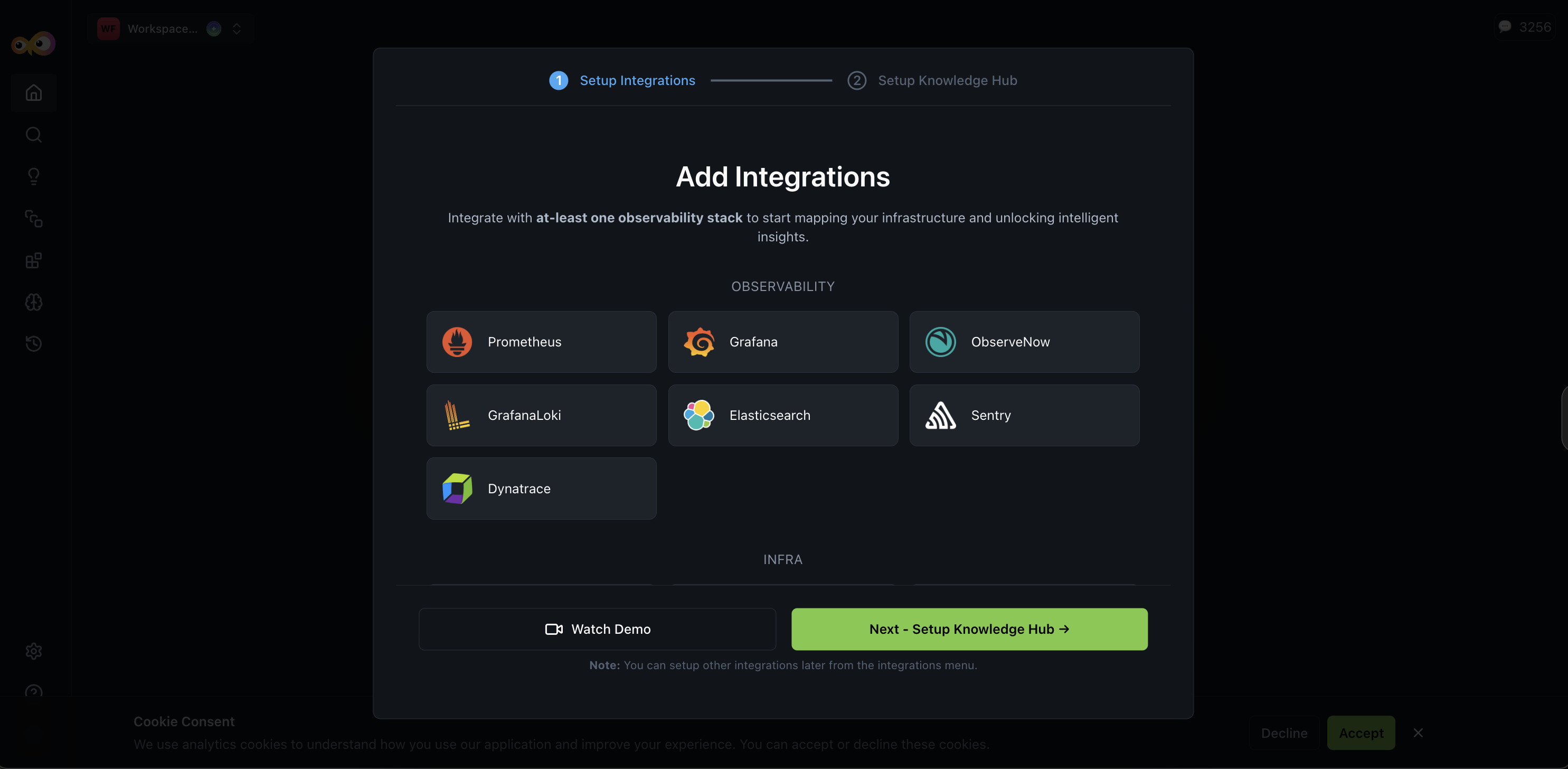
Add integrations from the categories available in onboarding:
- Observability (e.g., Prometheus, Grafana, PagerDuty),
- INFRA,
- SCM,
- CI/CD. Aiden uses these to monitor clusters and services, investigate incidents, and route queries to the right tools.
Context input and Knowledge Hub
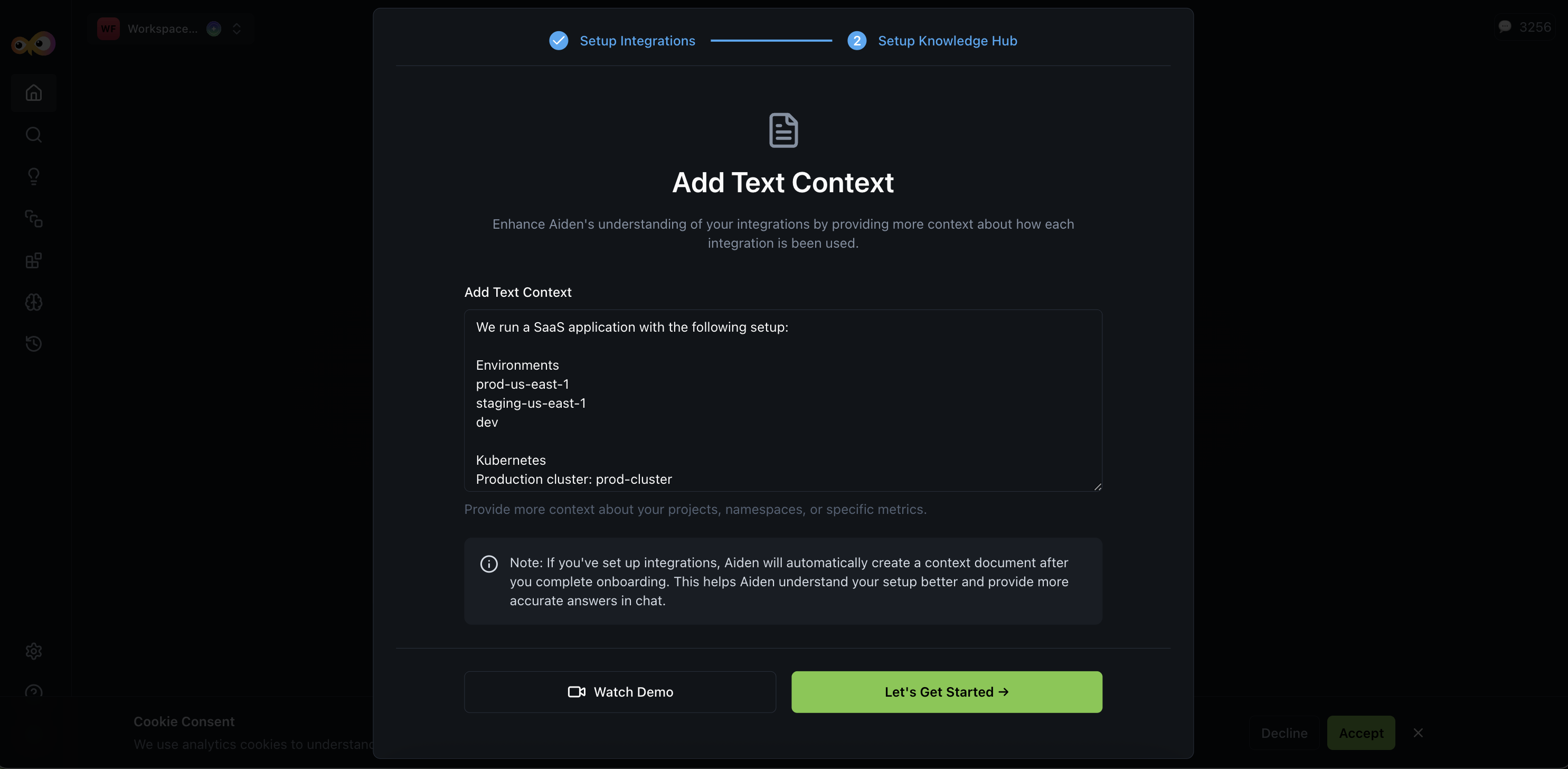
A Context Input step lets you provide structured context so Aiden can reason about your environment. You can describe:
- Cluster environment descriptions
- Namespace ownership
- Alert routing
- Observability tool usage
- Incident management setup
Adding this context reduces ambiguity during incident responses. As the next step in onboarding, the Knowledge Hub is populated with discovered infrastructure data; you can add more text context to enhance Aiden's understanding.
Infrastructure discovery and recommendations
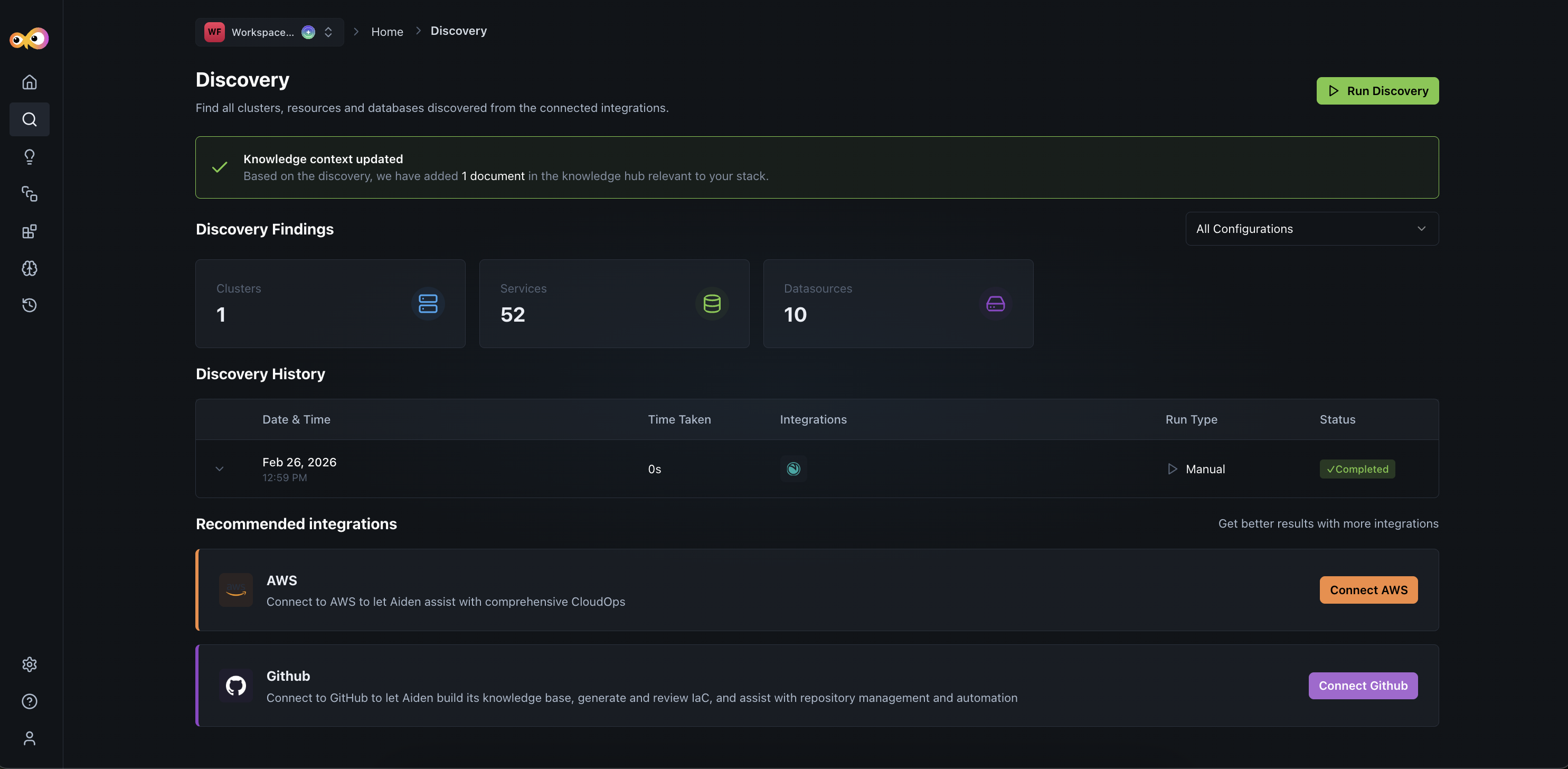
After integration setup, Aiden automatically:
- Detects clusters, namespaces, services, and data sources
- Identifies associated cloud providers (e.g., AWS, Azure)
- Recommends additional integrations based on discovered entities
Knowledge Hub, Tasks, and Skills From Discovery
Once you run a discovery, besides showing the resources in your environment, it also automatically populates:
- Knowledge Hub: Structured findings from discovery appear in the Knowledge Hub alongside any context you added during onboarding. That gives Aiden one place to reason about clusters, services, ownership, and related metadata before you enable tasks and skills.
- Tasks: Incident-response tasks are created:
- Debug Service Outage: runs when an issue is detected
- Monitor Services for Anomalies: runs every hour
- Optional notifications: Link tasks to notification channels so the right people are alerted when something needs attention.
- Skills: Prebuilt skills from discovery that are ready-to-use:
- Monitoring service health
- Investigating incidents
These are generated using built-in templates tied to the resource discovery finds. This reduces manual configuration and speeds up operational readiness.
Discovery flow behavior
- Tasks and skills are created automatically from discovery results.
- New tasks are created in a disabled state so you can review them before enabling.
- Discovery results include more context, such as schedules, run times, and creators.
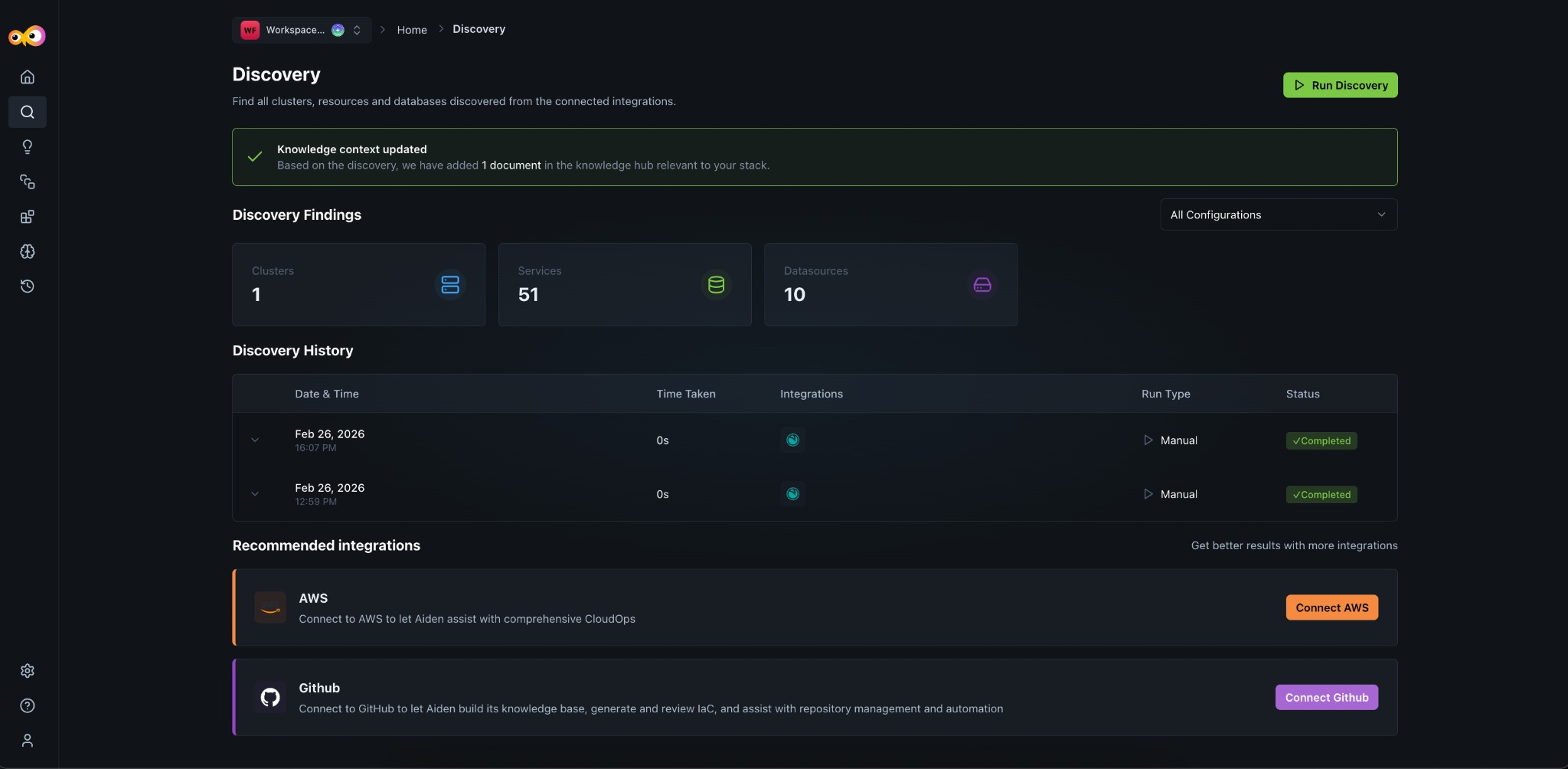
Once you've completed onboarding, you can view your discovery at any time from the Discovery page. The page shows discovery findings (clusters, services, data sources), discovery history with run status, and recommended integrations.
Additional Resources
- Manage Workspaces: Create workspaces and enable Aiden SRE
- Discovery: View discovery findings, history, and recommended integrations
- Tasks: How tasks run on schedules or triggers in Aiden
- Skills: How skills automate multi-step workflows
- Knowledge Hub: How Aiden uses knowledge and context
- Integrations: Supported observability and infrastructure integrations