Discovery
The Discovery page displays a summary of infrastructure that Aiden has found from your connected integrations, namely, Clusters, Resources, and Databases. It is available per workspace and only visible to the members who have been added to the workspace. Use it to view discovery findings, run discovery again, review run history, and add recommended integrations.
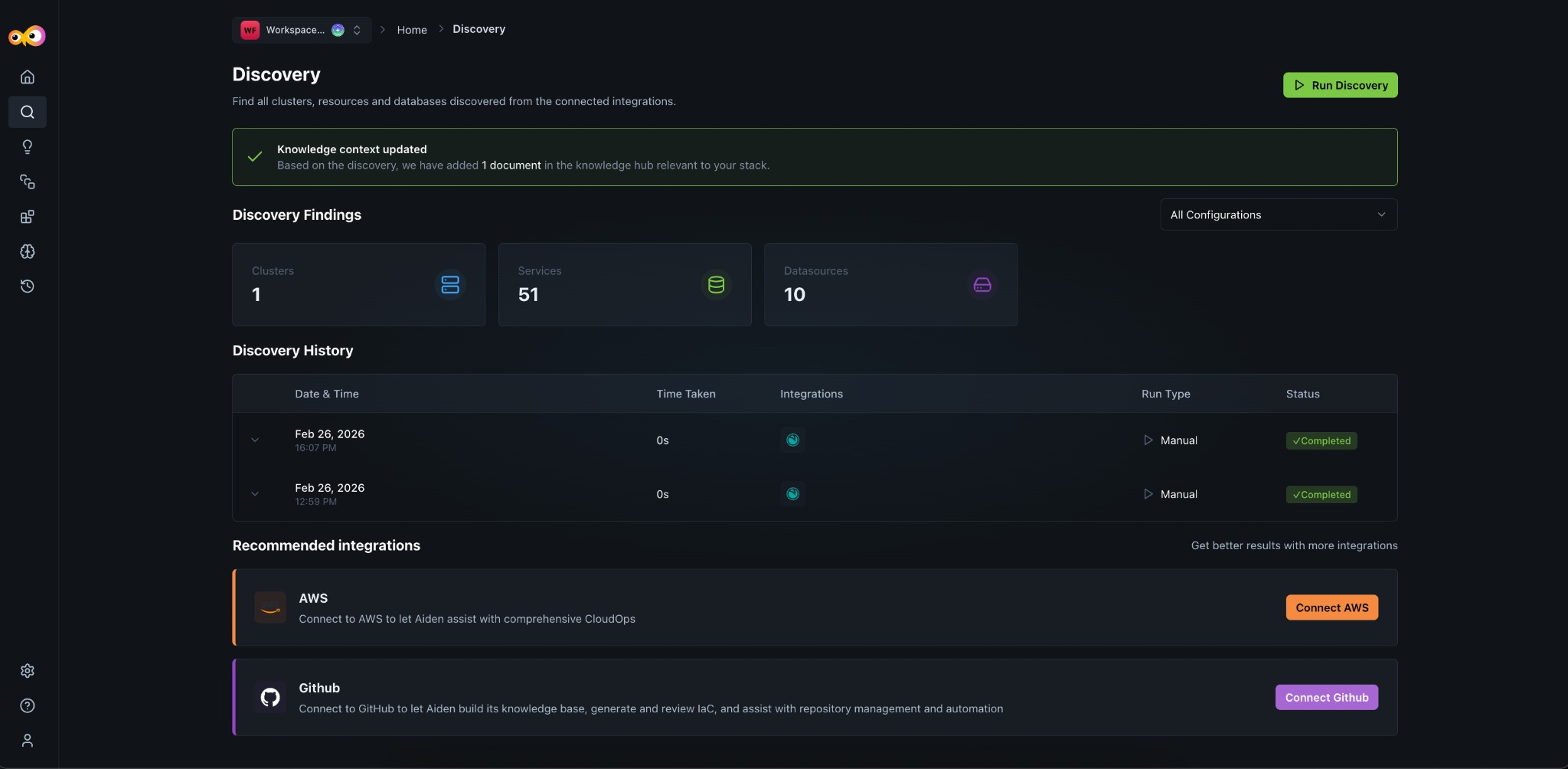
Discovery Findings
The Discovery Findings panel summarizes what was discovered in your source integration:
- Clusters: Kubernetes (or other) clusters from your integrations.
- Services: Services detected across your stack.
- Datasources: Data sources (e.g., databases, stores) linked to your integrations.
You can filter by configuration (e.g., All Configurations) to scope the view. When a discovery is completed, the Knowledge Hub is updated with documents relevant to your stack; a banner confirms when the knowledge context has been updated.
Discovery History
Discovery History lists past discovery runs with:
- Date & time: When the run occurred.
- Time taken: Duration of the run.
- Integrations: Which integrations were used.
- Run type: Manual or scheduled.
- Status: Completed (or other status).
Use this to confirm that discovery has finished and to see when the last run was.
Run discovery
Use Run Discovery to start a new discovery scan. This refreshes clusters, services, and data sources from your connected integrations and updates the Knowledge Hub with the latest findings.
Recommended integrations
The page suggests additional integrations to improve results (e.g., AWS for CloudOps, GitHub for knowledge base and IaC). Connect more integrations to expand what Aiden can discover and assist with.
Additional Resources
- Aiden SRE: Enable SRE and complete onboarding (discovery runs as part of onboarding)
- Knowledge Hub: How discovered data and context are used
- Integrations: Supported integrations for discovery