v2026.5.8
v2026.5.8
AI Assistants, Enterprise Template Sharing, and Module Naming Validation
The June 2026 weekly v2026.5.8 release introduces AI-assisted actions inside appStack and Module Catalog, makes appStack Templates available at enterprise scope across projects, and tightens module identifier naming validation.
Explore the sections below to see what's new, changed, enhanced, and fixed in this update.
What's New
appStack AI Agent
Click to view
This feature is behind a feature flag and is currently enabled only for select customers. Contact support@stackgen.com or your Customer Service Manager for access.
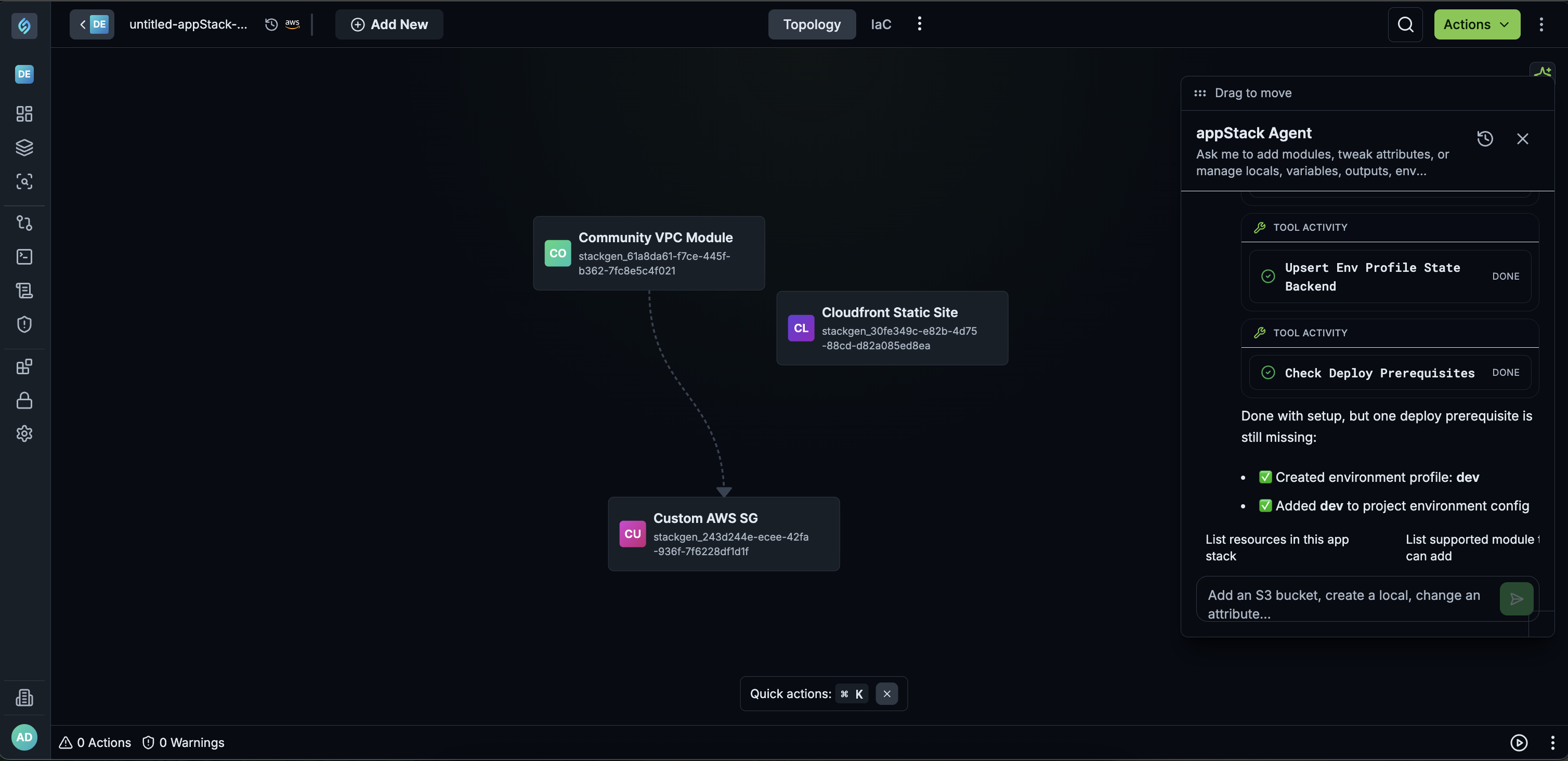
Stackgen now includes an appStack Agent, an in-context assistant available from any appStack, that combines the platform's API/SDK with AI to carry out topology actions on request.
Key Features
- Topology actions: Ask the agent to build an infrastructure (for example,
build an infra for a simple web application) and it adds the relevant modules and base infrastructure to the canvas. - Resource configuration: The agent can configure added resources, including variables and locals, so they're ready to plan and deploy.
- Scoped to appStack context: The agent only understands appStack and topology actions (adding a resource, configuring a resource, adding variables, environments, etc.) It does not perform unrelated platform actions, such as governance setup.
- Prompt-dependent results: Output quality depends on how the action is described. Specific, topology-oriented prompts work best; generic requests outside topology actions will fail.
- Supported functions: Most topology actions, including:
- Adding modules
- Deleting modules
- Configuring modules and resources
- Managing Terraform configuration blocks: variables, locals, outputs, providers, backends, environments
Why It Matters
Whether you already know the infrastructure that goes into your appStack or you are a developer who does not specialize in infrastructure, you can describe what you need in everyday language. The agent adds and connects the relevant resources for you, so you spend less time on canvas setup and more time shipping the application.
Module Catalog Assistant
Click to view
This feature is behind a feature flag and is currently enabled only for select customers. Contact support@stackgen.com or your Customer Service Manager for access.
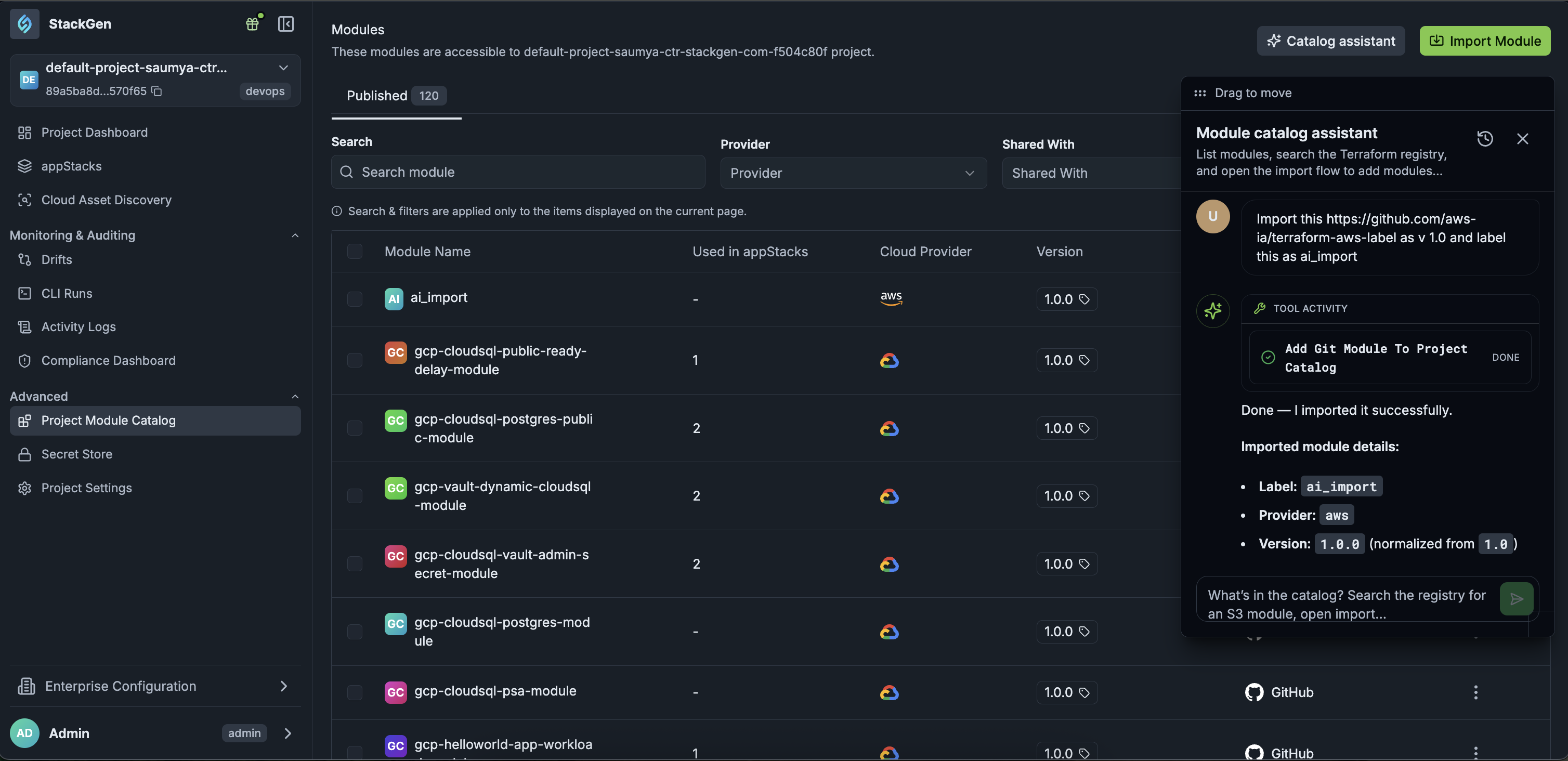
The Module Catalog Assistant is now available on the Project Module Catalog page to help you perform catalog-specific actions.
Key Features
- Module actions: The assistant can import a new module, add a new version of an existing module through conversational prompts.
- Restricted deletion: Deleting a module is not permitted through the chat interface.
Why It Matters
Catalog maintenance tasks that are otherwise multi-step become a single conversational request, while destructive actions stay behind the platform's existing User Interface safeguards.
What's Changed
Project-Level appStack Templates Are No Longer Available
Click to view
appStack Templates at the project level have been discontinued. Templates are now managed and shared at the enterprise level. Check out the Enterprise-Level appStack Template Sharing section to know how enterprise templates work.
What's Enhanced
Enterprise-Level appStack Template Sharing
Click to view
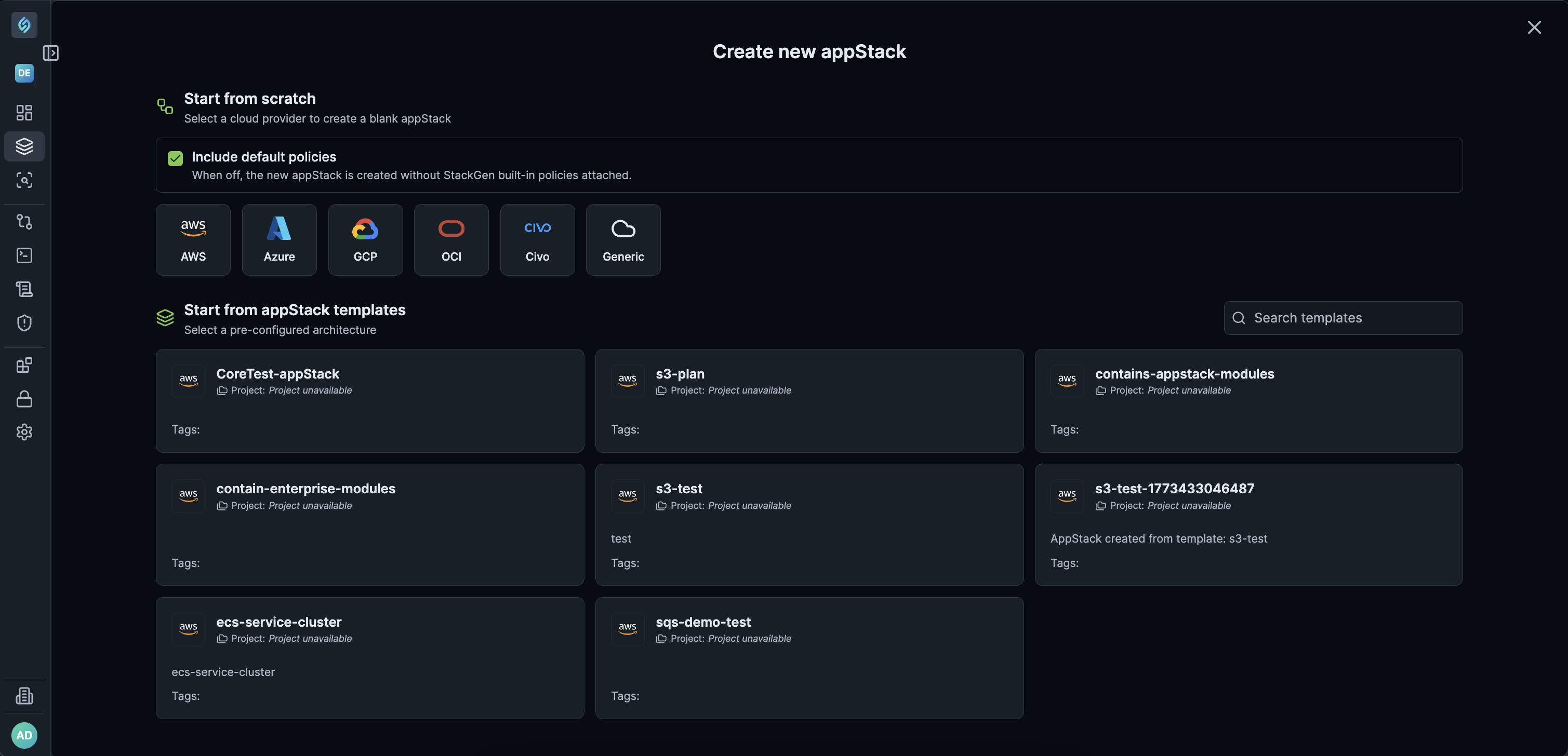
appStack Templates are now reusable across every project in your enterprise, instead of being locked to the project where they were created.
Key Features
-
Build once, reuse everywhere: Create a new appStack using a pre-configured topology in any project, instead of recreating the same project by project.
-
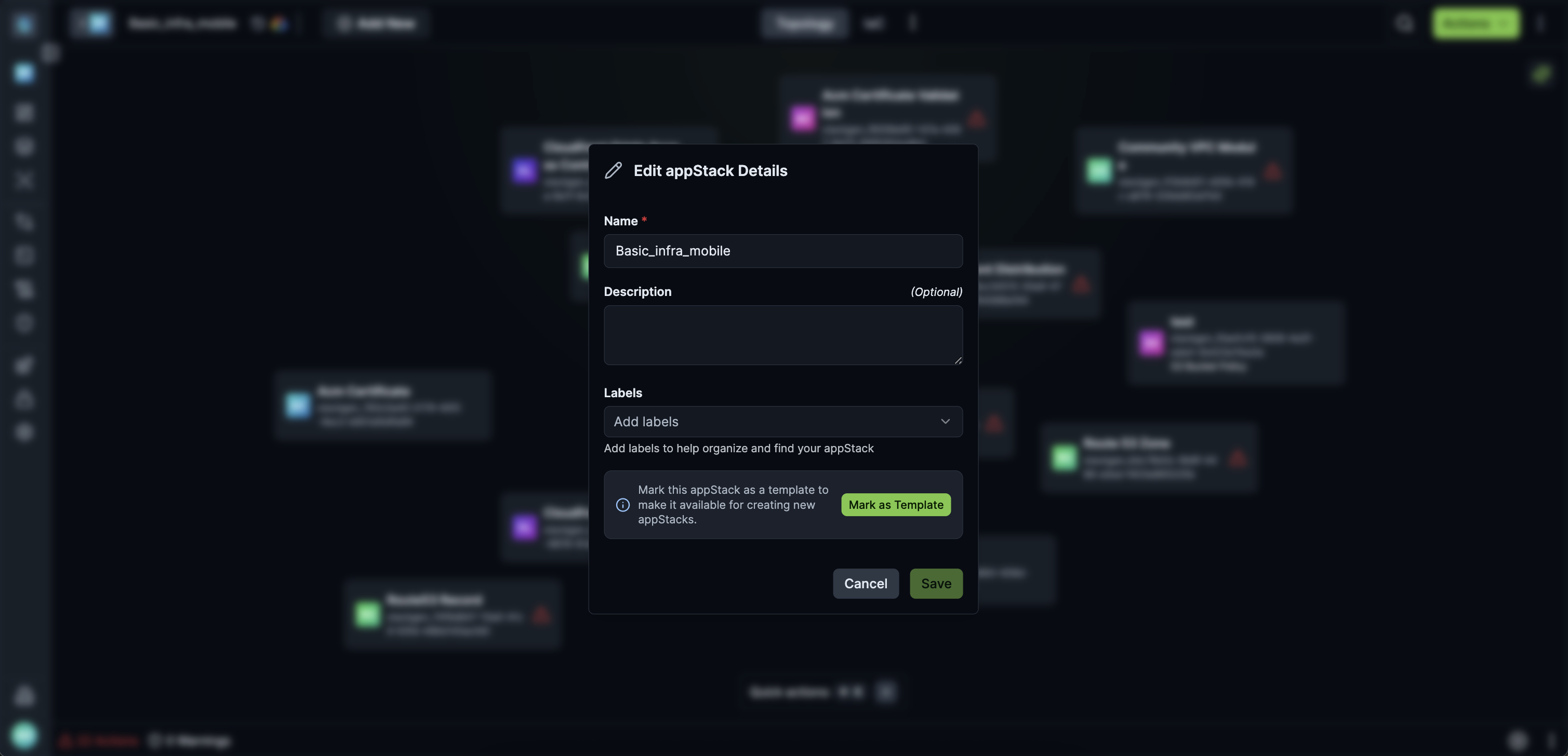
Admin-controlled templates: Admins mark an appStack as a template, so that your teams share one trusted and validated template instead of creating ad-hoc copies.
Why It Matters
Teams ship faster with less rework, since a single enterprise-wide template keeps every project aligned on the same baseline architecture, while admins retain control over what's reusable.
One-Click Copy for appStack Output Values
Click to view
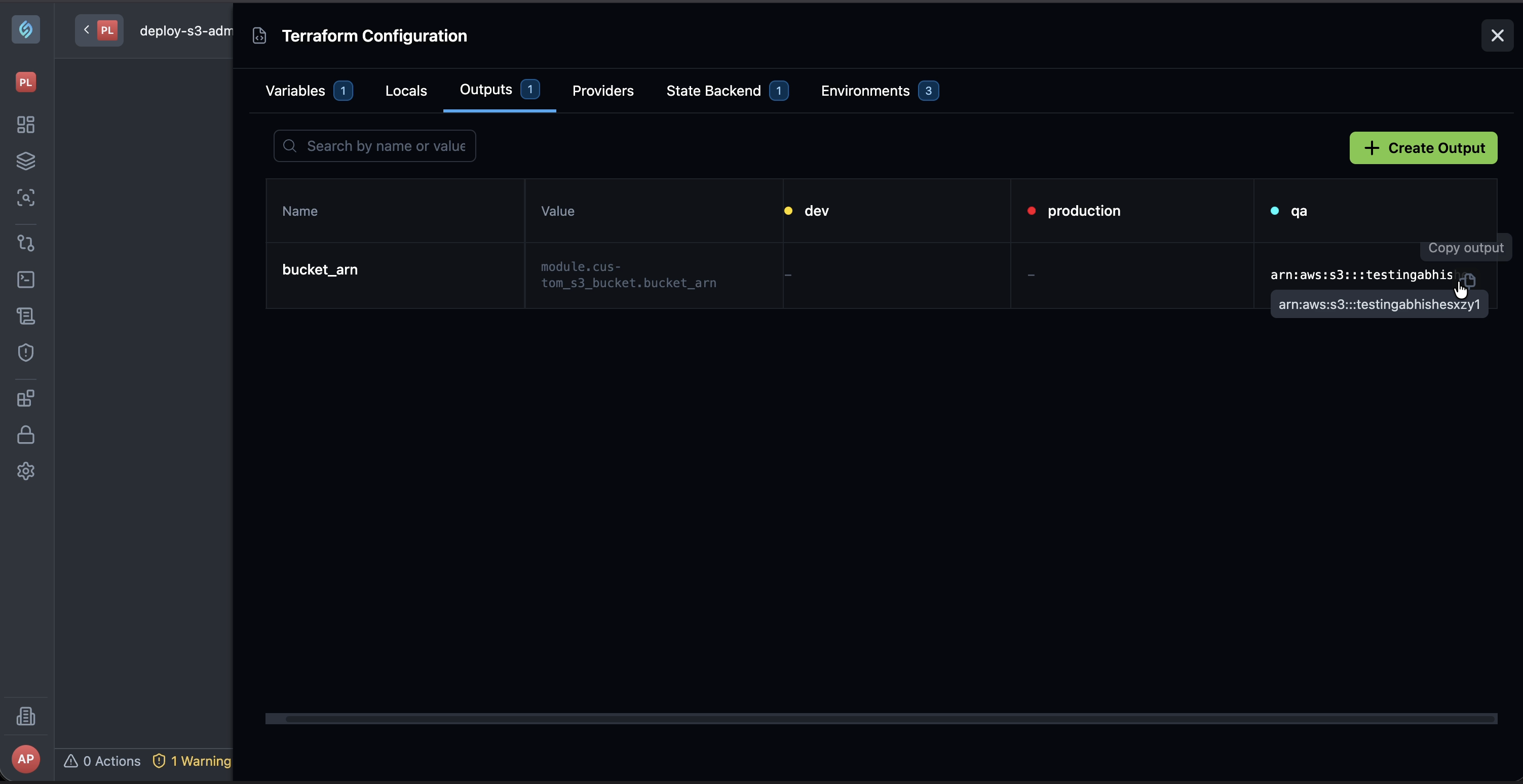
The Outputs UI now includes a Copy button, letting you quickly copy the entire output values after deployment. This streamlines copying long values, such as URLs.
What's Fixed
Actions Required Count on Snapshot Restore Set to Zero
Click to view
We fixed an issue where the Actions Required count did not refresh after restoring an appStack snapshot.
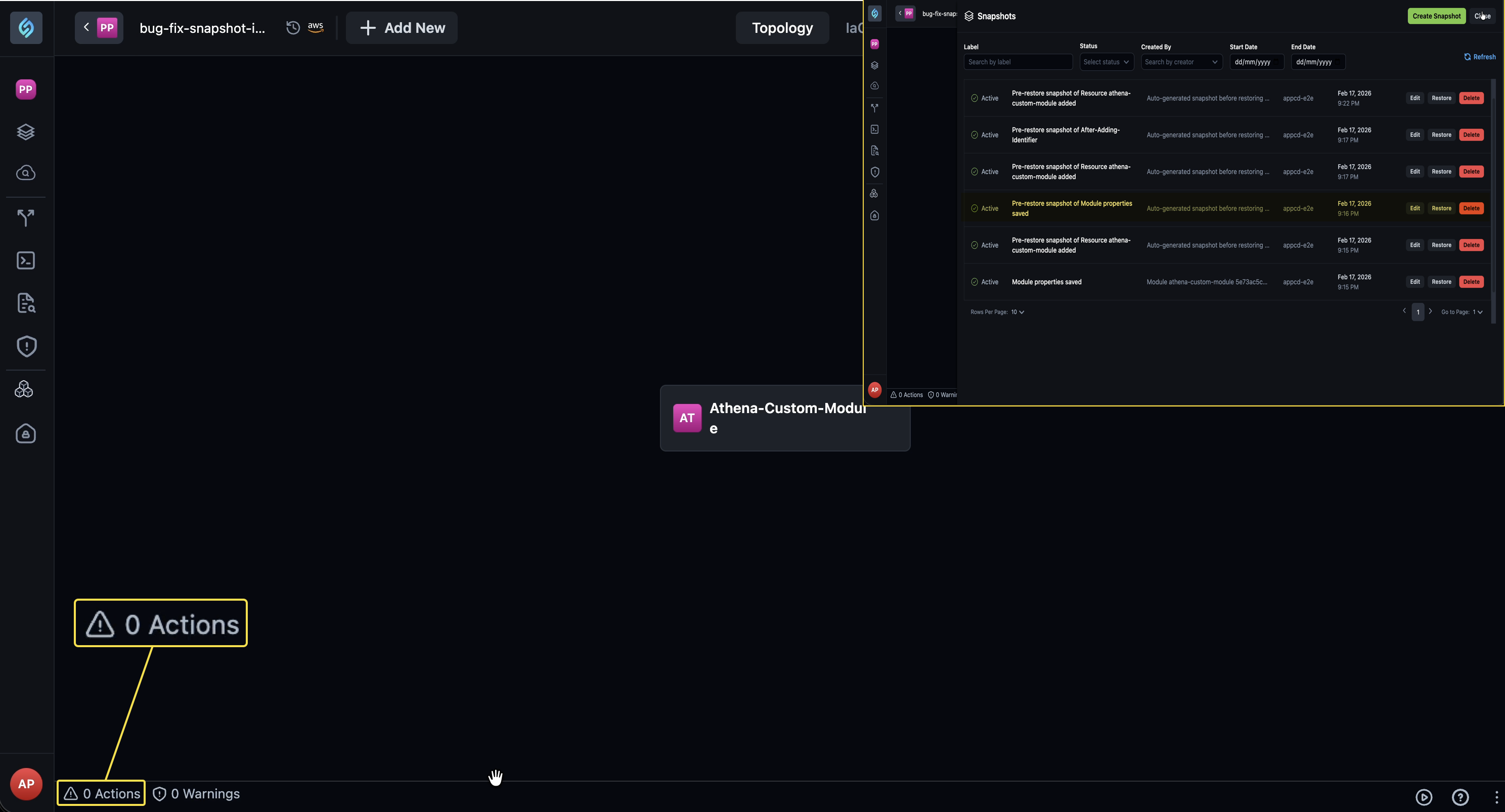
Previously, restoring a snapshot that added a resource or that cleared actions required left the count stale until you clicked the resource. The count now updates as soon as the snapshot restore completes, in both cases.
Terraform Variable Names and Default Values Truncated During Horizontal Scroll
Click to view
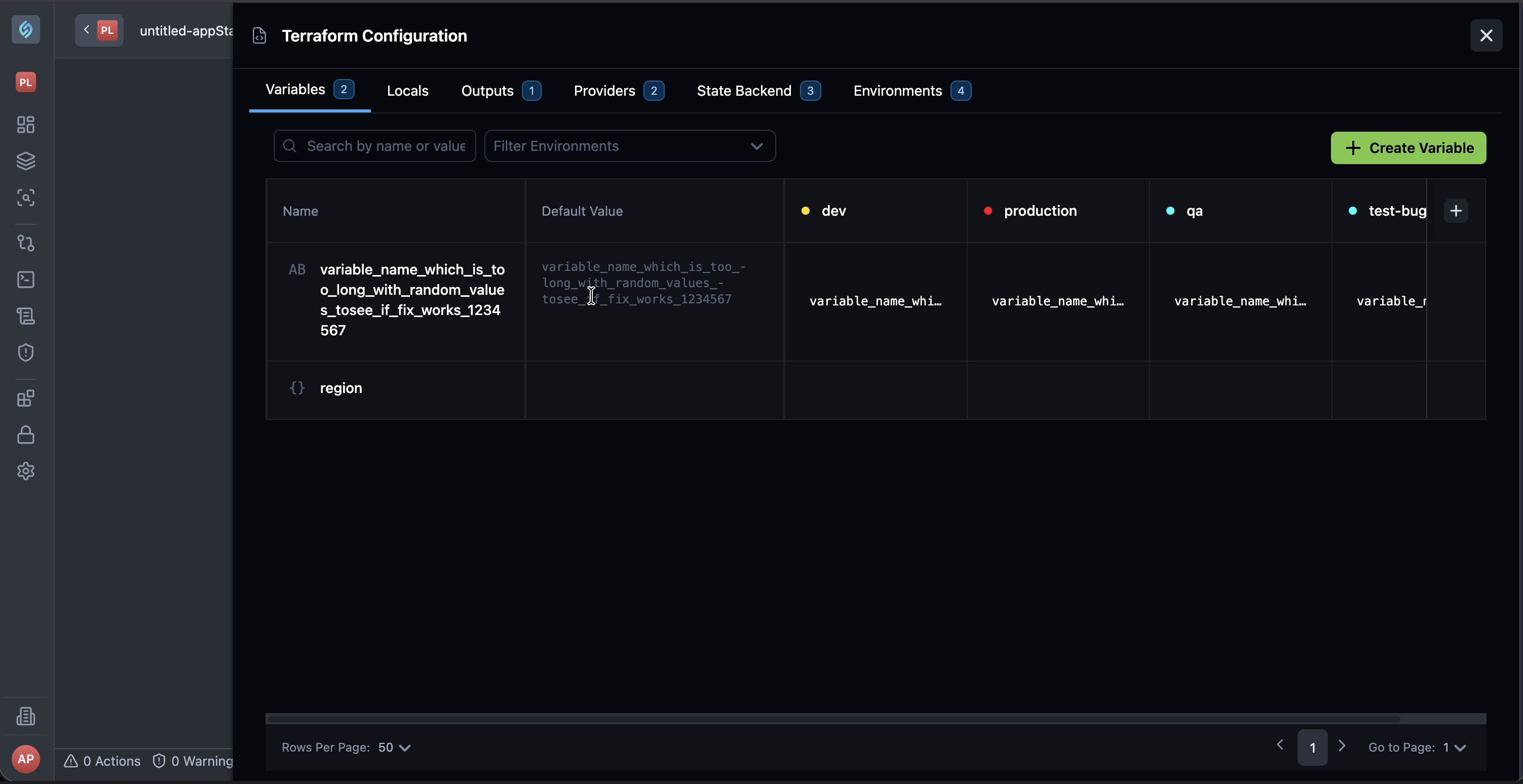
We fixed an issue where Terraform variable names and default values appeared truncated or clipped when you scrolled the variables table horizontally.
Previously, horizontal scroll made it hard to read the full name or default value. Those cells now stay fully visible while you scroll, so you can review variable configurations without the text cutting off.
Topology JSON Import Failure for Inaccessible Modules
Click to view
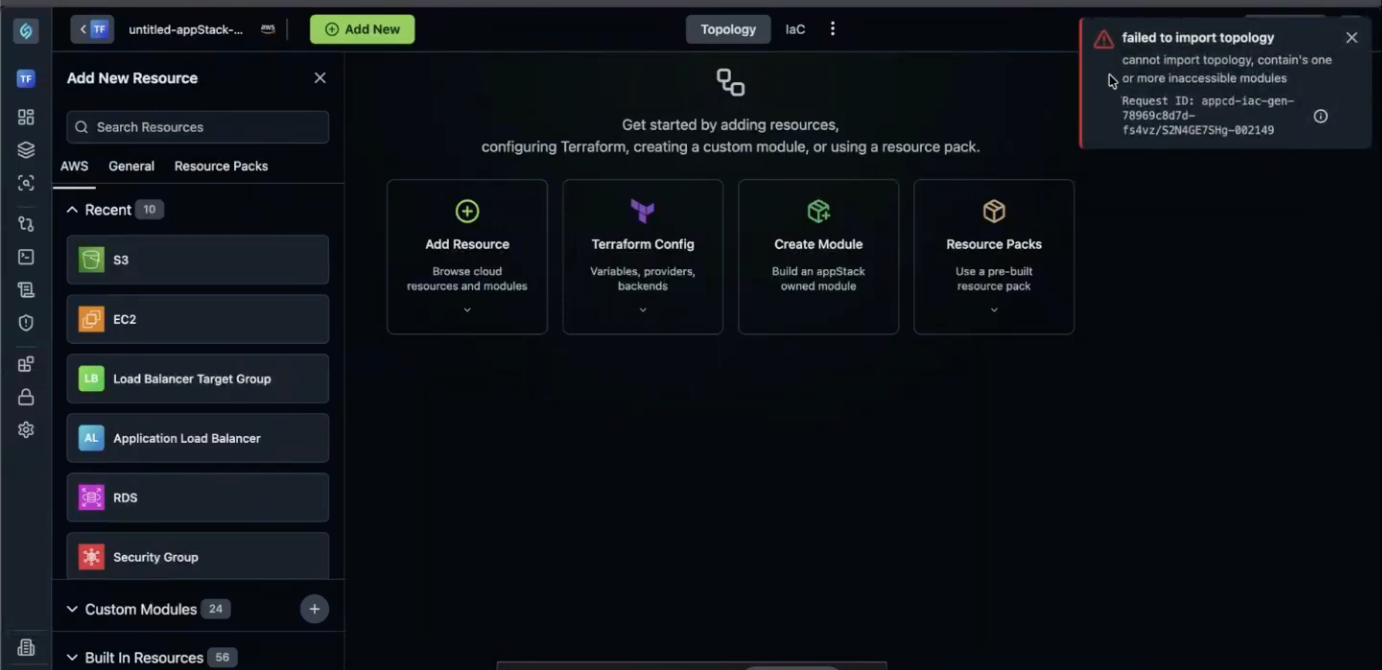
We fixed an issue where importing a topology JSON that referenced modules you don't have access to, such as modules owned by another appStack, left the page blank and unresponsive instead of showing an error.
Previously, the import did not check module access first, so the platform tried to render the topology anyway and froze. Import now validates accessibility up front and blocks the import with a clear message: Cannot import topology because it contains one or more inaccessible modules.
Invalid appStack Names Allowed on Rename
Click to view
We fixed an issue where renaming an appStack did not validate the new name, allowing names with spaces, special or random characters, or a leading number.
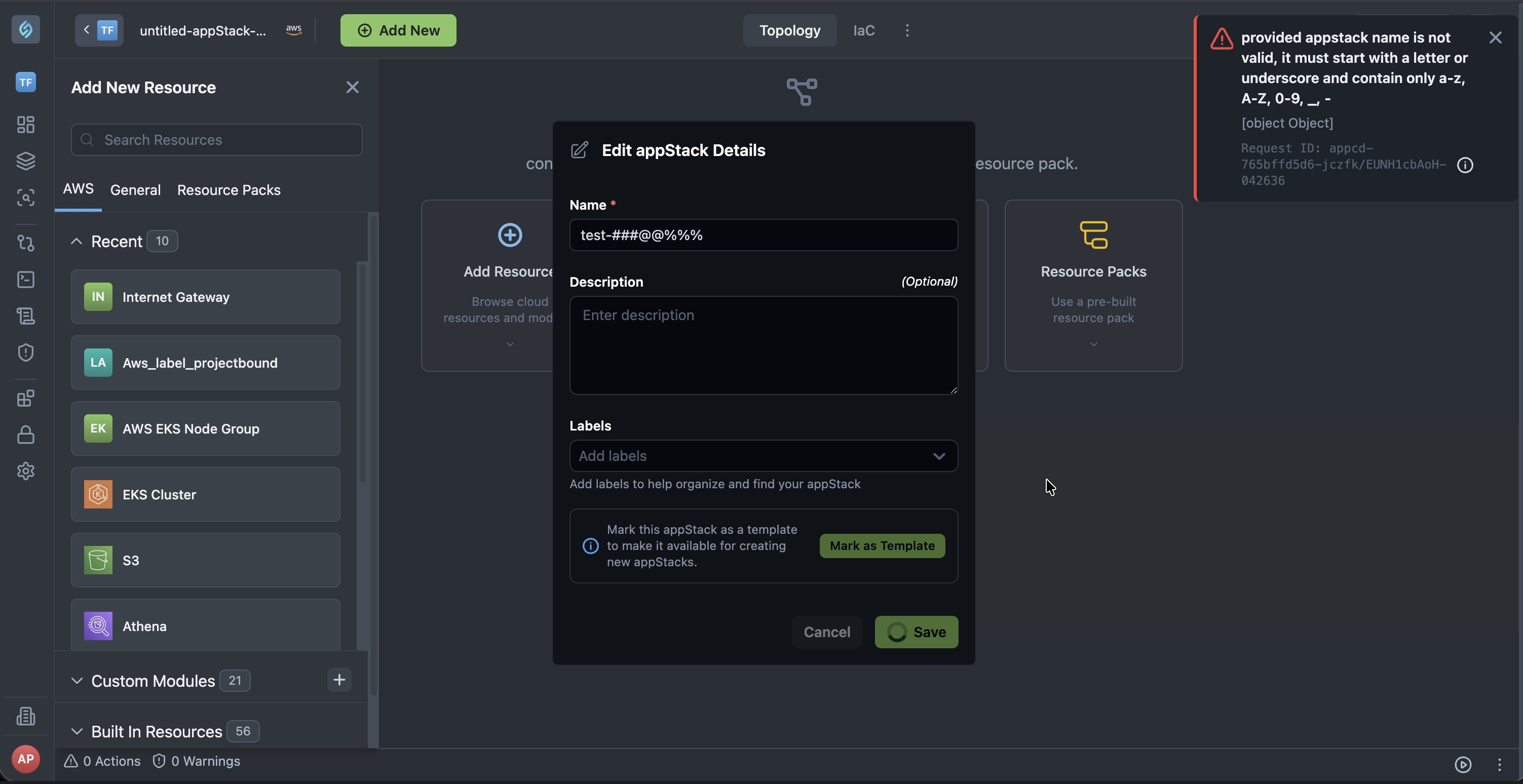
Renaming an appStack now enforces the following rules:
- No spaces are allowed in the name.
- No special or random characters are allowed.
- The name cannot start with a number.
Module Identifier Naming Validation
Click to view
We fixed an issue where module identifier renaming accepted invalid names, such as those containing special characters, without any validation.
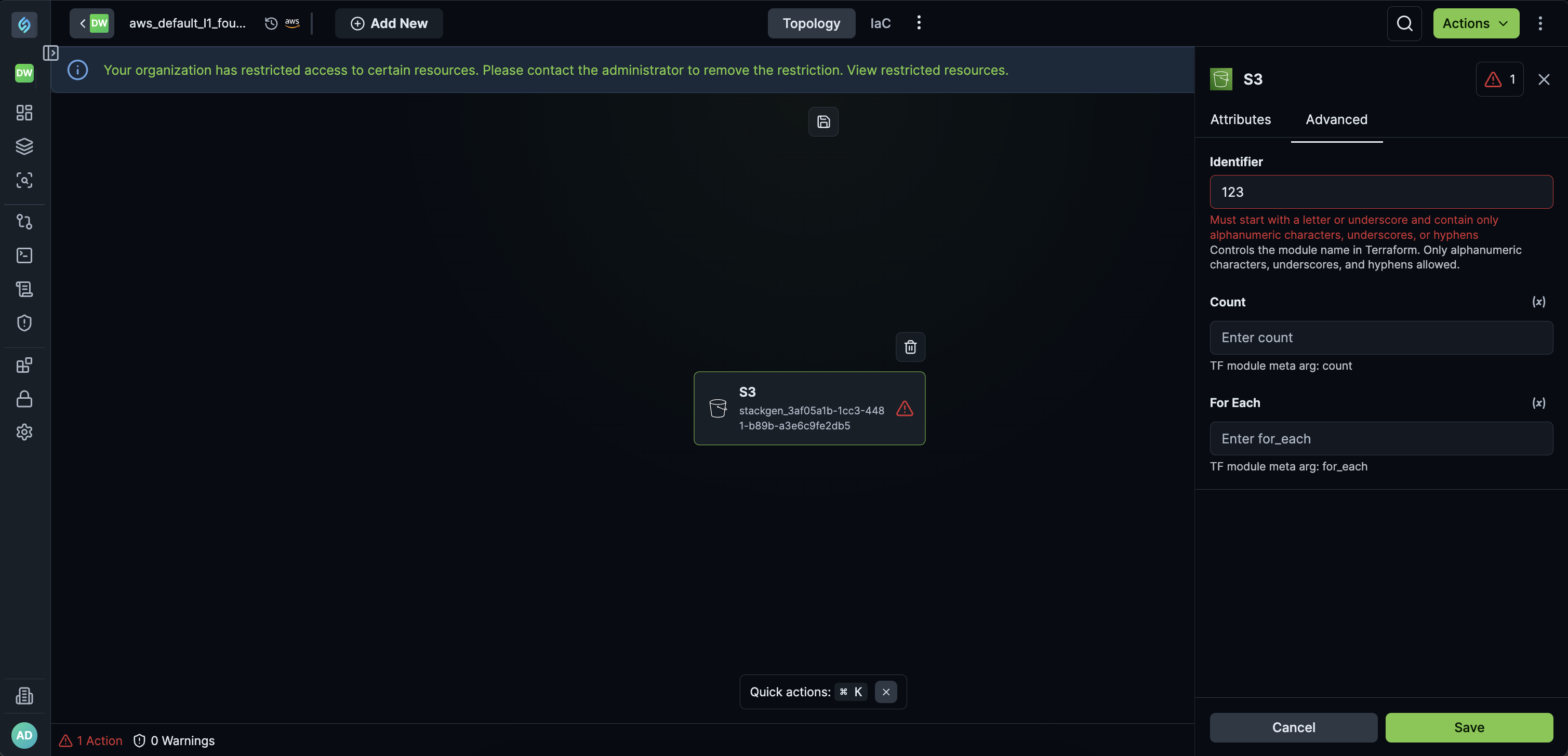
Renaming now rejects invalid identifiers and shows a clear error instead of accepting them silently, so invalid module identifiers are caught before they cause downstream issues.
Create New Version Missing for Project-Scoped Modules
Click to view
We've fixed an issue where the Create new version option was missing under the Actions menu on the Project Module Catalog page. This issue was observed in modules which were scoped to Available to specific projects.
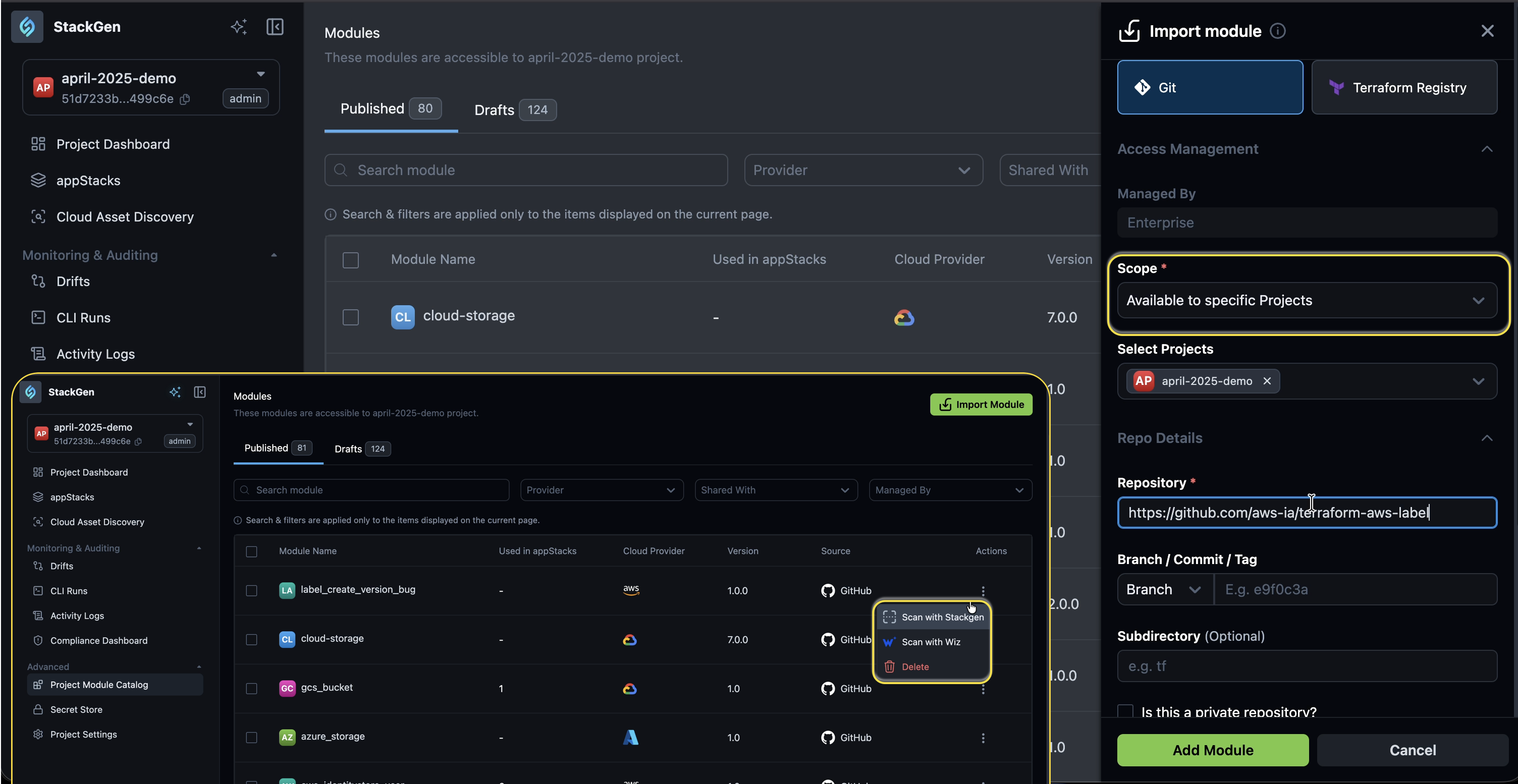
You will now see the Create new version option under the Actions menu.