Light Mode, Functional Agent Tasks, and New Integrations
The June 2026 v2026.6.8 release adds light mode, task support for Persona/Functional Agents, and new tool integrations, along with Grafana dashboard editing, broader alert filtering, and several reliability fixes.
Explore the sections below to see what's new, enhanced, and fixed in this update.
| Feature | Link | |
|---|---|---|
| What's New | UI | Aiden Light Mode |
| Agents | Task Support for Functional Agents | |
| Integrations | New Tool Integrations | |
| What's Enhanced | Integrations | Grafana Dashboard Creation and Editing |
| Alert Filtering Integrations | ||
| Vault Integration Storage | ||
| Alerts | Expanded Alert Injection Filtering Operators | |
| Investigations | Investigation Tracking Enhancements | |
| What's Fixed | Integrations | Harness Integration Validation |
| Multiple Loki Configurations | ||
| Multiple AWS Integration Handling | ||
| MySQL Integration Queries | ||
| Agents | Azure Agent Error Formatting | |
| Investigations | Manual Investigation Progress Bar | |
| Platform | Deploy Terraform Hang State | |
| Non-JSON Chat Inputs | ||
| Knowledge Source List Tool | ||
| Remote Runner Output Size Limit |
What's New
Aiden Light Mode
Click to view
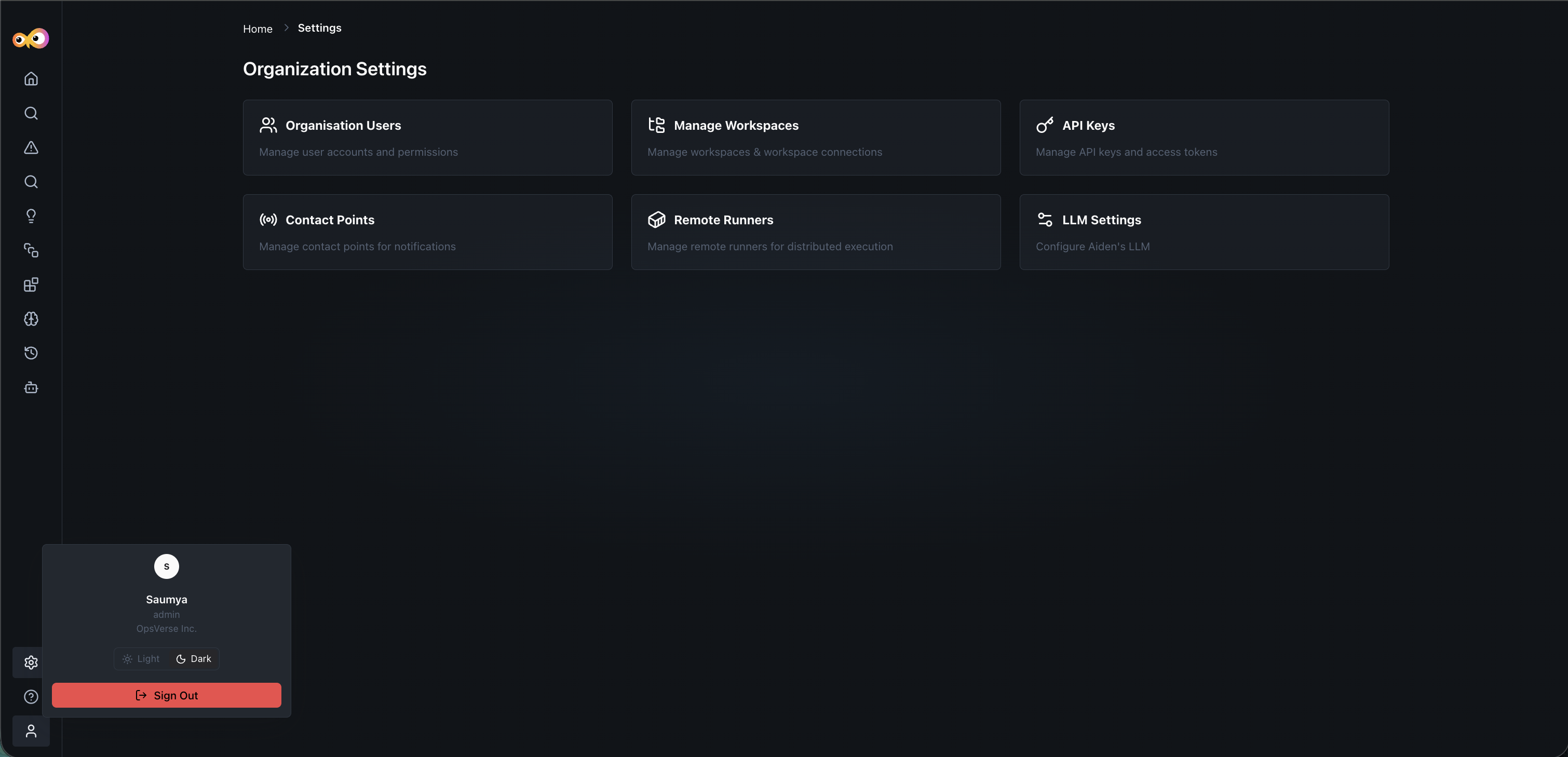
Aiden now includes a light mode toggle, letting you switch the interface between light and dark mode, with corresponding background and UI component adjustments.
Why It Matters
Teams can match Aiden to their preferred visual environment, whether that's a bright workspace or a low-light setup.
Task Support for Functional Agents
Click to view
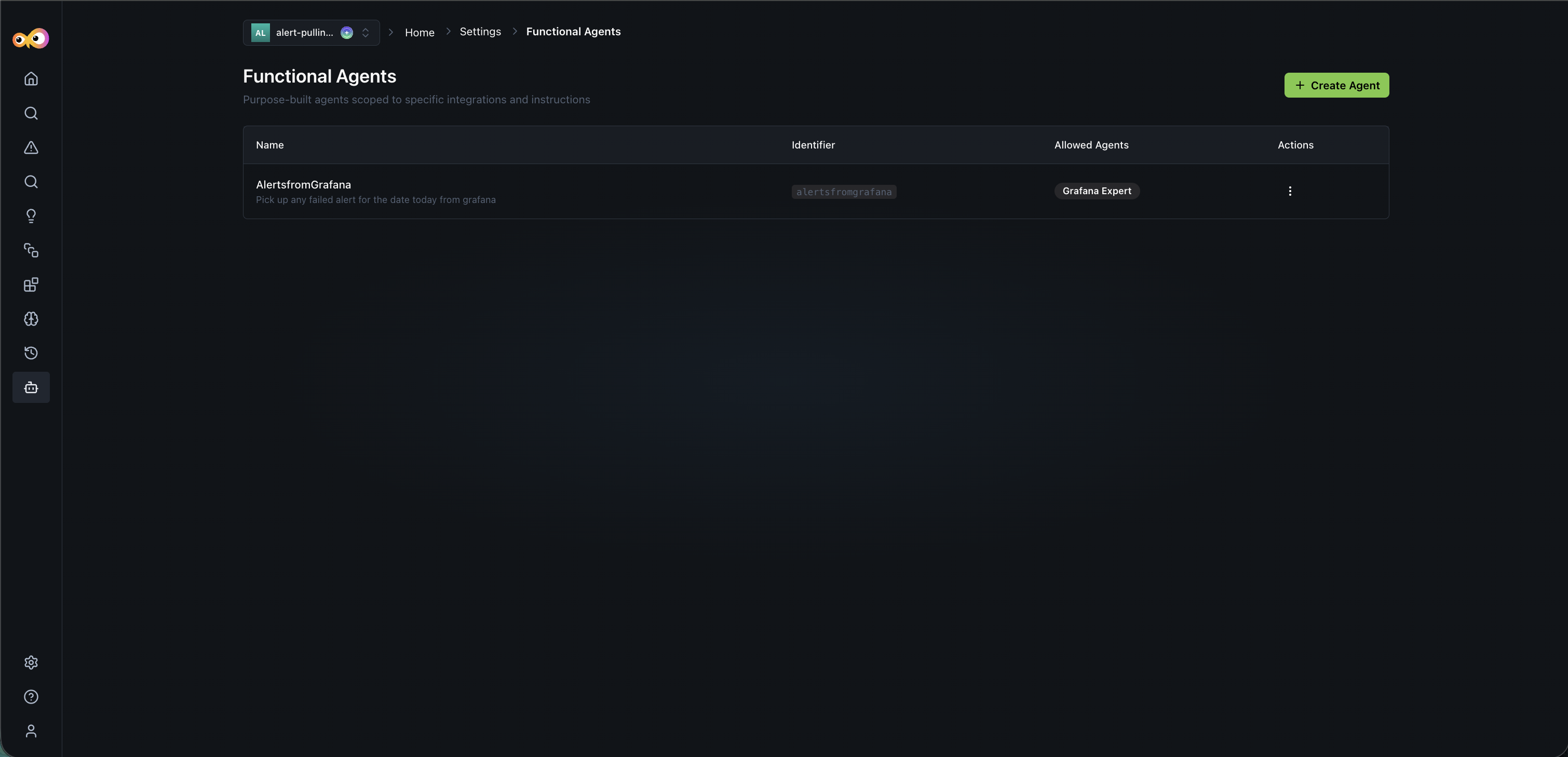
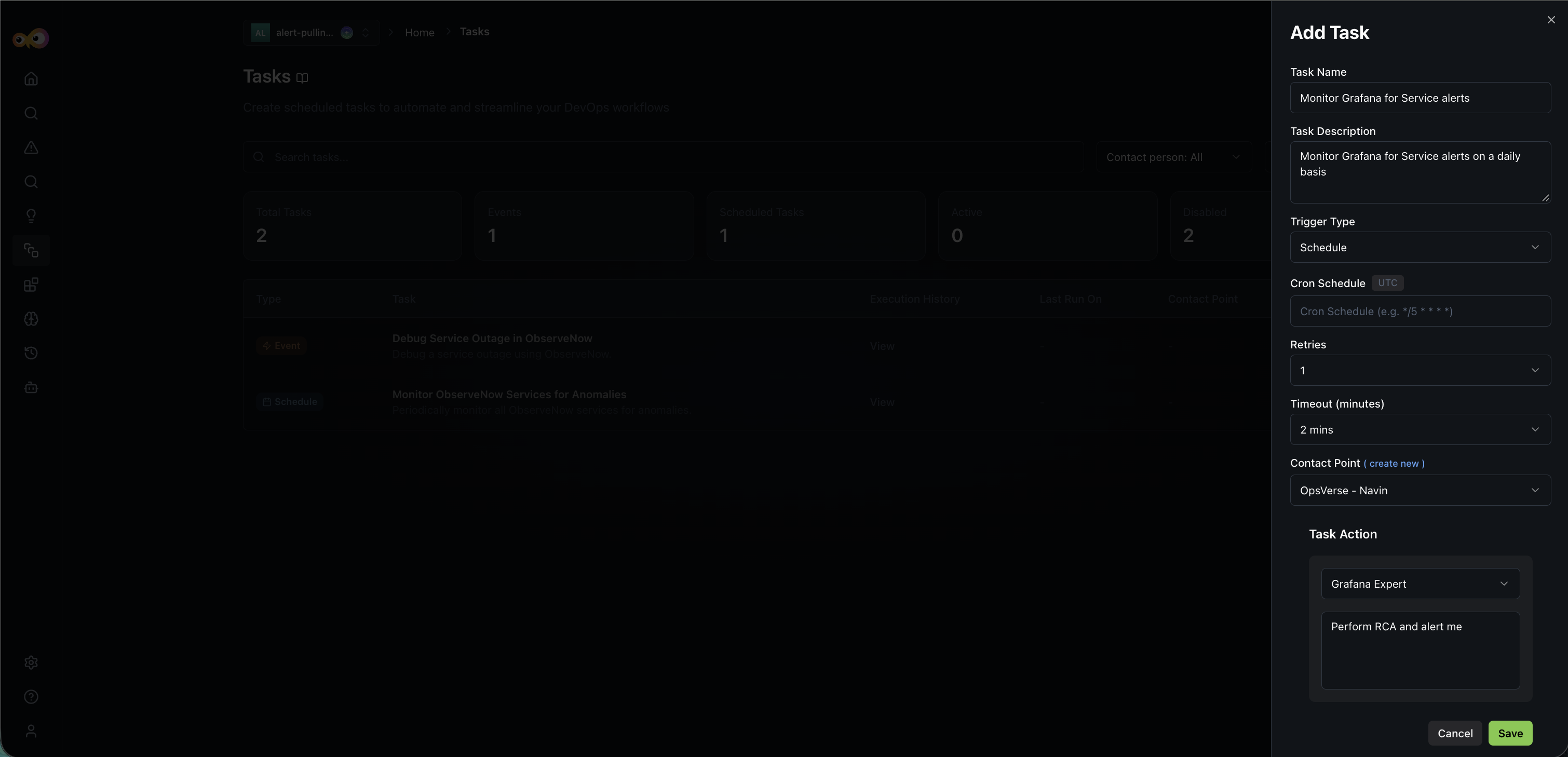
When creating tasks, you can now assign task actions to Persona or Functional Agents powered by specific custom prompts, expanding beyond standard integration experts.
Why It Matters
Tasks aren't limited to built-in integration experts anymore. You can route work to agents tailored with custom prompts for your specific use case.
New Tool Integrations
Click to view
Aiden adds support for several new integrations:
- Civo Cloud: Connect using an API key and query cloud networks via the Civo expert.
We have added initial integration support for the following tools:
- New Relic: Connect your account and query APM, logs, traces, and alerts with NRQL in conversation.
- Fire Hydrant: Connect with a bot token and manage incidents, runbooks, and on-call from chat.
- Squadcast: Connect with an API token, then acknowledge or reassign incidents and look up who is on call.
Why It Matters
Expanded integration coverage lets more teams bring their existing tools into Aiden's investigation and automation workflows.
What's Enhanced
Grafana Dashboard Creation and Editing
Click to view
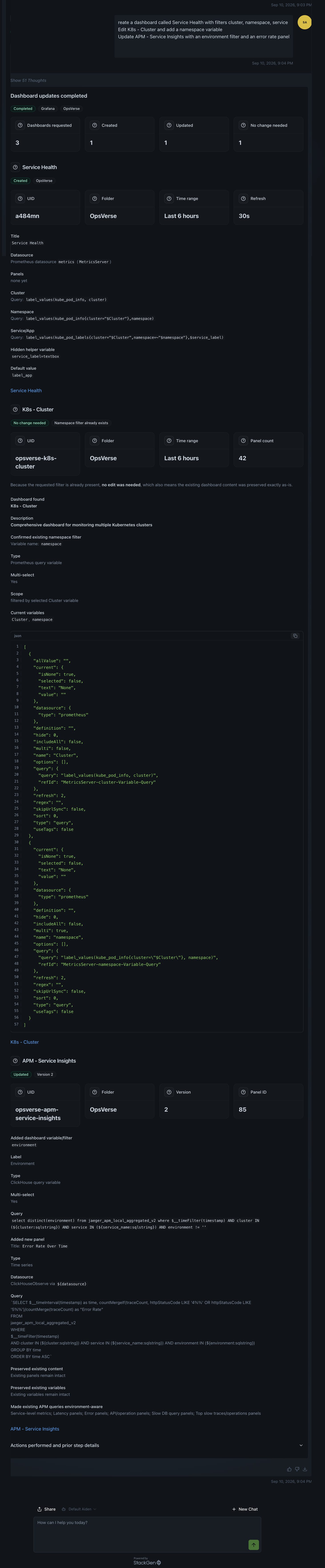
Grafana integration support has been expanded. You can now prompt Aiden to create and edit dashboards using specified filters and details, moving beyond the previous read-only access.
Why It Matters
You can manage dashboards conversationally through Aiden instead of switching to Grafana for setup and edits.
Expanded Alert Injection Filtering Operators
Click to view
Alert rule import filters now support additional operators:
equalsnot equalsgreater thanless thancontainsstarts withends with
Why It Matters
More granular filtering lets you scope alert imports more precisely to the rules you actually want.
Alert Filtering Integrations
Click to view
Alert filtering capabilities have been expanded beyond PagerDuty to include ObserveNow and Datadog integrations.
Why It Matters
Teams using ObserveNow or Datadog for alerting now get the same filtering control previously available only for PagerDuty.
Vault Integration Storage
Click to view
Added API support to read, update, fetch, and store credentials at runtime in the vault for Fire Hydrant, Jenkins, SonarQube, and DigitalOcean.
Why It Matters
Credentials for these tools are now managed securely and consistently through the vault, rather than requiring separate handling.
Investigation Tracking Enhancements
Click to view
- Added a View Investigation button to the resolved alerts UI, so you can easily view connected investigation data.
- Fixed the Reopen button's link flow to route correctly.
Why It Matters
Makes it easier to trace an alert back to its investigation history after resolution, and ensures reopening an alert takes you to the right place.
What's Fixed
Harness Integration Validation
Click to view
We fixed a bug that broke validation flows when defining a Harness integration.
Azure Agent Error Formatting
Click to view
We fixed a text-formatting bug where prompt/chat errors returned by Azure agents were not rendered accurately alongside standard A2I components.
Manual Investigation Progress Bar
Click to view
We fixed an issue where initiating a manual investigation from an alert opened a blank window with no feedback. A loading state progress bar has been added.
Multiple Loki Configurations
Click to view
We fixed a backend configuration flag constraint that previously restricted users to a single Loki configuration. You can now add multiple configurations.
Multiple AWS Integration Handling
Click to view
We fixed a system prompt resolution error that occurred when a user had multiple AWS integrations configured under different access styles (for example, role-based vs. access keys).
Deploy Terraform Hang State
Click to view
We fixed a bug where prompting a deploy Terraform/IaC action caused the application to freeze. The operation now completes with a proper success or failure message.
Non-JSON Chat Inputs
Click to view
We fixed an error handling bug where non-JSON chat strings (such as YAML inputs) caused system failures.
Knowledge Source List Tool
Click to view
We fixed a bug causing the list knowledge sources tool to fail during Azure-related queries.
MySQL Integration Queries
Click to view
We fixed an issue where database queries to MySQL integrations failed due to configuration errors.
Remote Runner Output Size Limit
Click to view
Aiden now uses a multi-stage build path when a configured remote runner returns output that exceeds the platform's processing limit. Previously, output beyond this limit would cause the entire build to break.