Multiple MCP Configurations and Skills Fixes
The January 2026 Aiden release adds support for multiple MCP configurations in the same environment, so you can work across more than one MCP setup without overwriting existing connections. It also fixes a skills conflict that could occur when the same skill was tied to multiple MCPs.
Explore the sections below to see what's new and fixed in this update.
| Feature | Link | |
|---|---|---|
| MCP | What's New | Support for Multiple MCP Configurations |
| What's Fixed | Skills Fail When You Configure Multiple MCPs |
What's New
Support for Multiple MCP Configurations
Click to view
You can now configure multiple MCP (Managed Control Protocol) connections within StackGen. This lets you work with more than one MCP setup in parallel, without overwriting or reconfiguring existing connections.
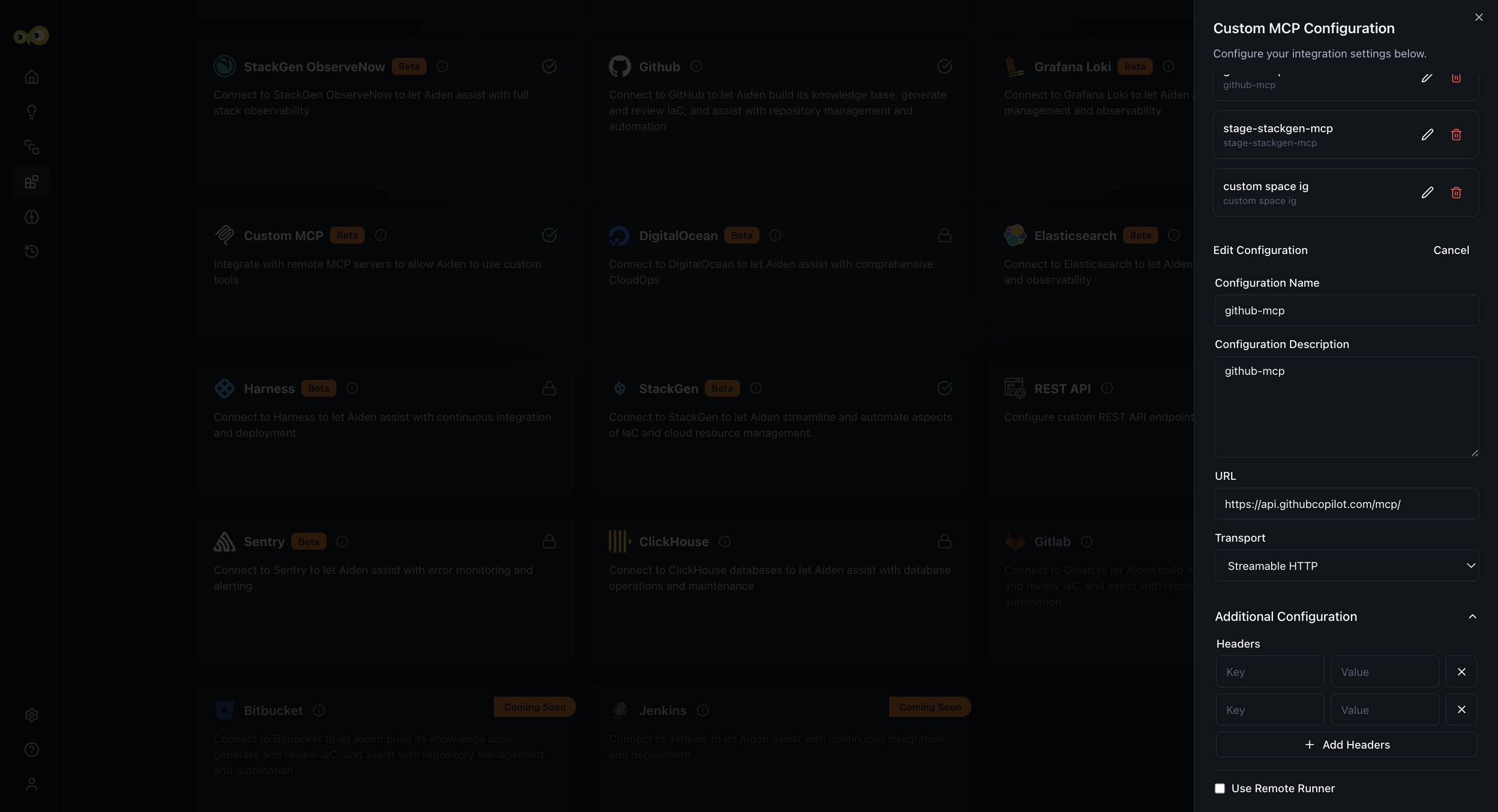
With this feature, you can:
- Configure and manage multiple MCPs in the same environment.
- Seamlessly use Aiden while it switches between MCP configurations as needed.
This change will have no impact on your existing MCP setups.
Why it matters
This update makes it easy to support complex environments, multi-team setups, and evolving infrastructure needs, without repeated reconfiguration or downtime.
Check out the documentation on Aiden MCP Server to learn more.
What's Fixed
Skills Fail When You Configure Multiple MCPs
Click to view
We fixed an issue where configuring multiple MCPs for the same skill would cause conflicts or incorrect behavior.
Skills now correctly support multiple MCP configurations. MCP settings for one skill no longer override or interfere with that of another MCP resulting in improved reliability when Aiden switches between MCPs and uses the same skill.
This fix ensures that skills behave predictably in complex setups and prevents configuration conflicts when using multiple MCPs with the same skill.