Aiden SRE, PagerDuty, and Reliability Fixes
The February 2026 Aiden release introduces Aiden SRE workspace onboarding with infrastructure discovery, adds PagerDuty support for incident investigation, and fixes several response and integration reliability issues.
Explore the sections below to see what's new and fixed in this update.
| Feature | Link | |
|---|---|---|
| What's New | SRE | Aiden SRE for Workspaces |
| Integrations | PagerDuty Integration Support | |
| What's Fixed | Reliability | Thought Without Actual Answer |
| AWS CLI Timeout Error Message | ||
| Tabular Data Shown in Code Format | ||
| GCP Integration Fails in Aiden |
What's New
Aiden SRE for Workspaces
Click to view
This release introduces Aiden SRE onboarding and infrastructure discovery. Aiden SRE is an AI assistant that helps you run Site Reliability Engineering (SRE) workflows by connecting to your observability and infrastructure tools. It can monitor systems, investigate incidents, and answer operational questions across your integrations.
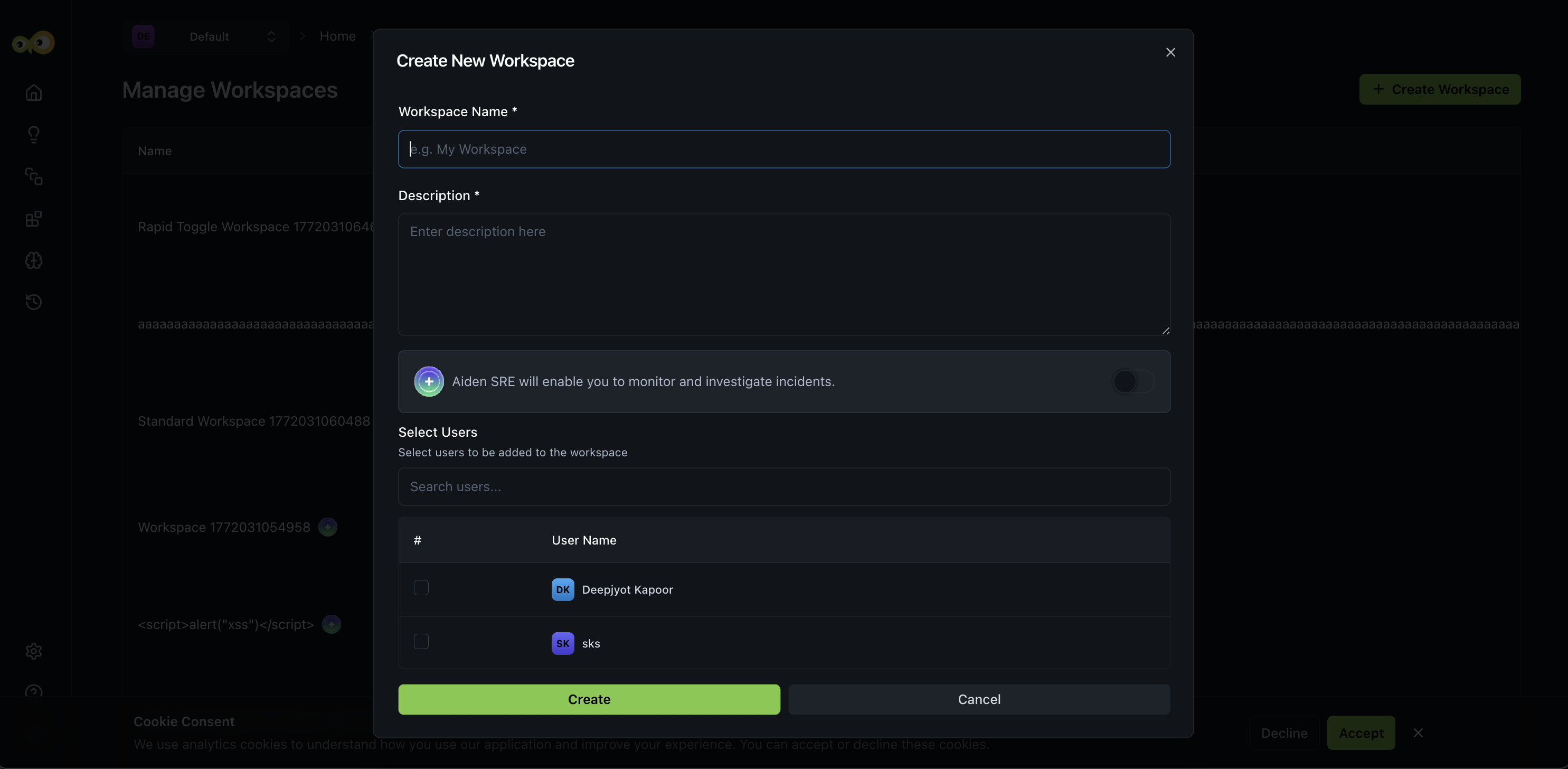
Aiden SRE onboarding
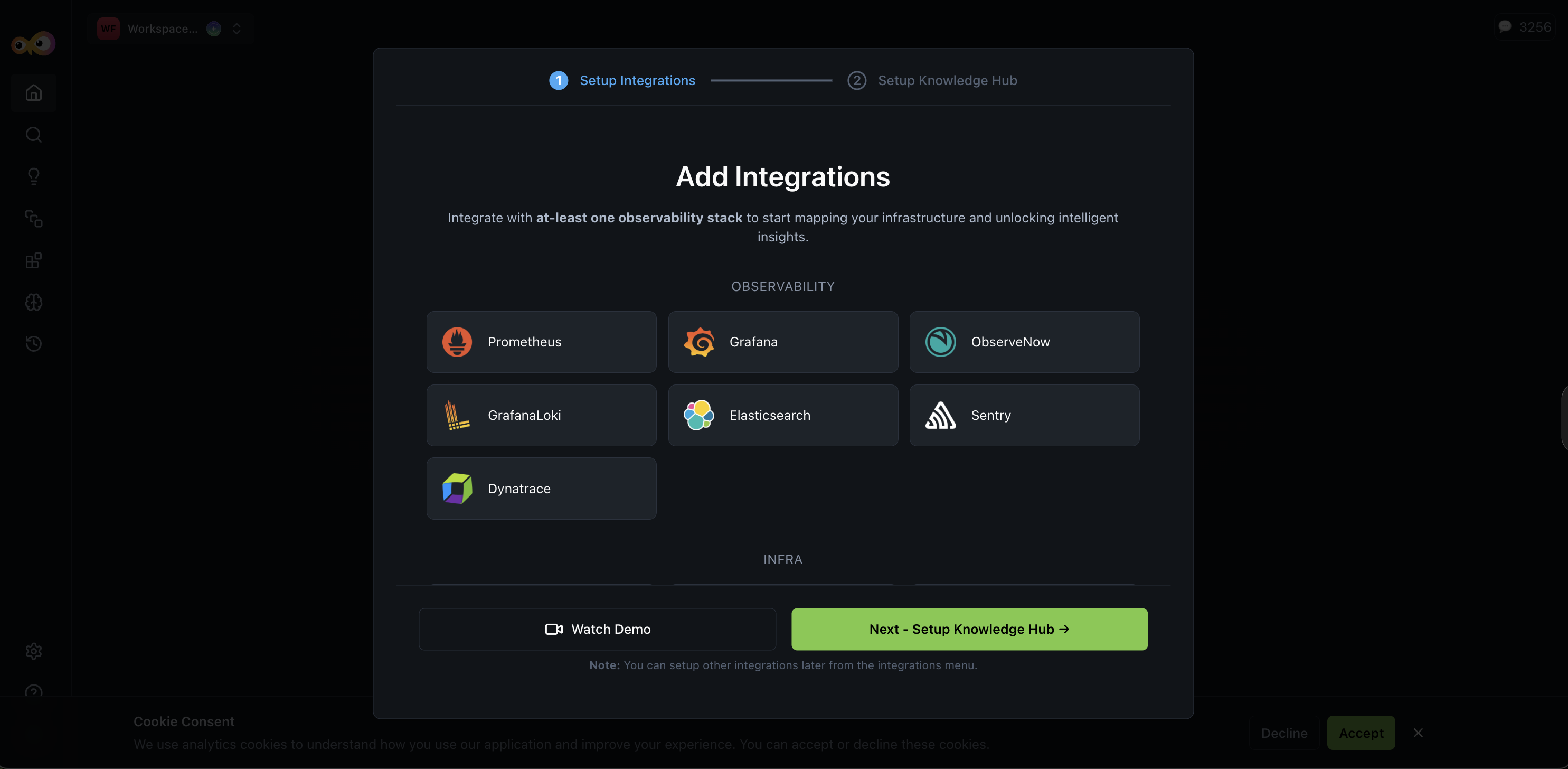
You can now enable Aiden SRE when creating a workspace. The onboarding flow guides you through integration setup and mandatory context entry so Aiden can understand your environment quickly. You then review discovered infrastructure entities. The result is faster time-to-productivity for SRE teams, with clear contextual information up front.
Integration: Infrastructure discovery and recommendations
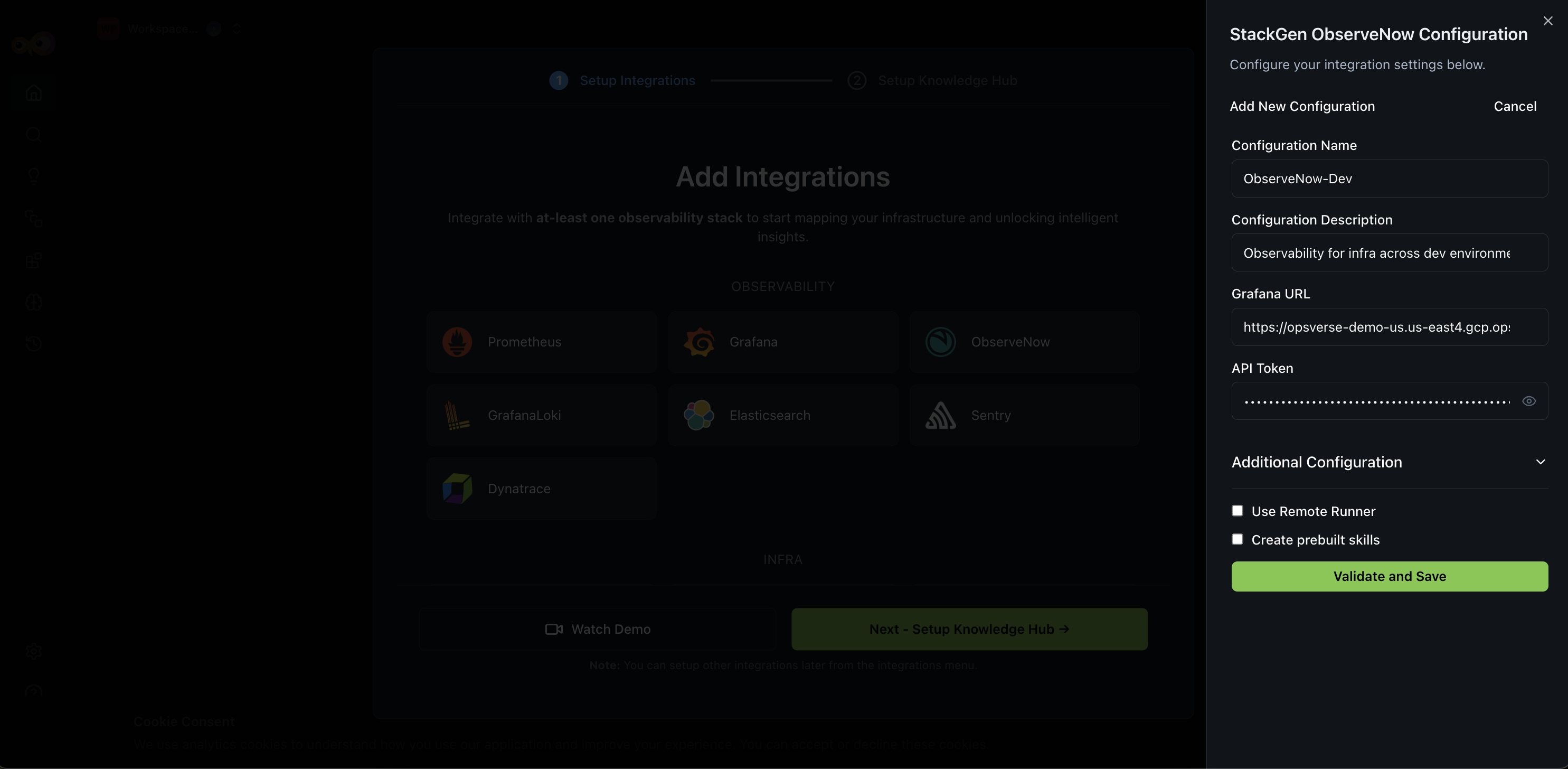
Once your observability integrations are connected, Aiden discovers your infrastructure and suggests next steps.
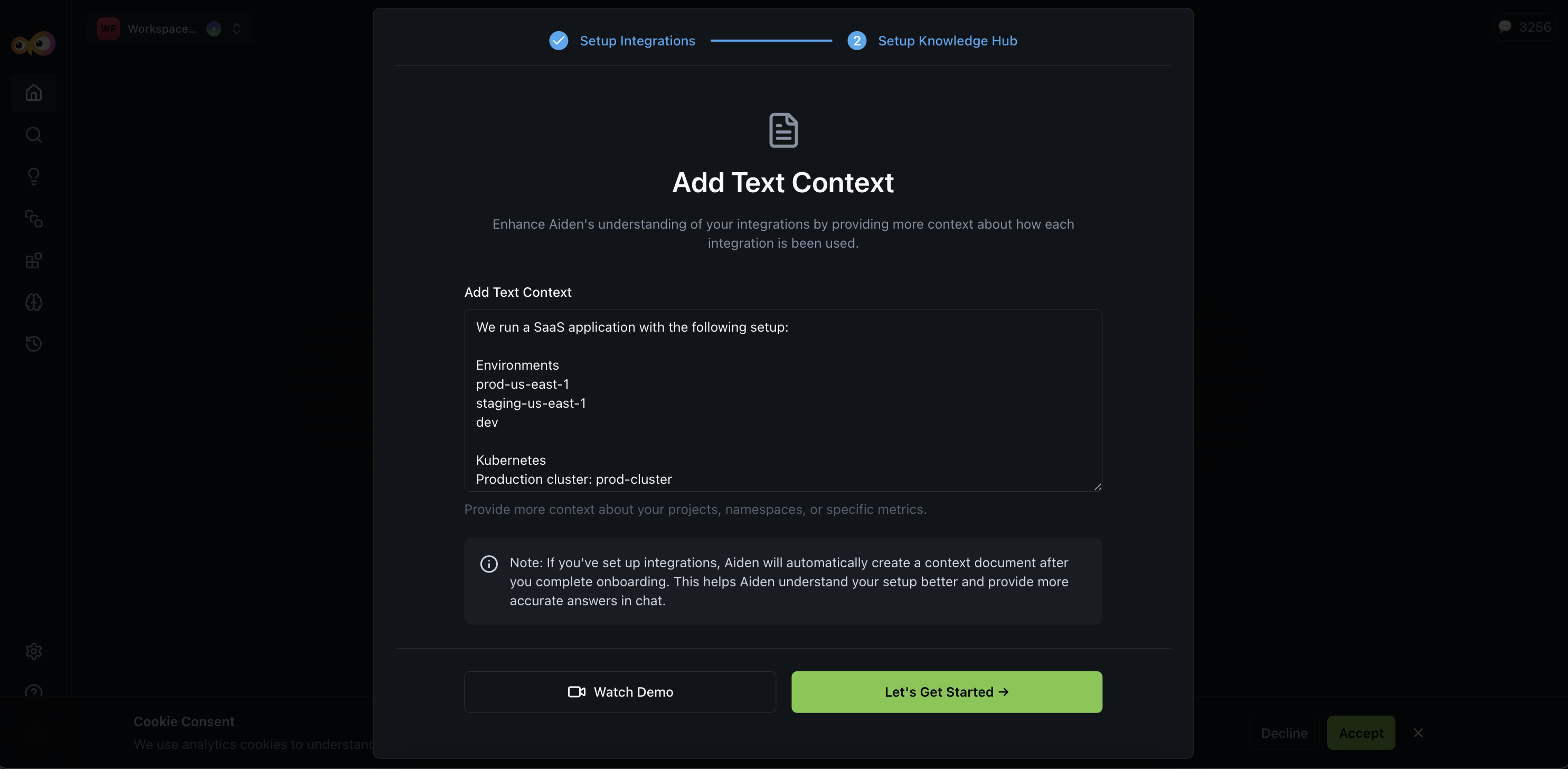
Context input and Knowledge Hub
A new Context Input step in onboarding lets you provide structured context so Aiden can reason about your environment and route queries to the right tools. You can describe cluster environments, namespace ownership, alert routing, observability tool usage, and incident management setup. As the next step, the Knowledge Hub is populated with discovered infrastructure data; adding this context reduces ambiguity during incident responses.
After integration setup, Aiden automatically:
- Detects clusters, namespaces, services, and data sources.
- Identifies associated cloud providers (for example, AWS, Azure).
- Recommends additional integrations based on discovered entities.
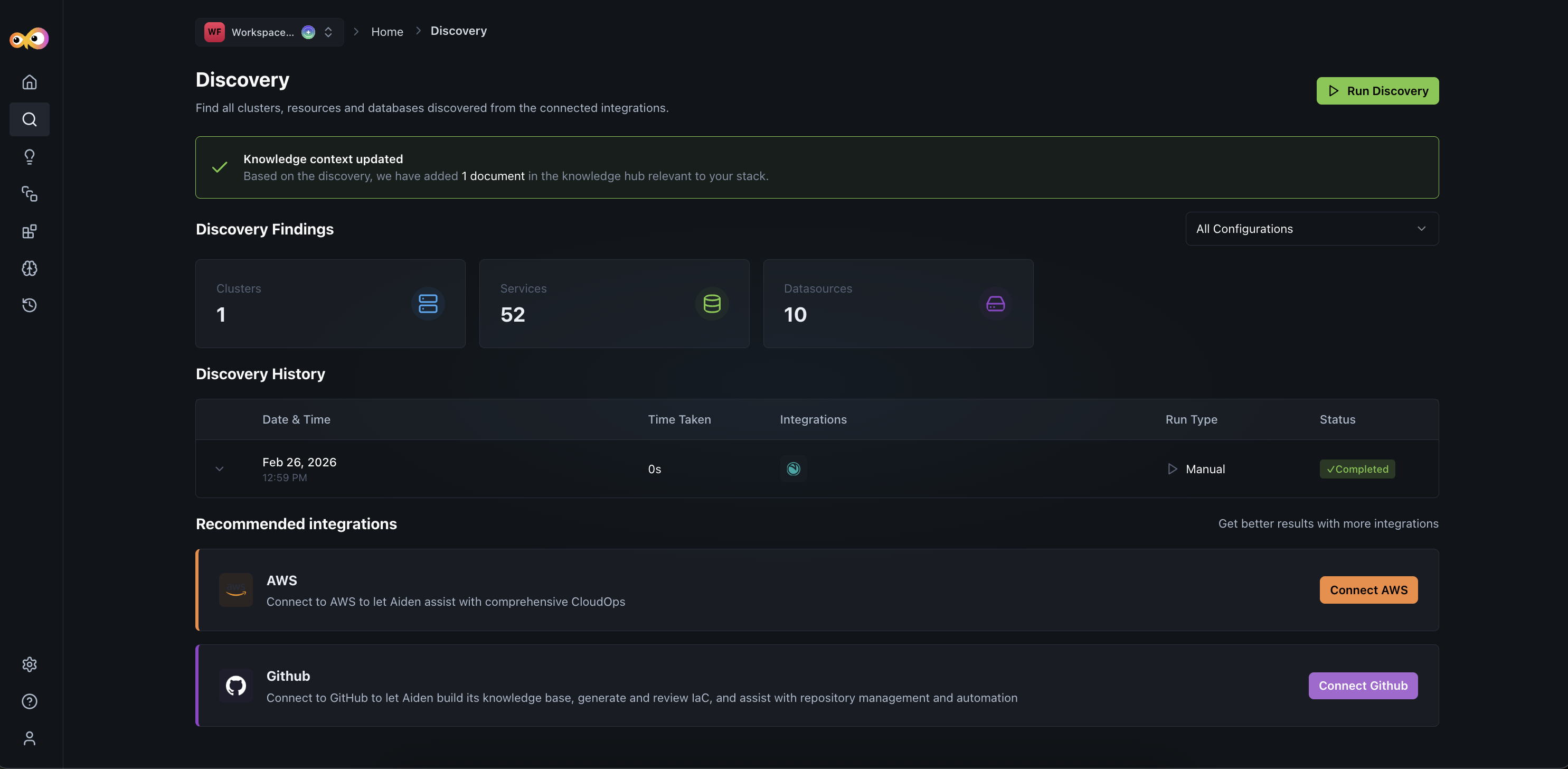
This ensures manual configuration is reduced and faster operational readiness.
Why It Matters
Structured context and discovery give Aiden a semantic understanding of your environment without manual effort. Aiden can monitor clusters and services, investigate incidents across integrations, route queries to the right observability tools, and reduce ambiguity during incident response. Grafana and Prometheus integrations are supported for alerting and incident management.
To learn more, check out Aiden SRE.
PagerDuty Integration Support
Click to view
Aiden now supports PagerDuty Integration for incident investigation. You can fetch incident details by ID, retrieve summaries, query by status (Triggered, Acknowledged, Resolved), and summarize open incidents from within Aiden.
Typical use case for this integration is automation of your incident response by having Aiden receive a webhook from PagerDuty, correlate data from observability and cloud tools, generate an RCA, and update the PagerDuty ticket.
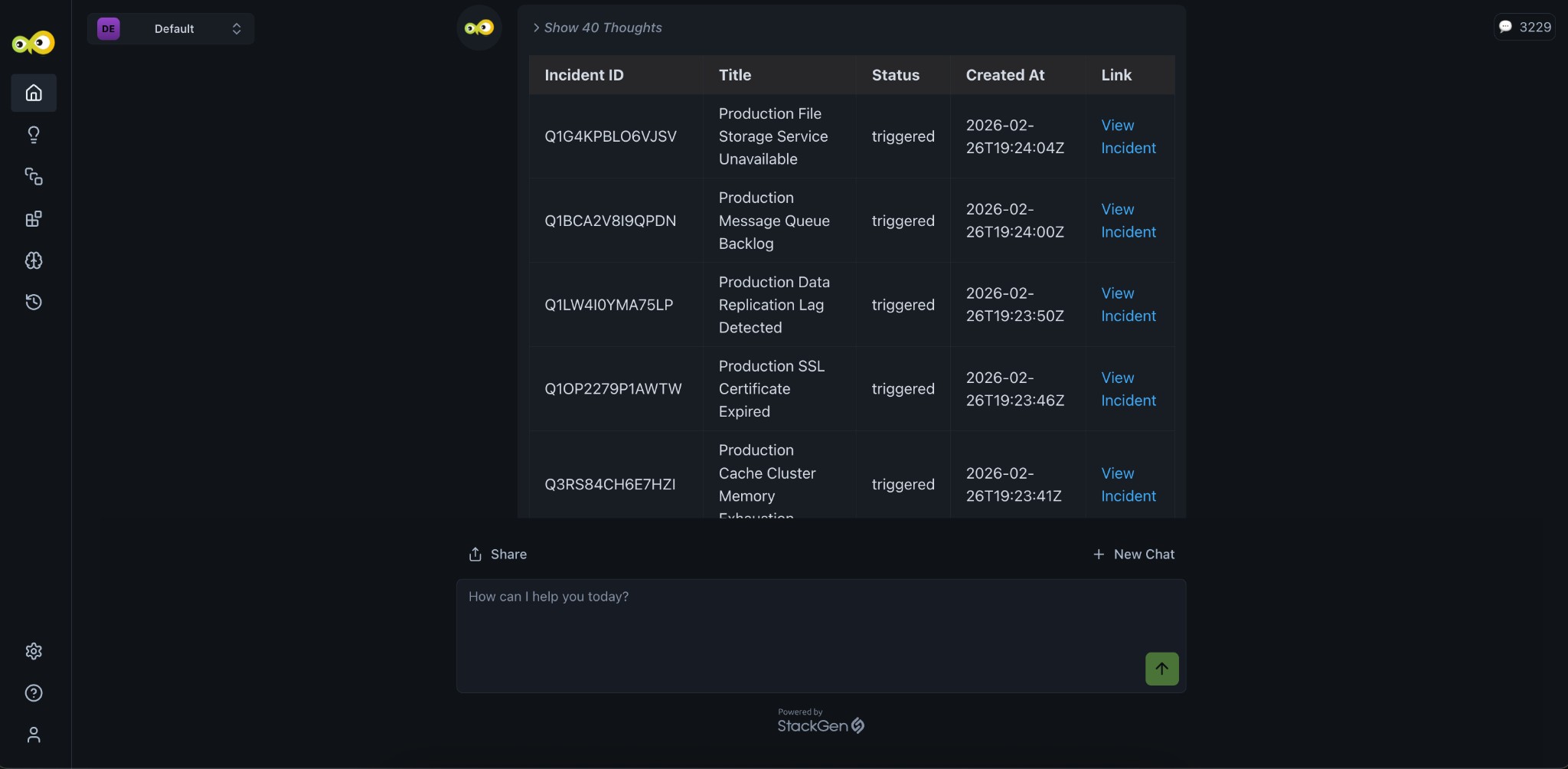
Example prompts
- "Get details for PagerDuty incident INC-1234"
- "Summarize all unresolved incidents"
Why It Matters
You get cross-platform incident visibility in Aiden without switching to PagerDuty; incident lookup and triage stay in context with your other observability and SRE workflows.
Check out the PagerDuty integration guide to set up and use the integration.
What's Fixed
Thought Without Actual Answer
Click to view
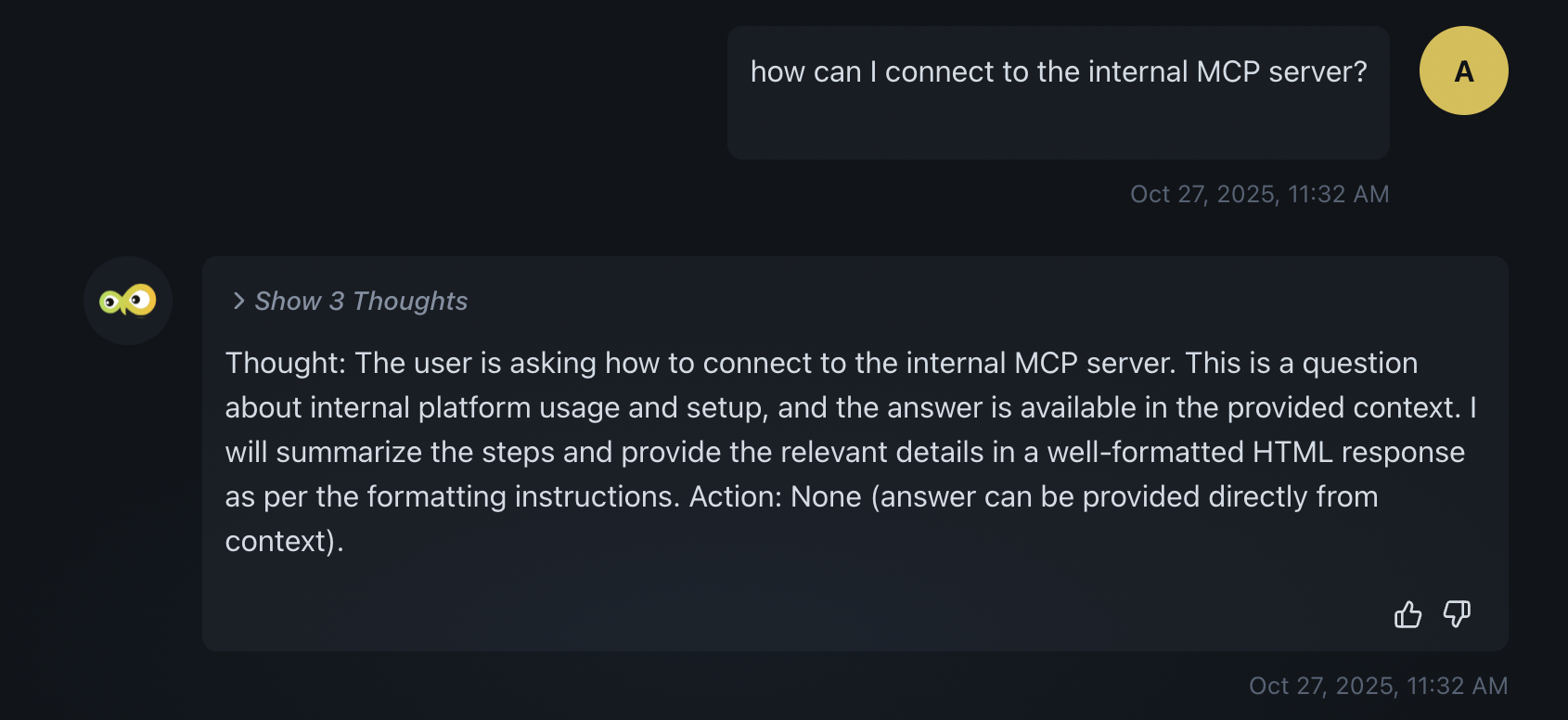
We have fixed an issue where Aiden sometimes returned only the thought (reasoning) and not the actual answer. Previously, you might see only the "Thought" and "Action" (for example, "Show 3 Thoughts") with no final answer below. Aiden now returns the full response so you get both the reasoning and the answer.
AWS CLI Timeout Error Message
Click to view
We have fixed an issue where an AWS CLI timeout produced the error: The AWS CLI command timed out. Please ask the user for necessary permissions. Aiden interpreted this as a permissions problem even when the cause was something else (for example, network or resource delay). The timeout error message has been updated so Aiden no longer defaults to a permissions explanation and can respond more accurately.
Tabular Data Shown in Code Format
Click to view
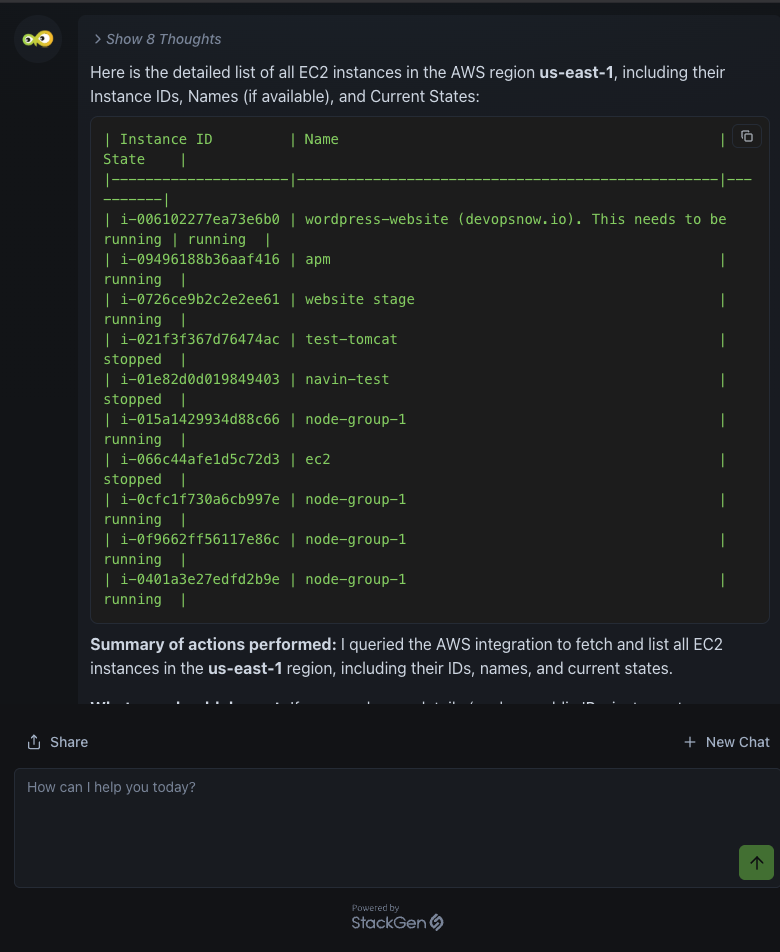
We have fixed an issue where Aiden sometimes displayed tabular data (for example, EC2 instance lists, query results) as plain text in a code block instead of a formatted table. That made the data hard to scan and understand. Aiden now renders tabular data using HTML table markup so responses are organized and easier to read.
GCP Integration Fails in Aiden
Click to view
We've fixed an issue where GCP integrations could not be created while using Aiden inside StackGen, accessed from your company's StackGen URL.
Previously, attempting to add a GCP integration in this environment would fail, with no clear way to complete setup. GCP integrations now work as expected here. Create, validate, and use them just like any other integration in Aiden.