Aiden for SRE
Aiden for SRE
Aiden for SRE helps responders move from an alert to an evidence-backed explanation and a next action. It brings alert ingestion, triage, discovery, and investigation conversations into one workspace.
Open Aiden SRE from the app rail and select your workspace. Enable the app in Workspace Settings -> Apps if it is not available.
See Community Edition for the free sandbox account and its limits.
Start with your team's task
| You want to... | Start here |
|---|---|
| Connect monitoring, source control, or incident tools | Integrations for SRE |
| Understand how the pieces work together | From alert to mitigation |
| Check what Aiden knows about the environment | Discovery |
| Receive alerts automatically or pull them now | Alert ingestion |
| Limit incoming alerts or automatic investigations | Filters |
| Decide which alerts need attention | Alerts |
| Review and continue a case | Investigations |
| Inspect findings, evidence, events, and threads | Investigation workspace |
| Start a general chat or reopen a conversation | Aiden Chat |
Your first investigation
- Connect an integration and attach it to SRE in the current workspace.
- Run Discovery to collect available environment context.
- Configure a webhook or use Import alerts on the Alerts page.
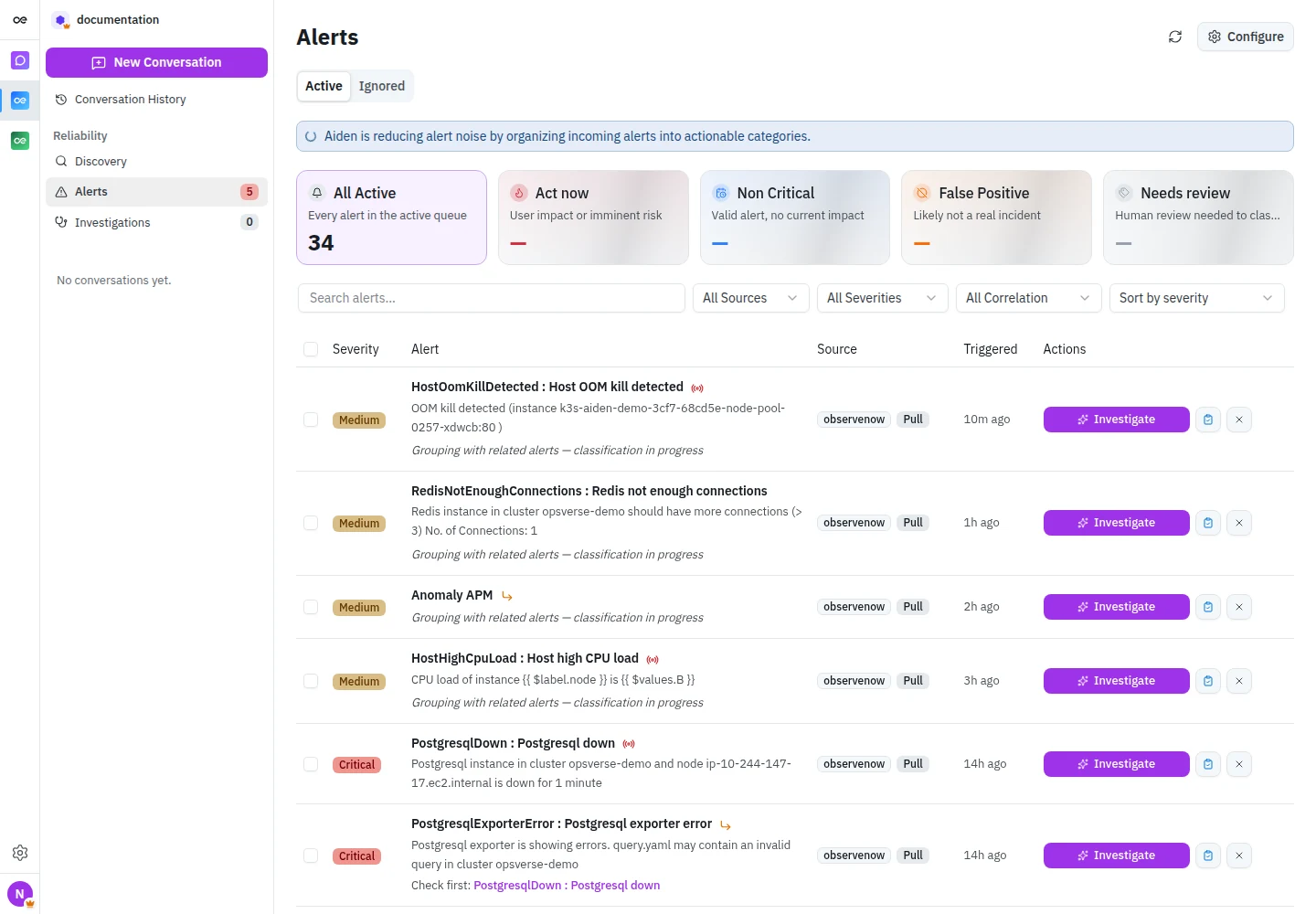
- Open an alert and review its severity, triage priority, summary, and related alerts.
- Select Investigate. Review the findings and supporting evidence, then ask follow-up questions.
- Agree on a mitigation, carry it out through the approved process, and verify recovery before resolving the investigation.
The exact evidence and actions available depend on the integrations, permissions, knowledge, and runners configured for the workspace.
Navigation
Discovery, Alerts, and Investigations organize the operational work. The Investigations badge counts open investigations. New Conversation starts a fresh SRE chat; Conversation History reopens earlier conversations. Inside chat, expand the collapsed sidebar to return to these pages.
Use a new conversation for a question that is not tied to an alert, such as "What changed in checkout before errors rose at 14:00 UTC?" Include a service, environment, and time window so Aiden can select relevant context.
To use SRE tools from an MCP client, see Configure MCP.