Harness CI
Harness CI
You can use Shipyard's Harness plugin to run Harness CI steps on ephemeral environments which were automatically deployed by Shipyard, authenticating into them via a bypass token. The plugin waits for the Shipyard environment of the branch or pull request being built, then exports its URL and bypass token as step outputs, so later steps can run E2E tests where authentication via OAuth is normally required.
The plugin is published as the container image ghcr.io/shipyard/harness-plugin.
Before you start
Get your token
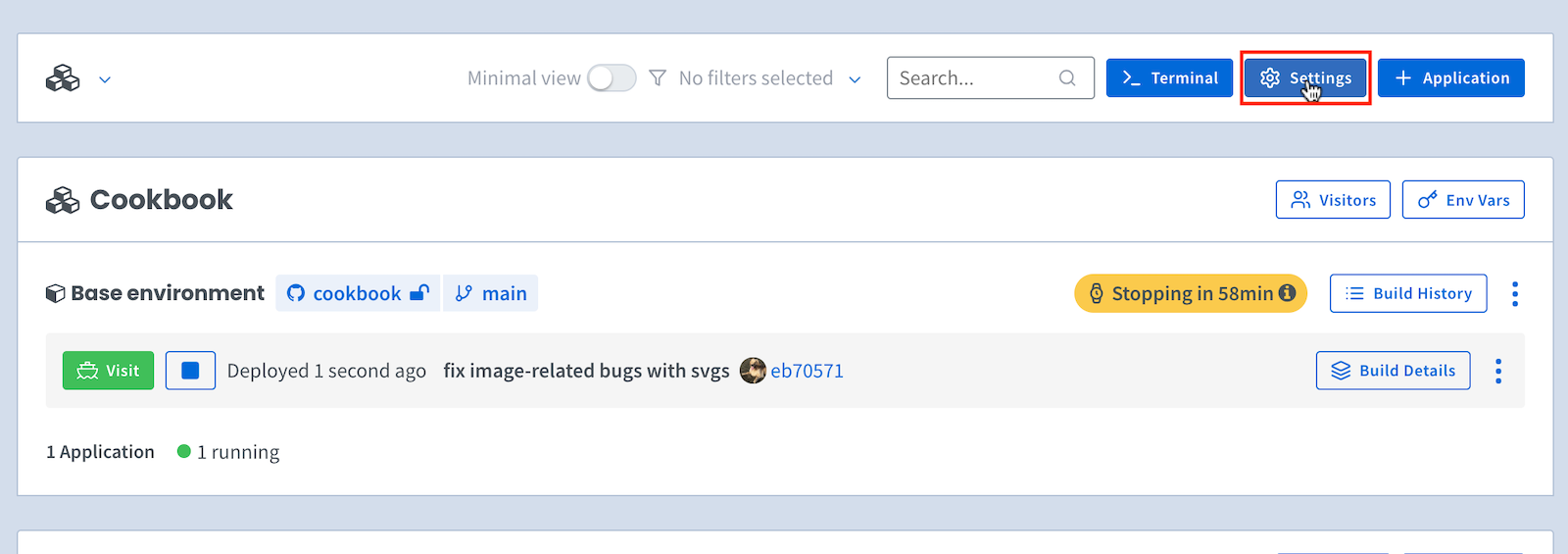
To access your Organization Settings page, click on Settings at the top of your main dashboard:
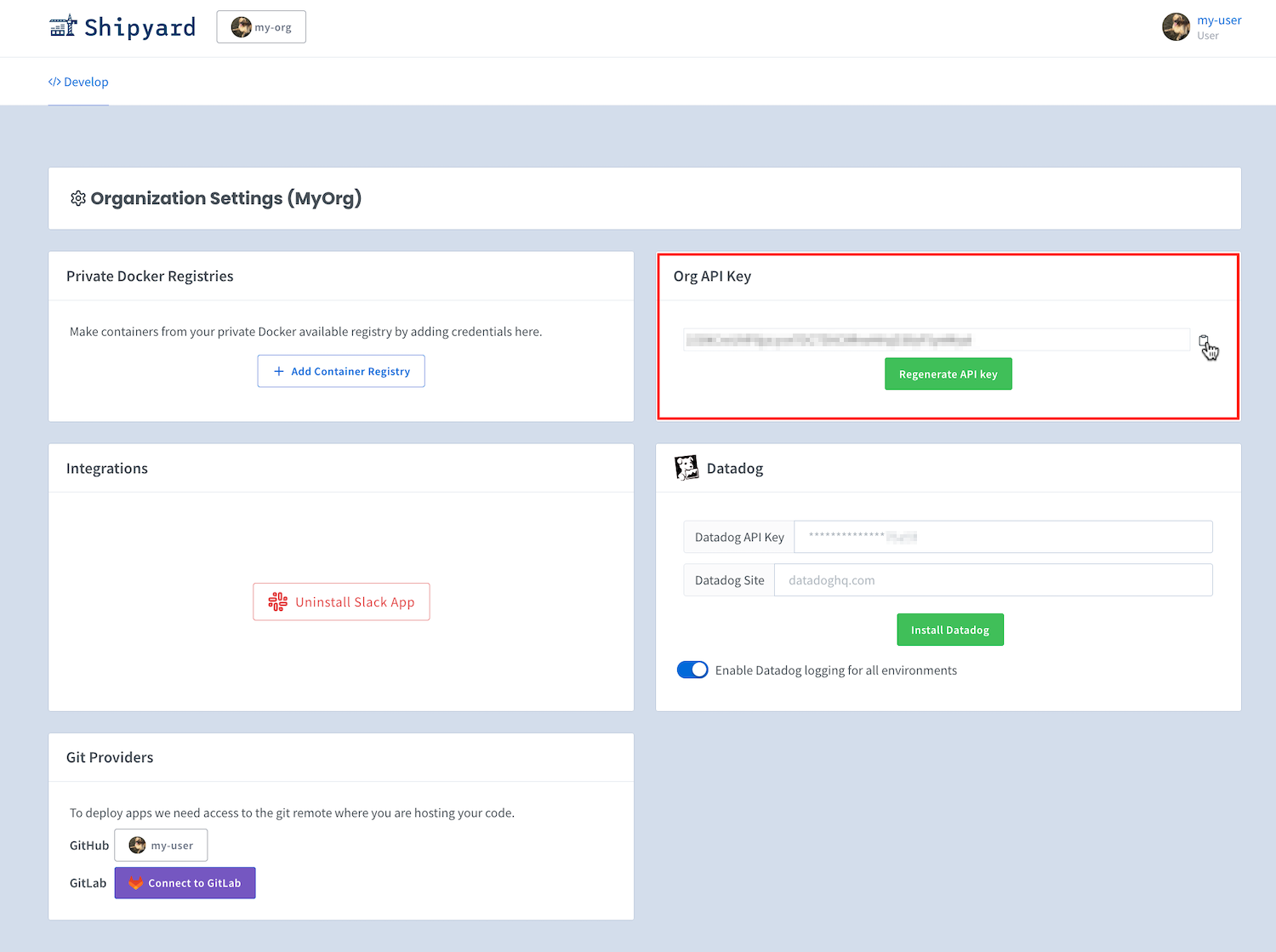
If you have the Shipyard API enabled for your organization, you can grab its token by going to the Org Settings page and clicking the copy button:
Store the token in Harness
In your Harness project, create a Text secret holding the token, for example with the ID shipyard_api_token.
Connect your repository
Give the pipeline a codebase (a Git connector and repository), and run it on a Branch or Pull request. The plugin reads the repository and branch from the build, so it finds the environment Shipyard deployed for that branch or PR.
How to use
The YAML depends on which pipeline editor your Harness account uses.
Harness New Experience
Run the plugin image in a run step and pass its settings as PLUGIN_* environment variables:
pipeline:
  clone:
    connector: my_github_connector
    repo: my-org/my-repo
  stages:
    - name: e2e
      id: e2e
      steps:
        - name: shipyard
          id: shipyard
          run:
            container:
              image: ghcr.io/shipyard/harness-plugin:1
            script: python /opt/shipyard/plugin.py
            env:
              PLUGIN_API_TOKEN: <+secrets.getValue("shipyard_api_token")>
              PLUGIN_TIMEOUT_MINUTES: "30"
        - name: e2e_tests
          id: e2e_tests
          run:
            container:
              image: node:20
            env:
              CYPRESS_BASE_URL: <+steps.shipyard.output.outputVariables.SHIPYARD_ENVIRONMENT_URL>
              CYPRESS_BYPASS_TOKEN: <+steps.shipyard.output.outputVariables.SHIPYARD_BYPASS_TOKEN>
            script: npm ci && npm test
- Give every stage and step that uses an expression an
id, or Harness won't save the pipeline. - Write
containeras an object with animagekey. - Use the
<+...>expressions shown above for the secret and the step outputs.
Harness CI (classic pipelines)
Add a Plugin step. Its settings are passed to the plugin as PLUGIN_* environment variables:
- step:
    type: Plugin
    name: Fetch Shipyard environment
    identifier: shipyard
    spec:
      image: ghcr.io/shipyard/harness-plugin:1
      settings:
        api_token: <+secrets.getValue("shipyard_api_token")>
        timeout_minutes: "30"
- step:
    type: Run
    name: Run e2e tests
    identifier: e2e_tests
    spec:
      shell: Sh
      envVariables:
        CYPRESS_BASE_URL: <+steps.shipyard.output.outputVariables.SHIPYARD_ENVIRONMENT_URL>
        CYPRESS_BYPASS_TOKEN: <+steps.shipyard.output.outputVariables.SHIPYARD_BYPASS_TOKEN>
      command: npm run test
On Kubernetes or self-managed VM build infrastructure, add a connectorRef for a Docker registry connector so Harness can pull the image.
In both cases, set a Harness timeout on the plugin step that is longer than the plugin's own timeout.
Settings
| Setting (classic) | Environment variable (New Experience) | Description | Required | Default |
|---|---|---|---|---|
| api_token | PLUGIN_API_TOKEN | Shipyard API token | yes | |
| timeout_minutes | PLUGIN_TIMEOUT_MINUTES | Minutes to wait for the environment before failing | no | 60 |
| app_name | PLUGIN_APP_NAME | Only match environments of this Shipyard application | no | |
| repo_owner, repo_name, branch | PLUGIN_REPO_OWNER, PLUGIN_REPO_NAME, PLUGIN_BRANCH | Look up this repository and branch instead of the build's | no | from the build |
The repository is read from the build's clone URL, and the branch from the PR's source branch (or the branch being built). On a pull request build, this is the PR's own branch, not the branch it merges into.
While waiting, the plugin restarts a sleeping (retired) environment once. It fails right away if the environment is stopped and no build is running.
Outputs
On a successful run, the plugin sets the following step outputs. Read them in later steps with <+steps.STEP_ID.output.outputVariables.NAME>.
| Output | Description |
|---|---|
| SHIPYARD_ENVIRONMENT_URL | URL of the ephemeral environment |
| SHIPYARD_ENVIRONMENT_ID | ID of the ephemeral environment |
| SHIPYARD_BYPASS_TOKEN | Token to bypass authentication |
| SHIPYARD_ENVIRONMENT_COMMIT_HASH | Commit the environment was built from, when known |
SHIPYARD_DOMAIN_<NAME> | URL of each routed service, one output per service. <NAME> is the service name, so it varies by app (for example SHIPYARD_DOMAIN_API) |
For an app with several routed services, there is one SHIPYARD_DOMAIN_<NAME> output per service. <NAME> is the Compose service name in upper case, with every character other than a letter or digit replaced by _. For example, service api-gw gives SHIPYARD_DOMAIN_API_GW. Services that share a host through path routes all report that host.
SHIPYARD_BYPASS_TOKEN is written as a Harness output secret, so it is masked in logs. If your Harness account doesn't support output secrets, the plugin writes it as a regular output and logs a warning. Ask Harness support to enable output secrets for CI.