Investigations
Investigations
The Investigations page lists alert-linked investigations for the workspace. Use it to find open work, review resolved cases, filter by severity, and open investigation chat to continue analysis.
Open Aiden SRE → Investigations. The tab badge shows how many investigations are open.
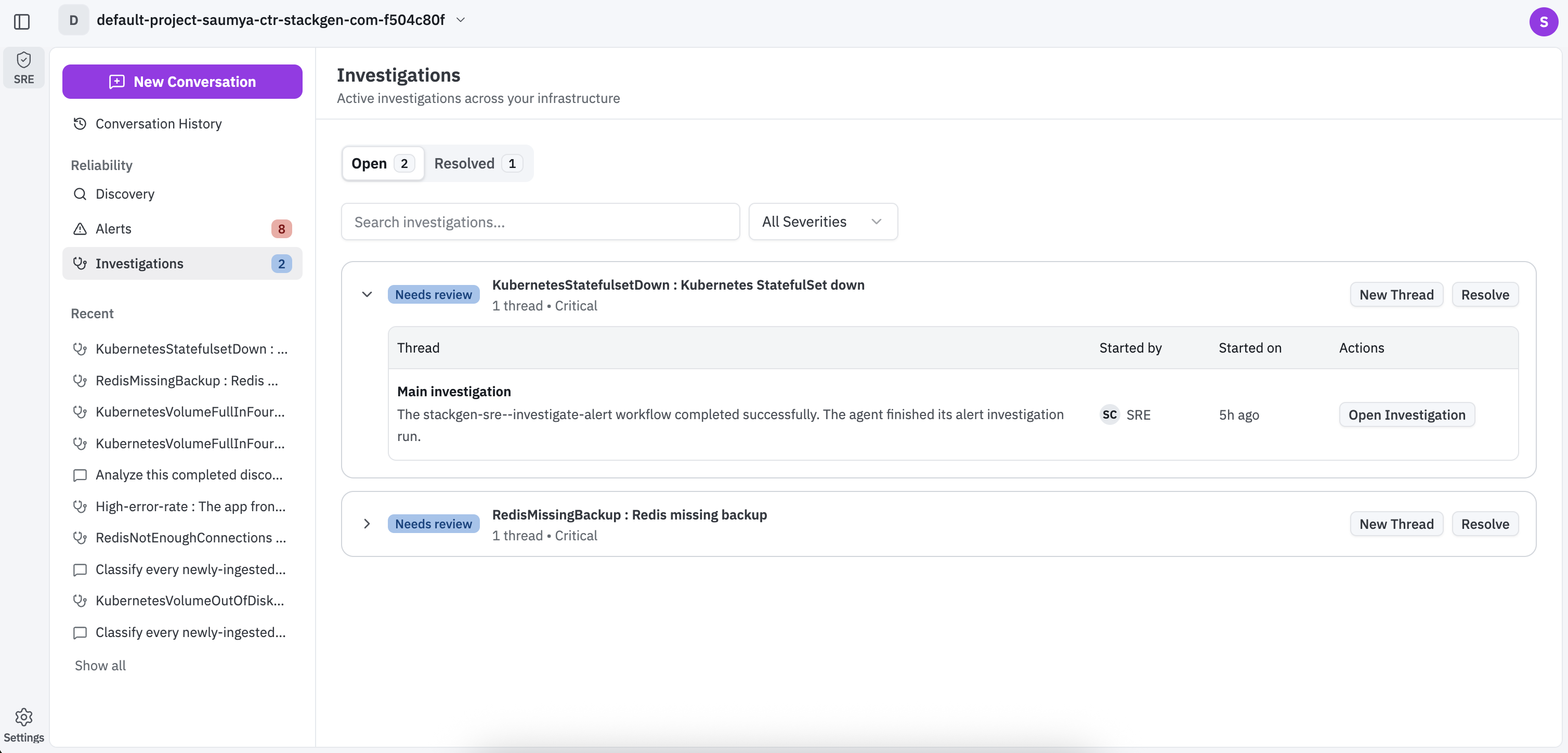
Open and Resolved
| Tab | What it shows |
|---|---|
| Open | Investigations still in progress, with a count badge |
| Resolved | Investigations that have been closed, with a count badge |
Search and severity filter
- Use Search investigations to find investigations by alert text.
- Open Filter by severity (All Severities by default) and choose:
- All Severities
- Critical
- High
- Warning
- Medium
- Low
- Info
Investigations table
Columns:
| Column | Meaning |
|---|---|
| Severity | Severity label for the linked alert (for example Critical, High, Warning, Info) |
| Alert | Alert name and short description |
| Threads | Number of investigation chat threads |
| People | People involved in the investigation |
Click a row to open investigation chat for that alert.
Investigation chat
Investigation chat opens from an investigation row (or from an alert investigate action). The header summarizes the alert under investigation, including name and description. Use Show more to expand alert metadata such as investigation ID, fingerprint, rule UID, severity, and source.
| Control | What it does |
|---|---|
| Share chat | Share the investigation conversation |
| Investigation panels | Opens the side menu for Threads, Evidence, and Events |
| Copy message | Copies a message from the thread |
| Message input | Ask follow-up questions (Ask follow up...) |
| Slash commands | Insert slash command suggestions |
| Send message | Sends the follow-up when the control is enabled |
Helper text on a new SRE chat (from New in the header): Aiden automatically finds the right workflow and agent for your request.
Investigation panels
Open Investigation panels to switch context without leaving the chat:
| Panel | What it shows |
|---|---|
| Threads | Investigation threads for this case (count shown on the menu item) |
| Evidence | Collected evidence items for the investigation |
| Events | Timeline of agent activity, tool calls, and related events |
Evidence
The Evidence panel lists items Aiden gathered for the incident. Filter with:
- All
- Alert rules
- Metrics
Use Search evidence to find items, open an item in the external observability console when a link is available, and Close Evidence panel when finished.
Evidence entries can include alert rules and observability queries (metrics, logs, traces, or related SQL) grounded in the incident window. Hosts are verified when they match a Grafana or other observability integration configured for the workspace.
Events
The Events panel is the execution timeline. Filter with:
- All
- Tool calls
- Agents
- Errors
Use Search events and Events options for additional controls. Expand timeline rows to inspect steps such as persona agent start, skill loads, observability queries, tool executions, and stage completion. Close the panel when finished.
Related actions in the SRE header
From any SRE page, including Investigations:
- New starts a blank SRE chat.
- Conversation History lists past SRE conversations (including investigate-alert workflows) so you can reopen or archive them.
See Aiden for SRE for header action details.