Agent Skills
Agent Skills
Skills are predefined capabilities that tell Aiden's agents how to perform a specific task. Each skill is defined in a SKILL.md file with YAML front matter and step-by-step instructions, plus optional companion files. When a request matches a skill, agents follow its instructions to produce a reliable, repeatable result.
In Aiden 2.0, skills are managed per workspace under Workspace Settings -> Agent skills. You can author skills directly or sync them from git repositories, so teams can version and reuse skills across their stack.
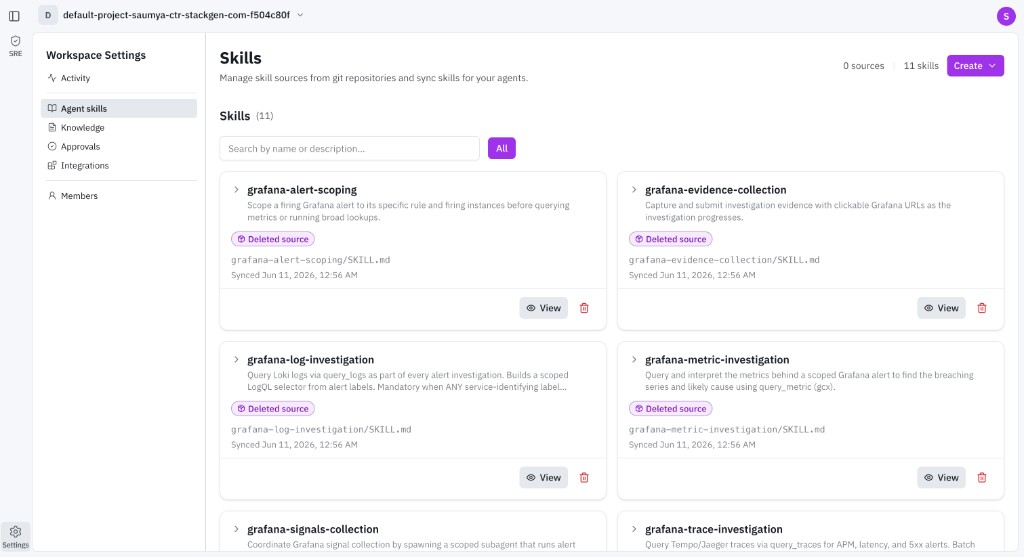
The Agent skills page lists every skill available to your workspace agents. The header shows the count of connected sources and total skills. Each skill card includes:
- Name and description: What the skill does, for example
grafana-alert-scopingorgrafana-log-investigation. - Source path: The location of the skill definition, such as
grafana-alert-scoping/SKILL.md. - Sync status: When the skill last synced, and a Deleted source label if its source is no longer connected.
- Actions: View the skill definition or delete it.
Use Search by name or description and the filter to narrow the list when a workspace has many skills.
Create a Skill
Click Create and choose Create skill to open the skill editor.
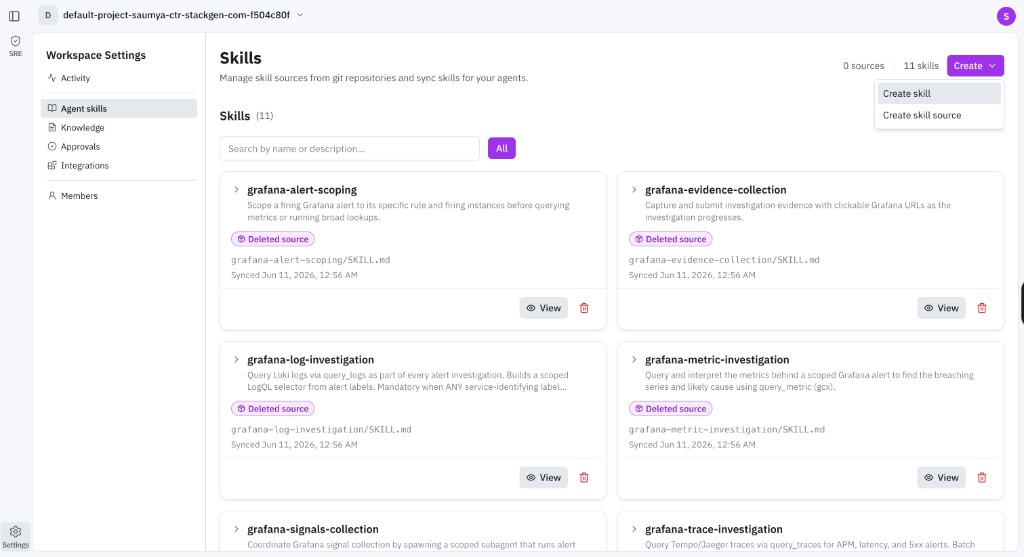
Before you start, define the skill's purpose:
- What specific task will this skill perform?
- What are the expected outcomes when it runs?
- What steps should the agent follow?
In the Create skill dialog, edit a SKILL.md file (YAML front matter plus instructions) and add optional companion files. You can start in two ways:
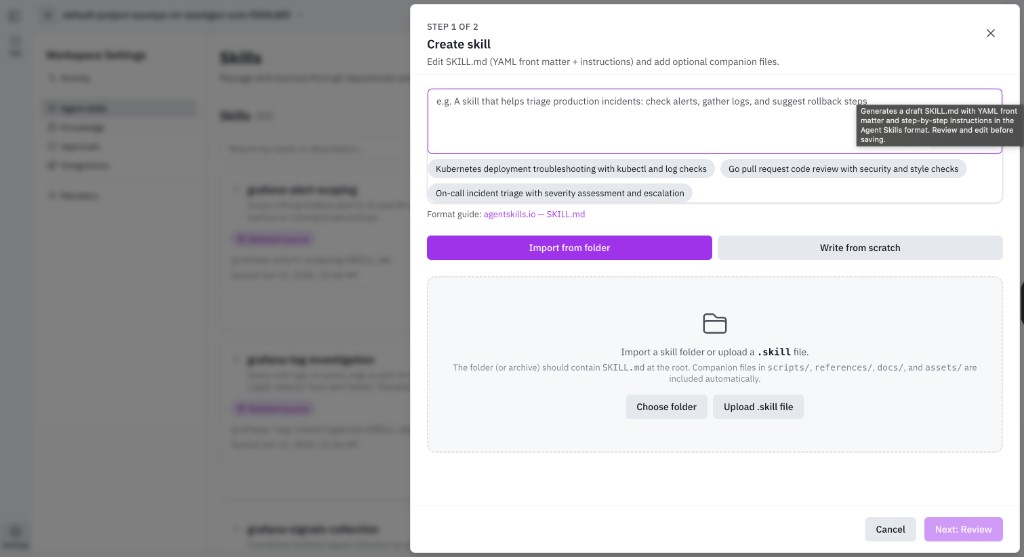
- Import from folder: Import a skill folder or upload a
.skillfile. The folder should containSKILL.mdat the root. Companion files inscripts/,references/,docs/, andassets/are included automatically. - Write from scratch: Draft
SKILL.mddirectly, then review and edit before saving.
Click Next: Review to confirm the generated skill, then save. For the SKILL.md format, see the Agent Skills format guide.
Write clear, goal-oriented instructions. The more specific the steps, the more accurately the agent performs the skill.
Add a Skill Source
To sync skills from a git repository, click Create and choose Create skill source.
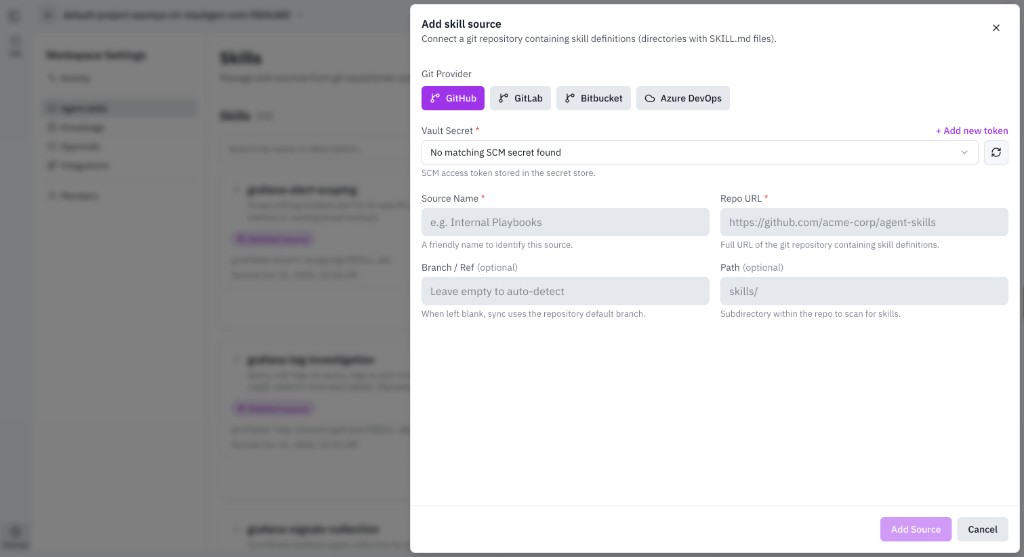
In the Add skill source dialog, connect a repository that contains skill definitions (directories with SKILL.md files):
- Git Provider: Select GitHub, GitLab, Bitbucket, or Azure DevOps.
- Vault Secret: Choose the stored SCM access token for the repository. Use + Add new token if no matching secret exists.
- Source Name: A friendly name to identify the source, for example
Internal Playbooks. - Repo URL: The full URL of the git repository.
- Branch / Ref (optional): Leave empty to sync from the repository default branch.
- Path (optional): A subdirectory within the repo to scan for skills, for example
skills/.
Click Add Source. Aiden scans the repository and syncs the skills it finds, keeping them updated as the source changes.
Additional Resources
- Roles and Access: Who can manage workspace settings.
- Workspace Settings: Other workspace-level controls.