Conversation History
Version 2.0
Text size
Conversation History
The Conversation History page shows all conversations created in your current workspace. Use it to review previous investigations, reopen active threads, and continue work without losing context.
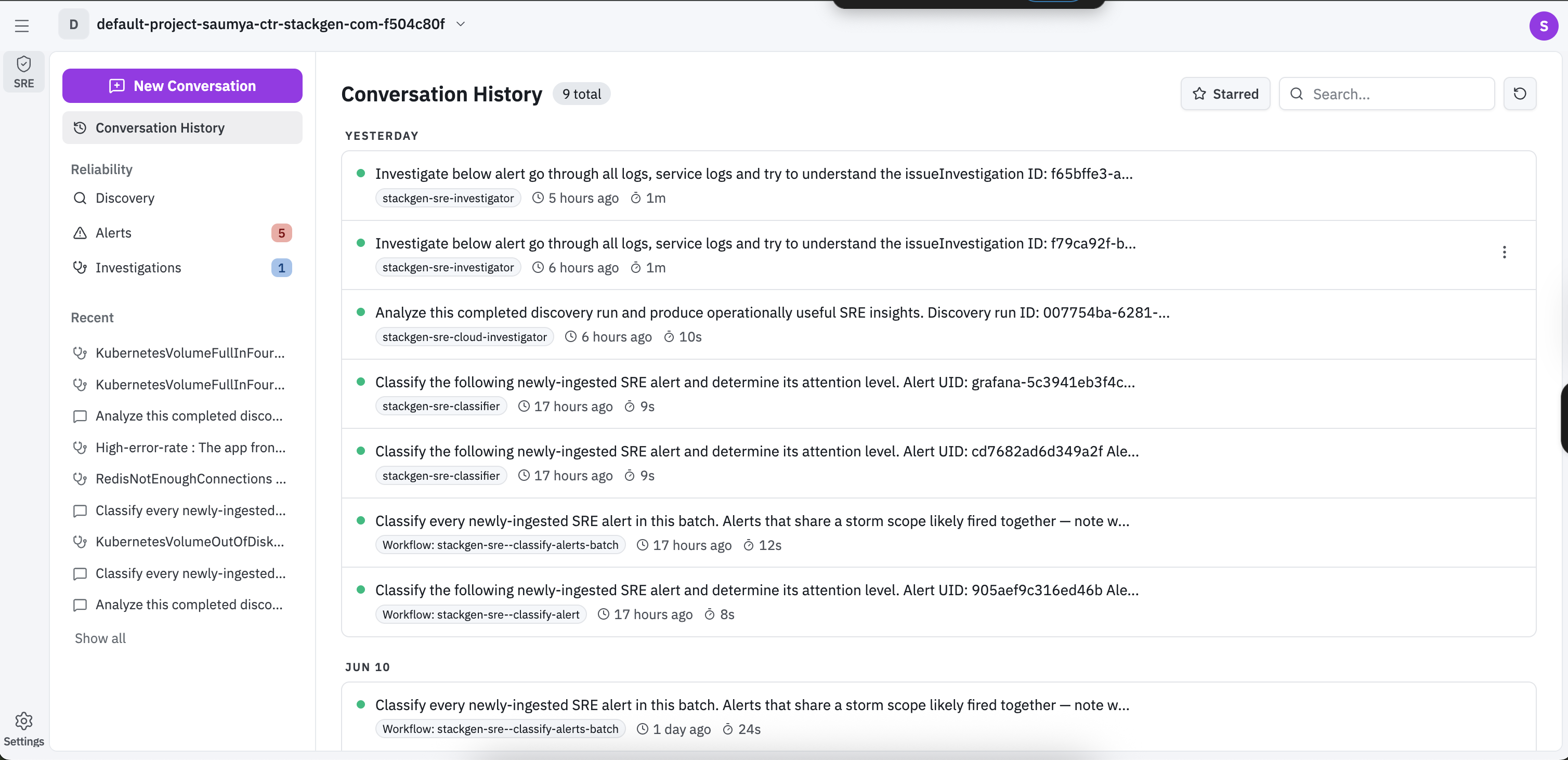
What You See in Conversation History
- Conversation list: Each row shows the conversation title, assigned workflow or agent tag, and time metadata.
- Search: Find conversations by title or keyword using the search box.
- Starred filter: Switch to starred threads for quicker triage.
- Row menu: Use the actions menu on a row to Star or Rename a conversation.
- Recent section in sidebar: Quickly reopen conversations listed under the Recent section.
Open a Conversation
Clicking any conversation entry opens the full conversation chat view.
In chat view, you can:
- Read the generated analysis and linked evidence.
- Continue the same thread using the follow-up input box.
- Review execution details in the event timeline panel.
- Filter event timeline entries to inspect prompts, tool calls, delegation steps, and outputs.