Investigations
Investigations
The Investigations page lets you view investigations Aiden has already run, continue an existing investigation, or start a new thread for a separate line of analysis. It is the operational view for alert-linked investigations in your workspace, where you can identify active investigations, inspect threads for context, open a thread for analysis, and resolve the investigation when validation is complete.
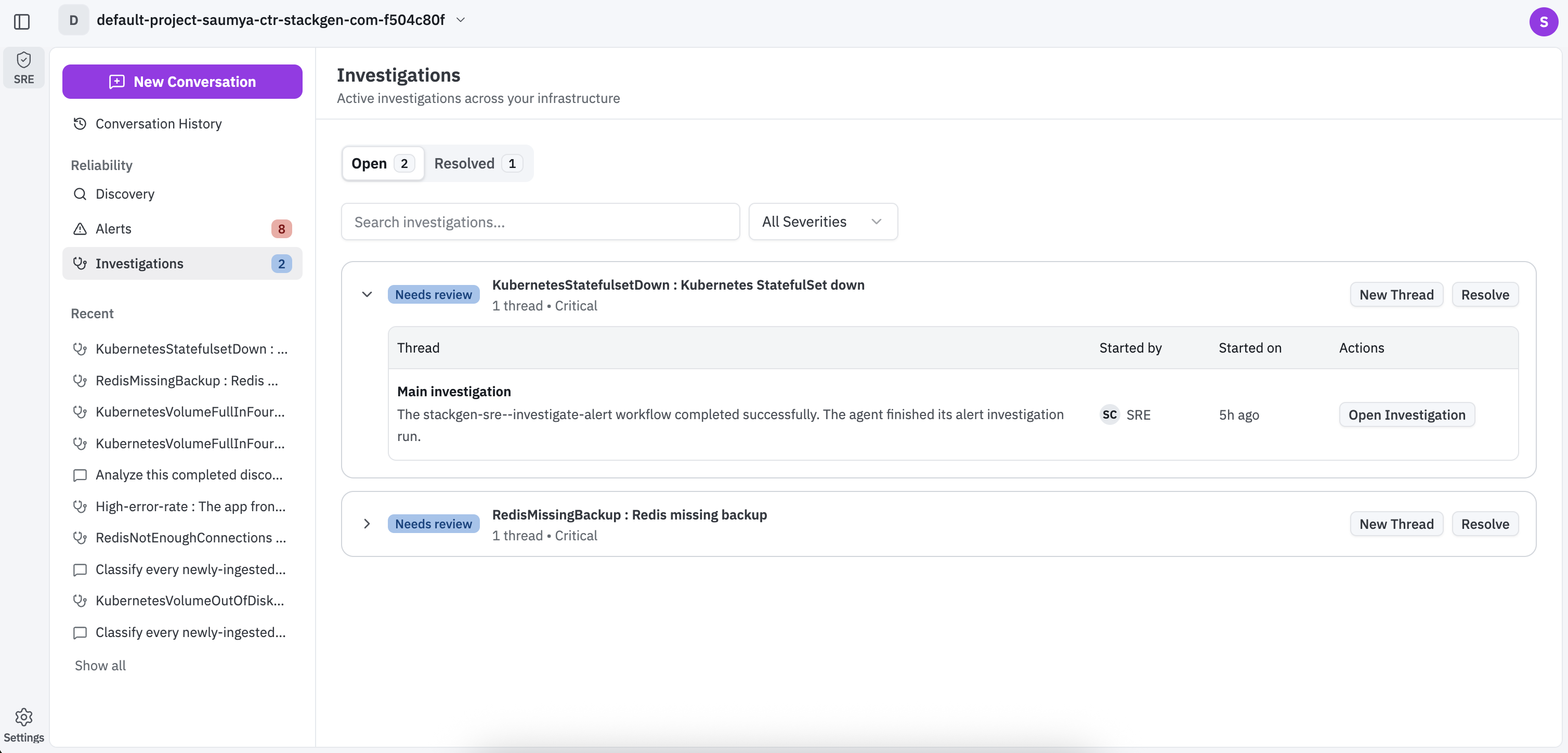
- To begin an investigation click Open next to an active investigation.
- You can click Resolved to resolve an investigation.
- You can Search investigations or filter them by clicking All Severities dropdown to view them by the severity.
Each investigation row summarizes the incident context at a glance, including thread count, severity, and review or signal badges. Expanding a row expands the summary, where you can see who started a thread, when it started, and what actions are available. This gives your engineers quick clarity on whether they should continue an existing thread or start a fresh one.
Clicking Open Investigation takes you directly to the chat and clicking New Thread starts a parallel chat for the same investigation context when you want a separate line of analysis.
An investigation chat window displays the investigation context and execution history. You can continue with your analysis on the same thread, ask follow-up questions, and inspect event timeline entries for agent activity and tool calls without leaving the investigation chat window.