Entra Group Membership Sync and GitHub Secret Selection Fix
This week's release (v2026.8.8) makes it easier to keep your StackGen user groups and Microsoft Entra ID in sync. You no longer update the same group membership list in two places. We also fixed an issue where adding a new GitHub configuration could break the secret selector.
Using the Aiden connector? Check out the Azure Subscription ID update in Aiden v2026.8.8.
Here's everything in this release:
| Area | Update | |
|---|---|---|
| What's New | User management | Entra Group Membership Sync |
| What's Fixed | GitHub | GitHub Secret Selection Fix |
What's New
Entra Group Membership Sync
Click to view
Entra ID group sync is not available out of the box. Contact support@stackgen.com and we'll enable it for your tenant.
Once it's on, StackGen keeps membership in sync for any groups linked to an Entra group. See Implications of Externally Linked Groups for the details.
StackGen now syncs user group membership from Microsoft Entra ID to any linked StackGen user groups. When someone new is added to an Entra group, they need to sign in to StackGen once before their membership shows up on the StackGen side.
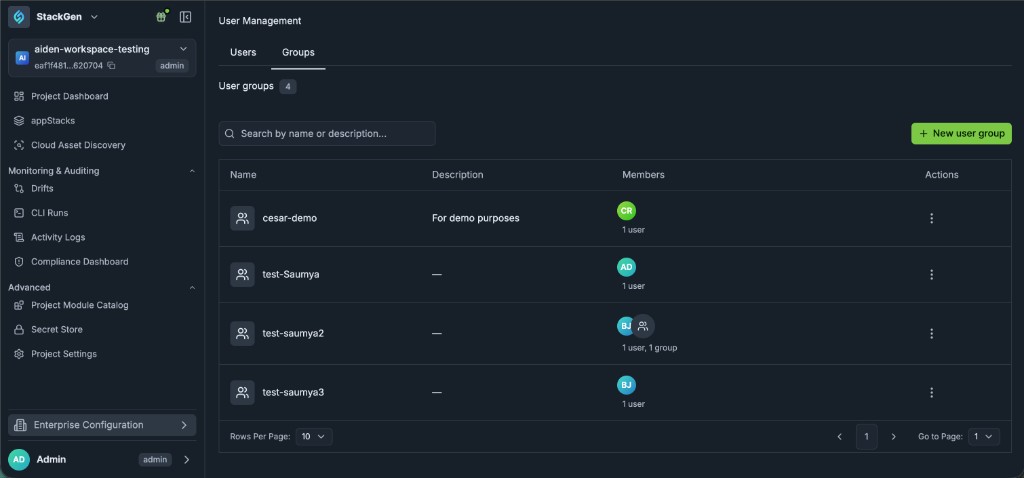
To find your user groups in StackGen:
- Click Enterprise Configuration and select User Management.
- Click the Groups tab.
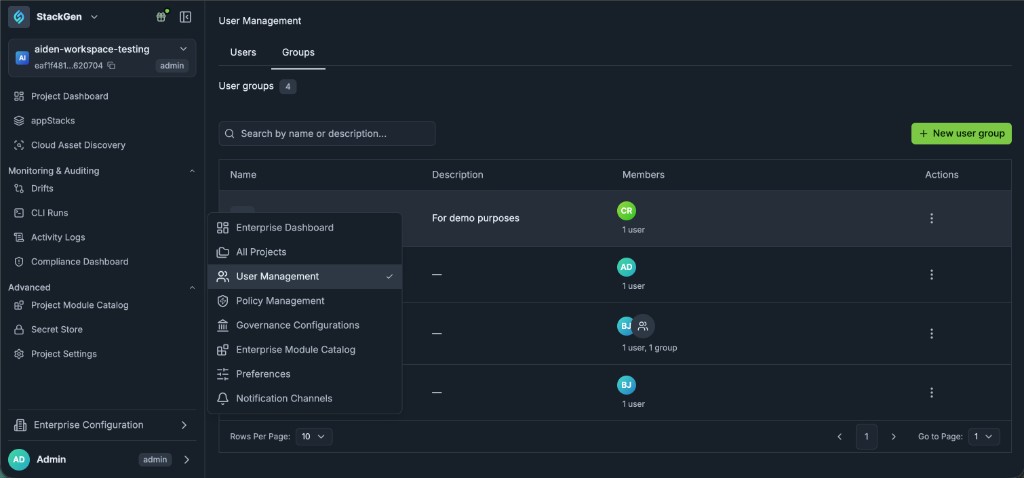
Want more detail? Take a look at User Groups.
What's Fixed
GitHub Secret Selection Fix
Click to view
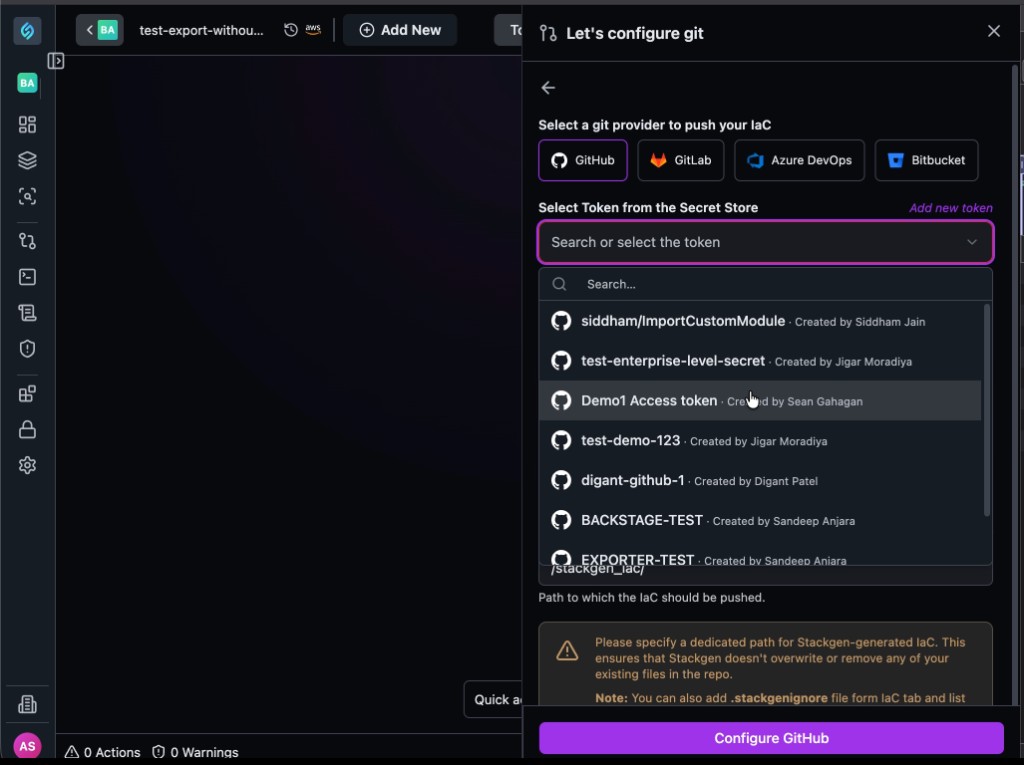
The issue: If you pushed an appStack and then tried to set up a new GitHub configuration, opening the secret selector threw an error instead of loading.
Now fixed: The secret selector works as expected. Search for a saved token from the Secret Store, select it, and finish setting up your GitHub configuration.