IaC from Cloud Discovery
IaC from Cloud Discovery
StackGen helps you with Day 0 resource discovery of your existing cloud infrastructure. Once you run a discovery, you can select all or a few of the discovered resources to create an appStack.
You can do so either from the Cloud Asset Discovery flow, once the discovery is complete, by clicking the Create appStack from this Discovery, or by following the appStack creation flow.
Let’s see in detail how you can create an appStack from your discovered resources.
Creating an appStack from discovery maps Terraform resource types in state to modules in your catalog. Upload the discovery-oriented custom modules from discovery-modules and assign them to your project first. Relying on platform built-in modules for this path is being phased out. For the full requirement, see Cloud Asset Discovery.
StackGen supports discovery only through an IaC file import, i.e., .tfstate and .json.
-
From the StackGen home page, navigate to appStacks > + New appStack > appStack from Cloud Discovery.
-
Select your discovery from the list of discoveries and click Proceed.

-
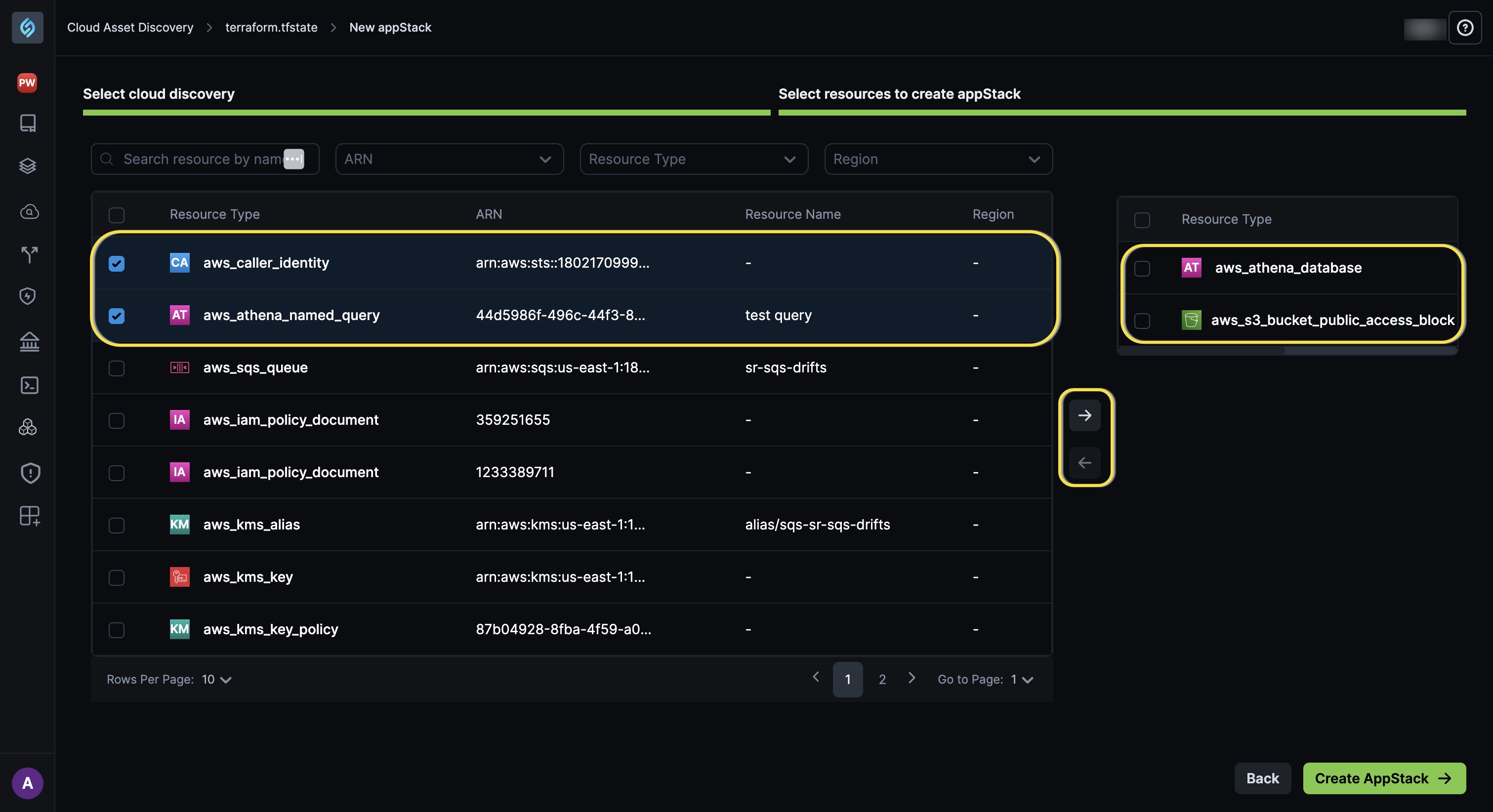
StackGen will list all the resources within your
.tfstatefile.-
You can select all resources or a few and click the forward arrow → to create your appStack.
-
To unselect a resource, click the back arrow ←.
-
-
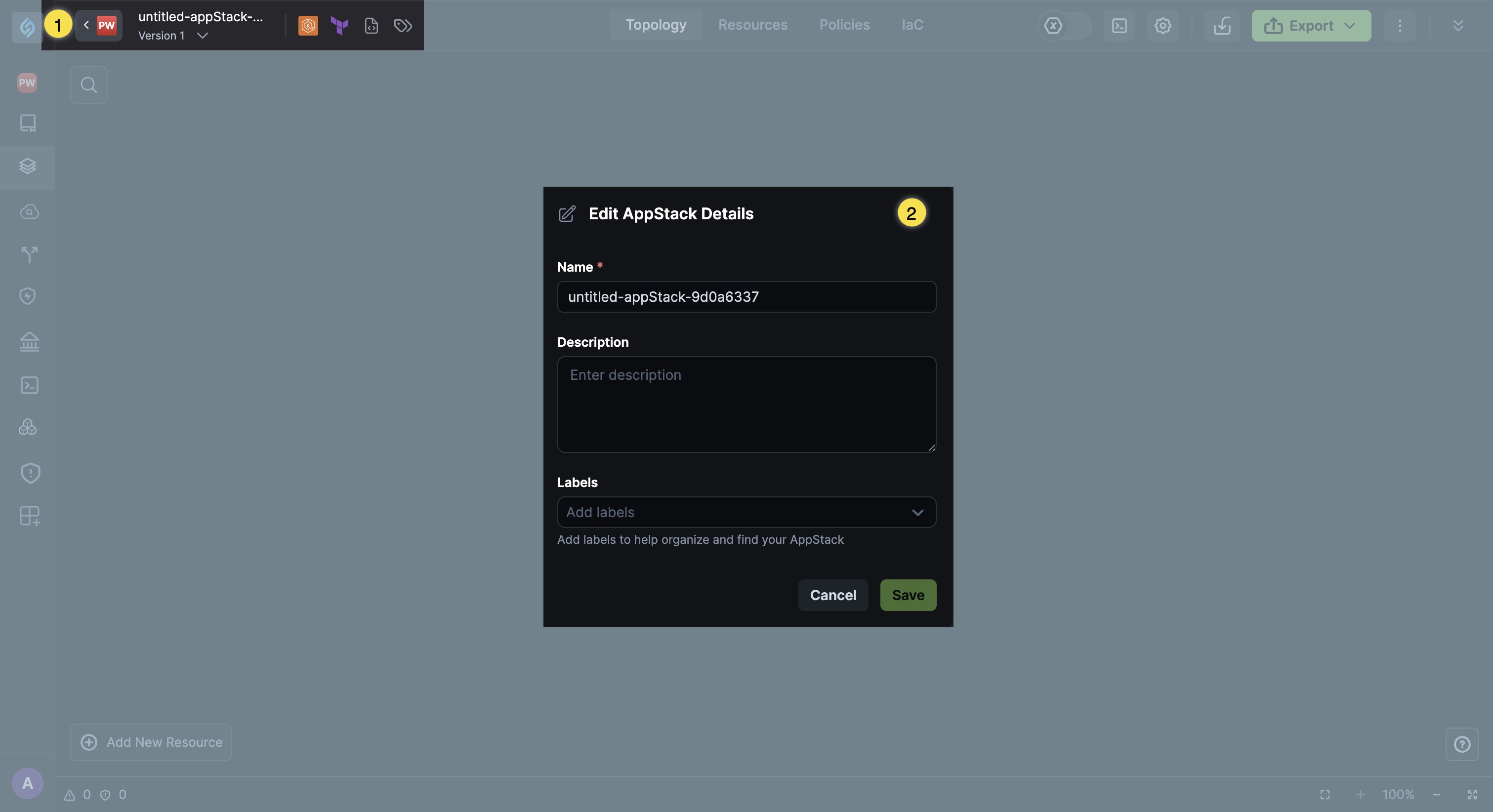
Click the Create appStack button. You will be redirected to the Topology Canvas.
-
You can edit the appStack name and description via the Edit appStack Details dialog.
-
-
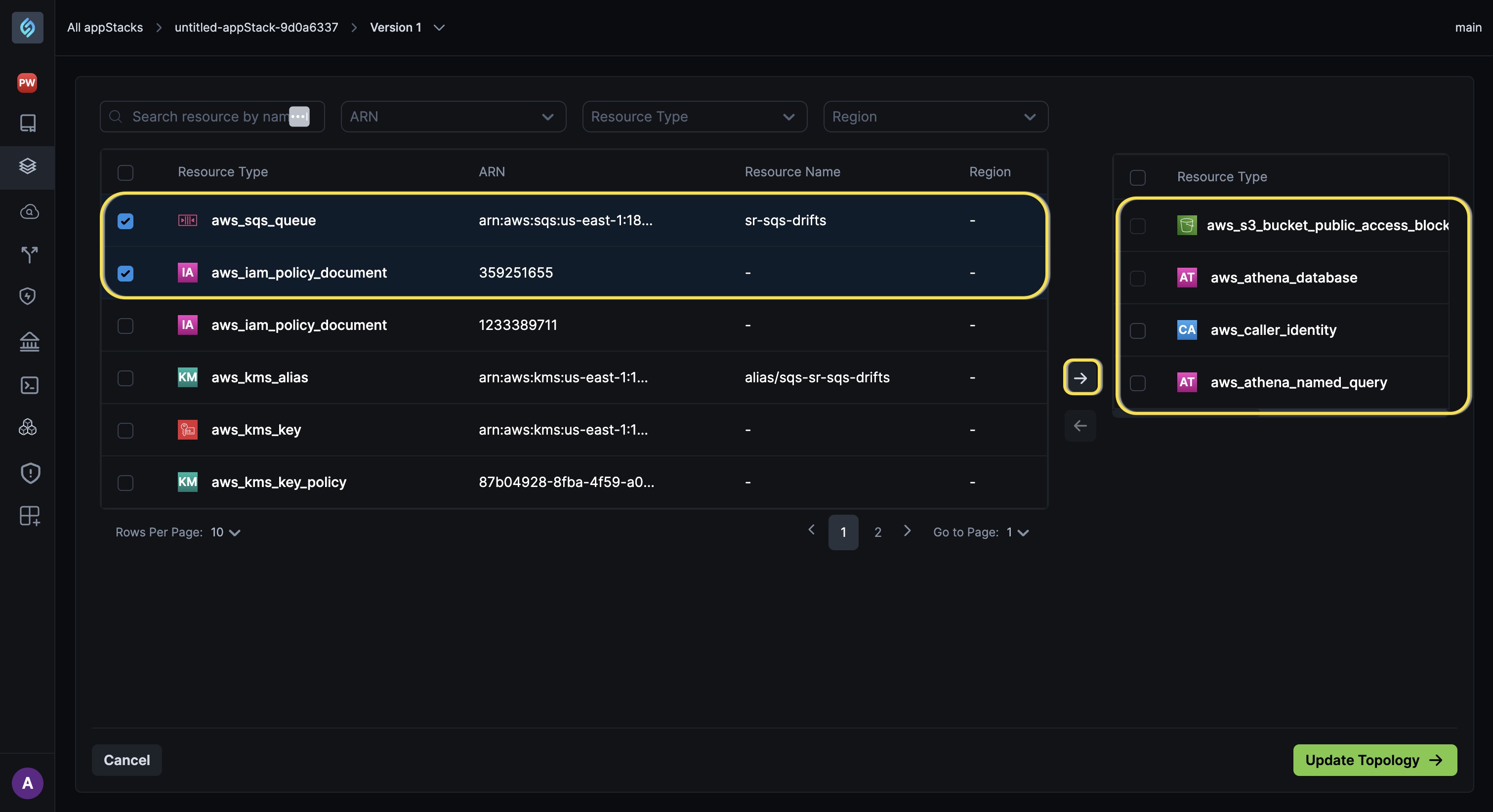
At any point in time, if you want to go back and select or deselect resources from your appStack:
-
Click the Source icon from the appstack details menu.

-
You can select the resources required and click the forward arrow → to include them in your appStack.
 note
noteYou cannot remove the resources that you've added while creating the base appStack.
-
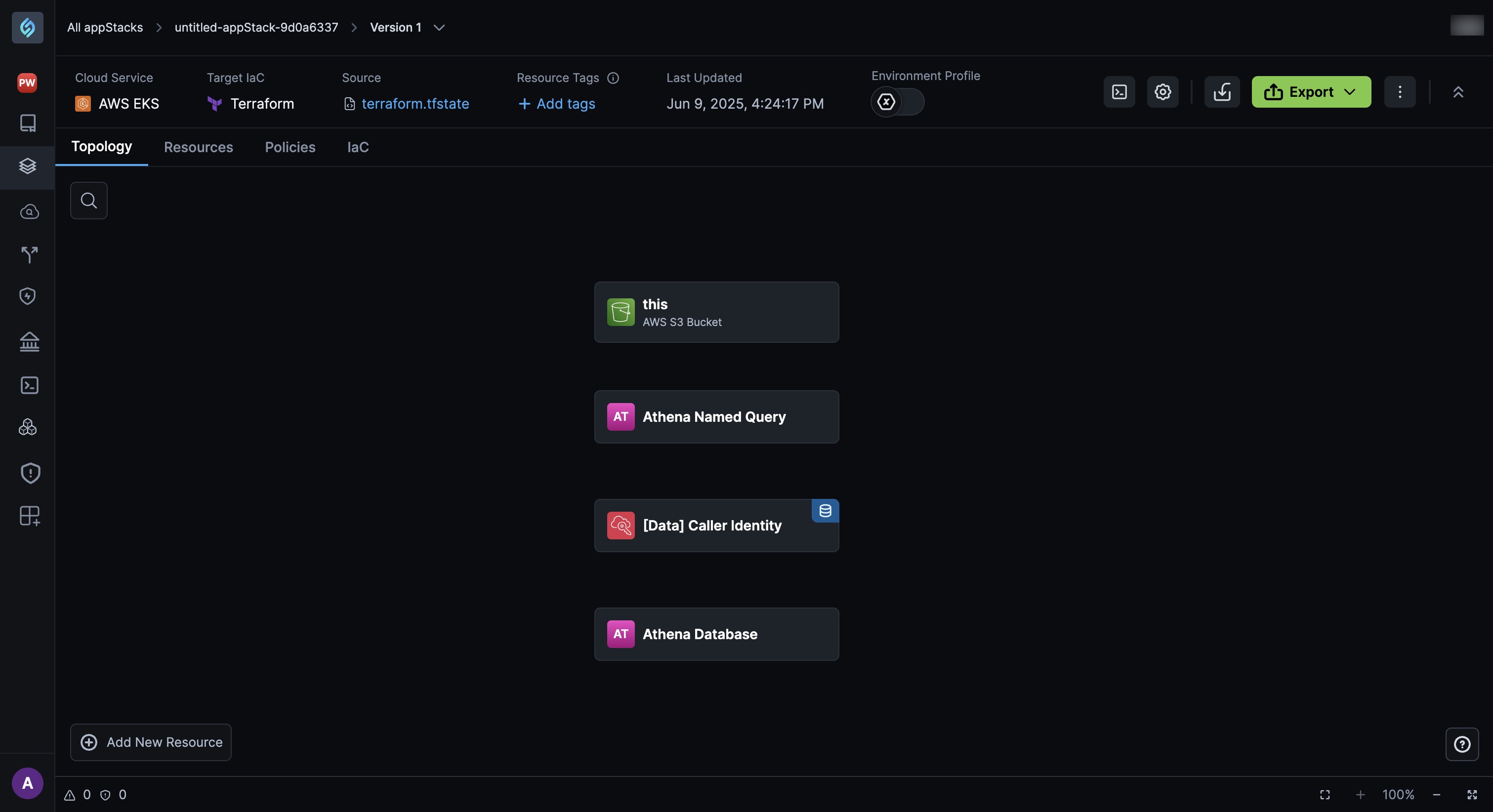
Click Update Topology. Your appStack will be updated with the selected resources.
-
Push Terraform state to a remote backend
After you create an appStack from discovery, you can push its segregated Terraform state to the mapped remote backend from state backend settings in the UI (or with stackgen state push).
This UI action is only for Cloud Discovery appStacks. Pushing overwrites the remote state file immediately. Keep the parent Cloud Discovery record if you still need the state view, download, or push controls.
For the full caveats, see Push Terraform state to a remote backend and v2026.6.12.