Amazon RDS
Single Machine
You can install the RDS exporter on a single machine.
The RDS exporter has two types of metrics: basic and advanced. To be able to use advanced metrics, make sure to set the Enable Enhanced Monitoring option in the settings of your Amazon RDS DB instance. You can do this by clicking on Modify > Additional configuration > Enhanced Monitoring.
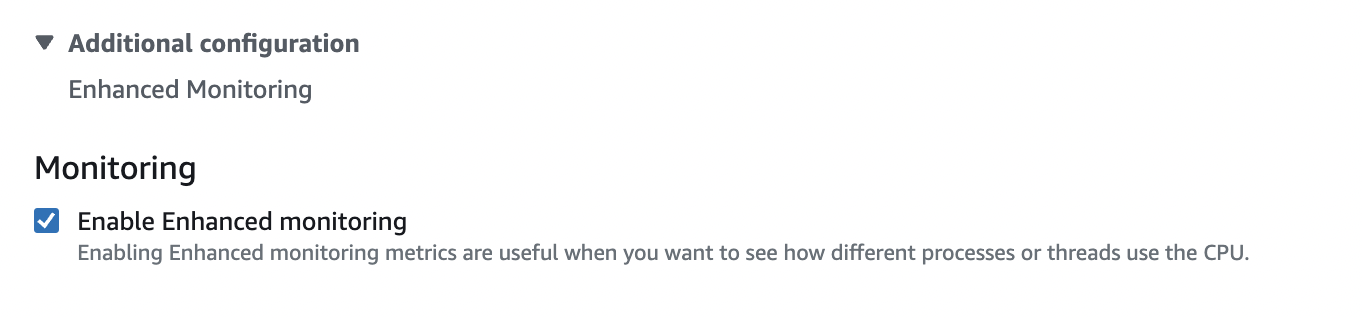
info
After enabling Enhanced Monitoring, please restart you RDS DB instance.
Prerequisite(s):
- You have the [StackGen Agent running on the machine](../../Collecting Telemetry/Install the OpsVerse Agent#dszlx)
- You have enabled
Enhanced Monitoringfor your Amazon RDS
Run this command to install the RDS exporter as a systemd unit:
# For amd64
curl https://raw.githubusercontent.com/OpsVerseIO/installers/main/prometheus-exporters/install-exporter-amd64.sh | sudo bash -s -- -e rds

# For arm64
curl https://raw.githubusercontent.com/OpsVerseIO/installers/main/prometheus-exporters/install-exporter-arm64.sh | sudo bash -s -- -e rds
- First you need to update StackGen
agent-config.yamlfile. Go to/etc/opsverse/agent-config.yamland add the below jobs in thescrape_configssection of the file.
extraScrapeConfigs:
  - job_name: rds-basic
    scrape_interval: 60s
    scrape_timeout: 55s
    metrics_path: /basic
    honor_labels: true
    static_configs:
    - targets:
        - 127.0.0.1:9042

  - job_name: rds-enhanced
    scrape_interval: 10s
    scrape_timeout: 9s
    metrics_path: /enhanced
    honor_labels: true
    static_configs:
    - targets:
        - 127.0.0.1:9042
- Next, you need to edit the
rds-config.yamlfile. Go to/etc/opsverse/exporters/rds/config.yamland add the necessary configurations.
instances:
  - region: <region>
    instance: <instance_name>
    aws_access_key: <aws_access_key>
    aws_secret_key: <aws_secret_key>
    disable_basic_metrics: false
    disable_enhanced_metrics: false
- Restart the StackGen agent and the rds-exporter.
sudo systemctl restart prom-rds-exporter opsverse-agent
- The agent will begin scraping the metrics automatically; the script will drop the scrape target into
/etc/opsverse/targets/, so the agent will begin automatically scraping.