Module Catalog Assistant
This feature is behind a feature flag and is currently enabled only for select customers. Contact support@stackgen.com or your Customer Service Manager for access.
Overview
The Module Catalog Assistant lets you handle module catalog work through conversational prompts, so you can import modules, add versions, and complete catalog updates without stepping through long manual forms each time. You stay faster on routine catalog operations while keeping restricted actions, such as deletion, behind the platform's existing User Interface.
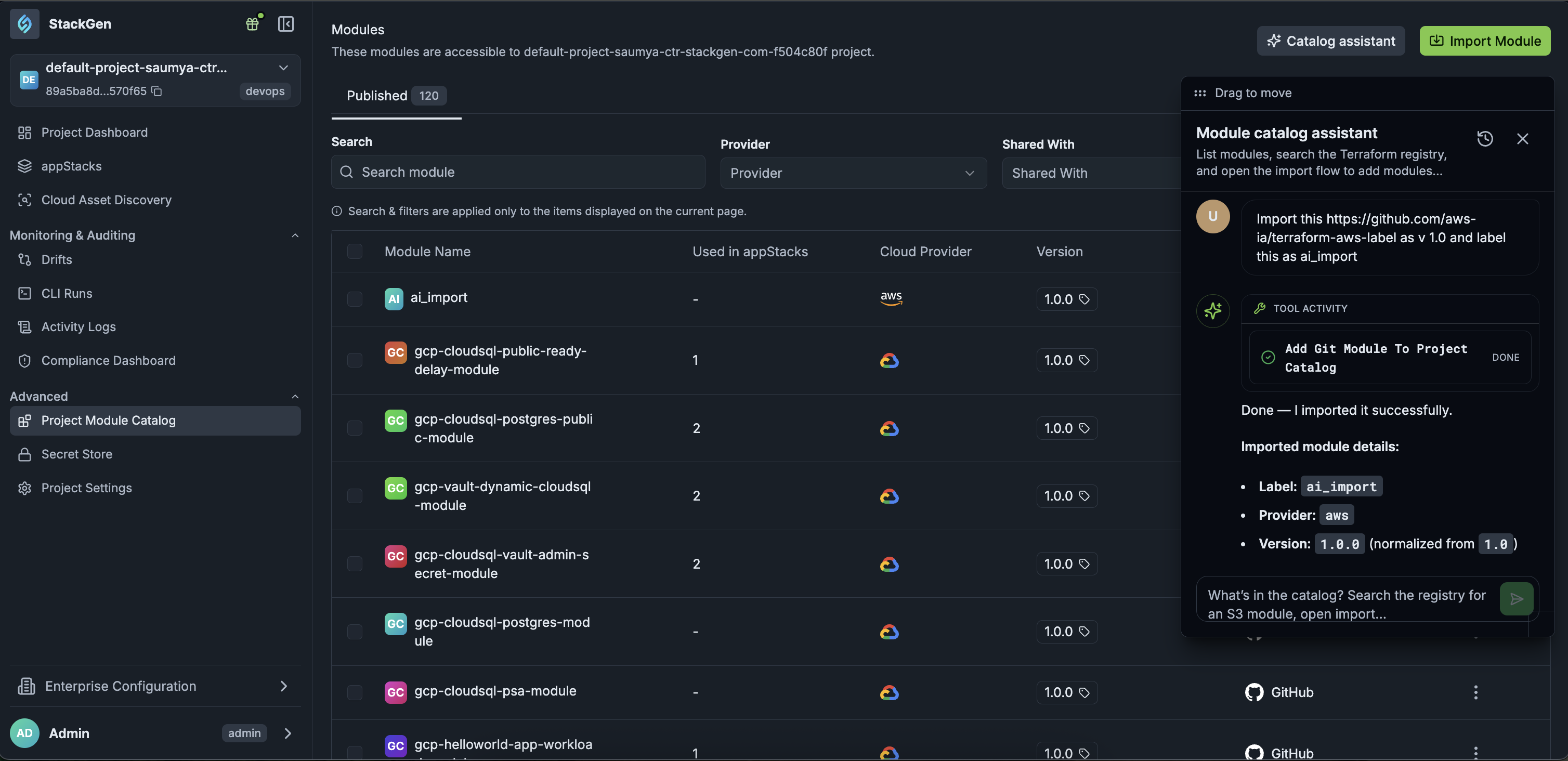
What you can do with the Module Catalog Assistant
The Module Catalog Assistant is an agent designed to help platform engineers populate, update, and manage reusable infrastructure modules within the central catalog. You can use it to import modules, add versions, and complete catalog updates without stepping through long manual forms each time.
Why You Should Use It
Use it to simplify repository imports, automate detail gathering, and streamline module updates.
- Simplify Repository Imports: Skip long, multi-step manual form inputs when registering new Terraform modules from Git or external sources.
- Automate Detail Gathering: The assistant parses inputs, prompts for required missing configuration parameters (such as branch references or providers), and applies them automatically.
Use Cases
- Importing Reusable Modules: Bringing public or private infrastructure code from source control repositories into your organization's internal stack library.
- Updating Module Releases: Syncing or creating new releases for modules as updated tags or branches become available upstream.
Core Capabilities
Importing a Module
Provide a Git or registry repository URL to add a module directly into the catalog (e.g., https://github.com/cloudposse/terraform-aws-label - import this module with version as 1.0.0 and name as label_ai_import).
Creating a Module Version
Request version additions for existing modules (e.g., Import the module again with the same details but update the version to 2.0.0).
Restricted Actions
Click to view
The Module Catalog Assistant cannot delete modules from the catalog via prompt requests. When asked to delete a catalog entry, the assistant instructs you to use the manual UI options inside the platform module catalog dashboard.
Why It Matters
Catalog maintenance tasks that are otherwise multi-step become a single conversational request, while destructive actions stay behind the platform's existing User Interface safeguards.