Getting Started With APIs
Version 1.0
Text size
Getting Started With APIs
This guide will help you get started with enabling APIs in Aiden.
Prerequisites
To begin using Aiden's APIs, generate an API key by visitng the API Keys page and following the on-screen instructions.
Steps to Create a New API Key
Follow these steps to enable API's on Aiden:
-
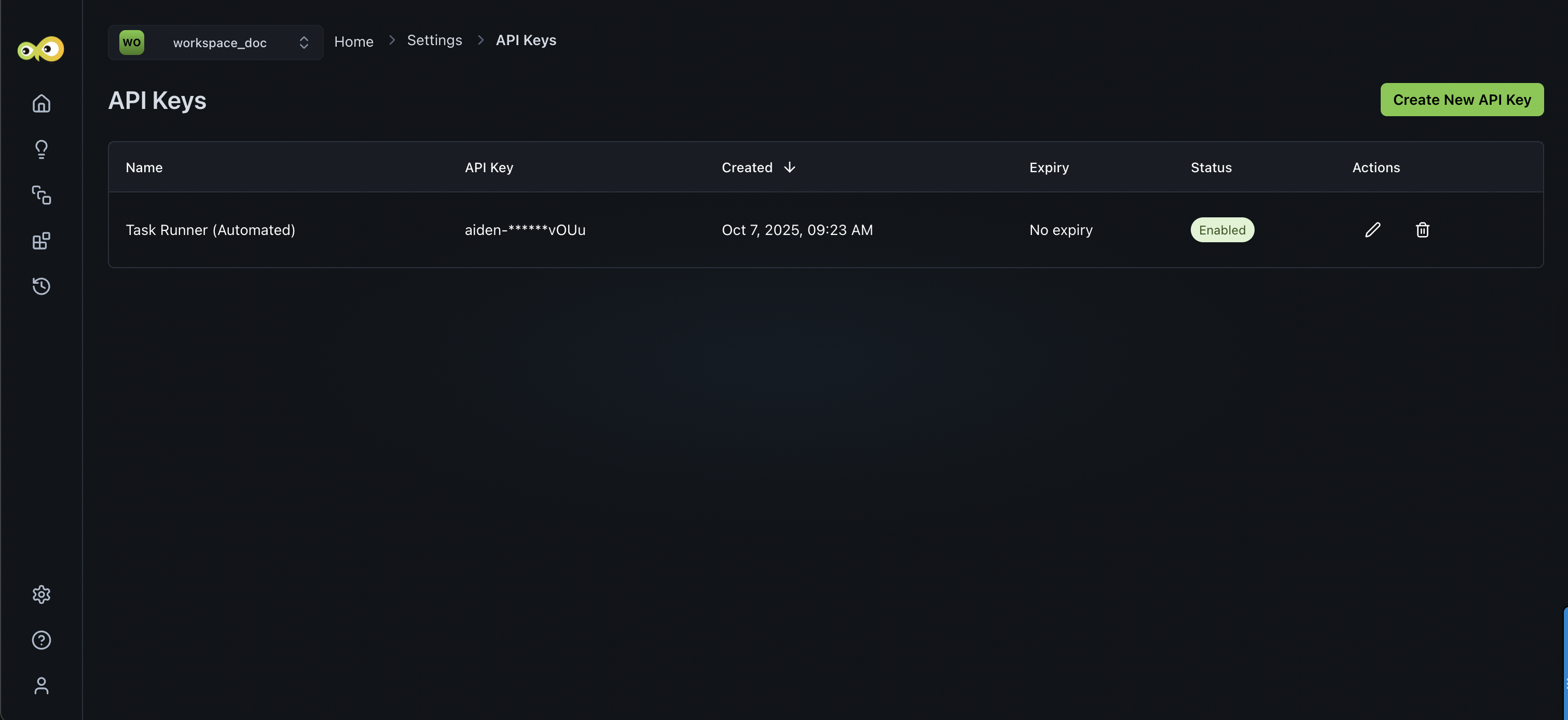
From the StackGen home page, navigate to Settings > API Keys > Create New API Key.
-
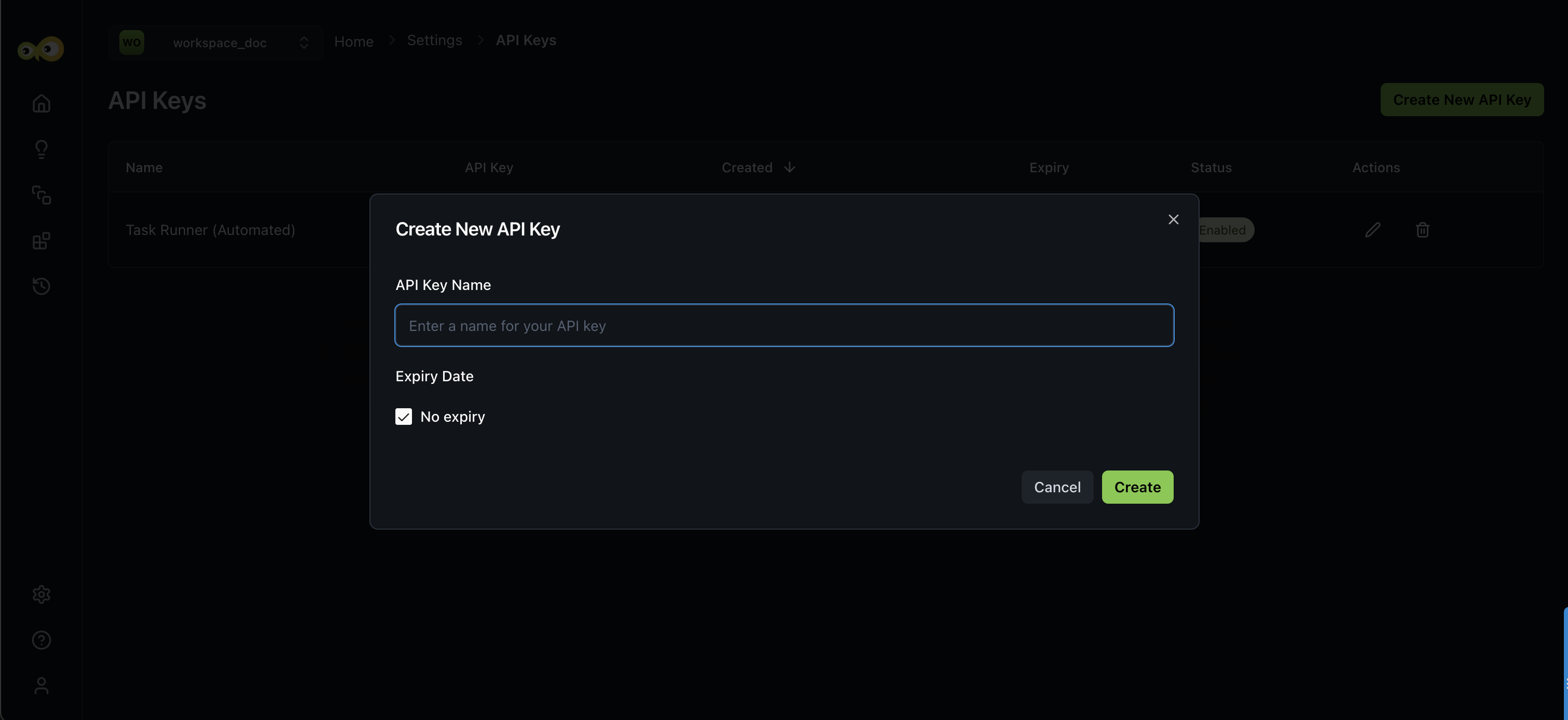
Enter a name for your API Key and click Create.
-
You can set an expiry date for your key.
-
-
Copy the generated key for future use.
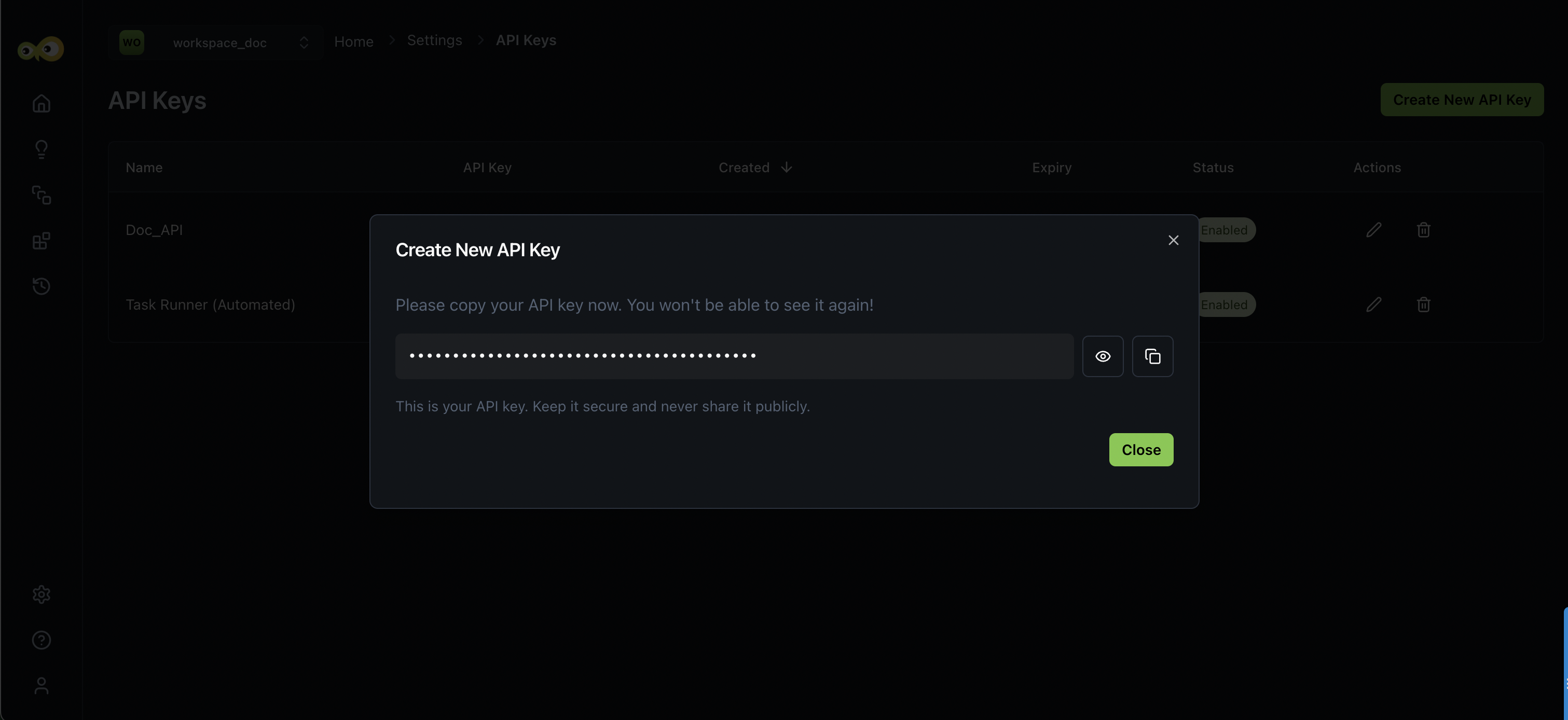
- You can click the pencil icon ✎ to edit an API Key or,
- Trash Bin 🗑️ to delete a generated key.