Amazon Managed Workflows for Apache Airflow (MWAA)
Airflow instance deployed using Amazon Managed Workflows for Apache Airflow (AWS MWAA) can be instrumented for collecting traces.
Note: Inbuilt OpenTelemetry integration for Apache Airflow is available only from v2.10.0 and above
Prerequisites
You have an active OpenTelemetry Collector which is configured to send data to your ObserveNow. For simplicity, you can use the ObserveNow Agent OpenTelemetry Collector ([K8s](../../../Collecting Telemetry/Install the OpsVerse Agent#e7L6C) or [standalone VM](../../Infrastructure/Individual VMs#uZtFL)) or the ObserveNow Server OpenTelemetry Collector which are preconfigured to forward telemetry to your ObserveNow instance.
Ensure your ingress for OpenTelemetry collector is accessible to your MWAA infrastructure/VPC
Traces
Navigate to your AWS MWAA instance. Edit the instance, Navigate to Configure advanced settings > Airflow configuration options to add the following configuration values:
traces.otel_on = True
traces.otel_host = <otel_collector_host> # This will be <username>:<password>@<otel_collector_host> if you use the default ObserveNow OTel ingress
traces.otel_port = <otel_collector_port> # This will be 443 if you use the ObserveNow OTel ingress
traces.otel_service = mwaa
traces.otel_ssl_active = True # This can be set to False if you don't want to use SSL
An example traces configuration is shown below -
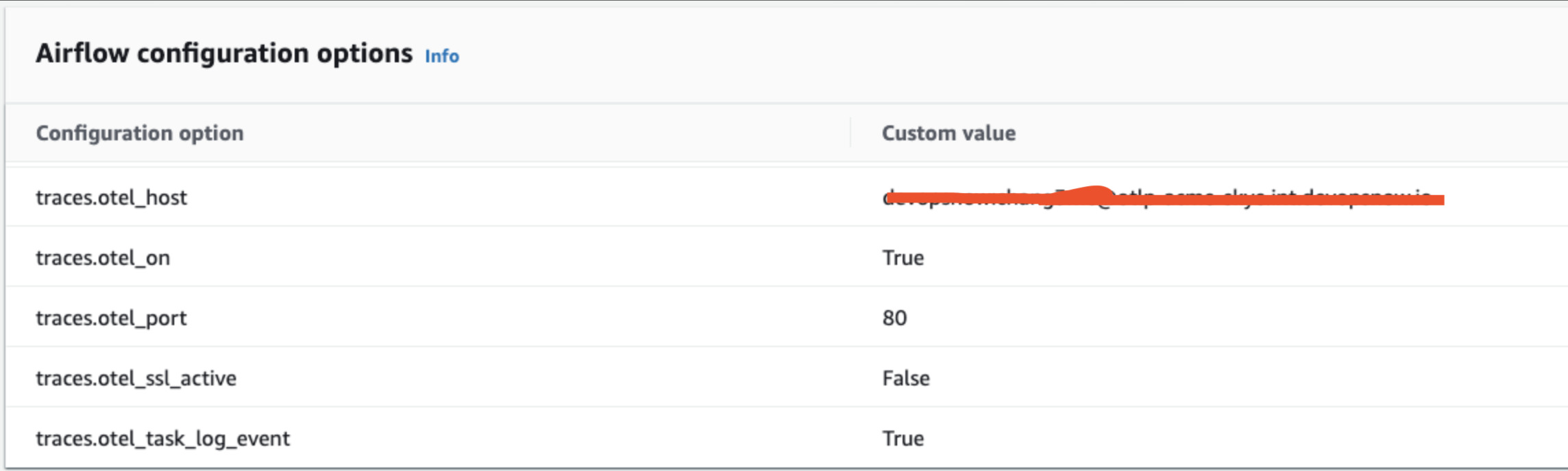
For more configuration options for traces, you can check the Airflow OpenTelemetry Traces documentation.
If you set otel_debugging_on to True, airflow will print traces to the console instead of sending it to configured host.
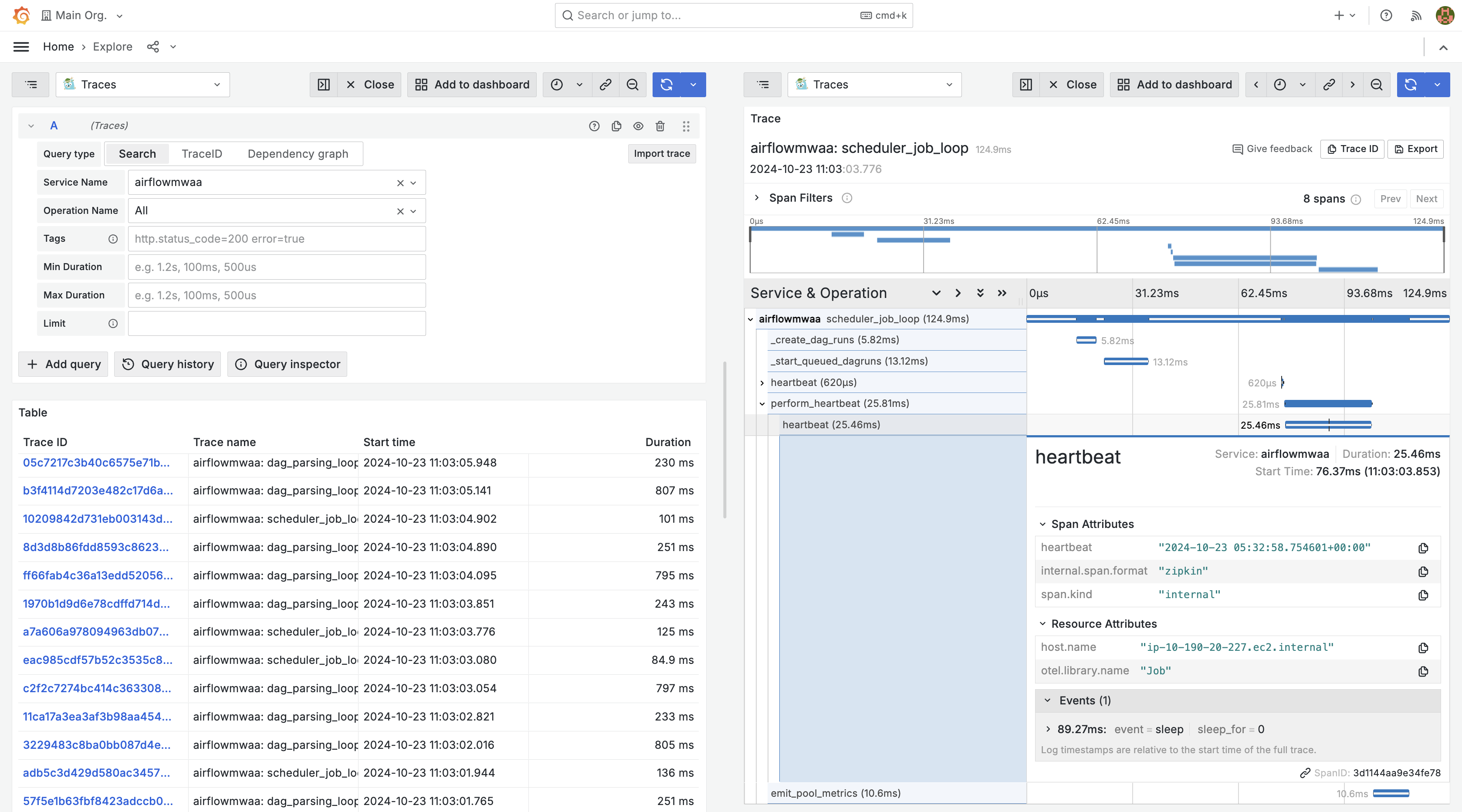
Save the configurations and once the MWAA environment is updated you should be able to see traces coming to your Grafana, under the "Traces" datasource.