Functional Agents
Functional Agents
Functional Agents are purpose-built agents scoped to specific integrations and instructions. This feature lets you create specialized agents that know how to interact with a particular tool or service, and can delegate to other expert agents when required. Use them to tailor how Aiden responds to queries, automates tasks, or investigates issues across your stack.
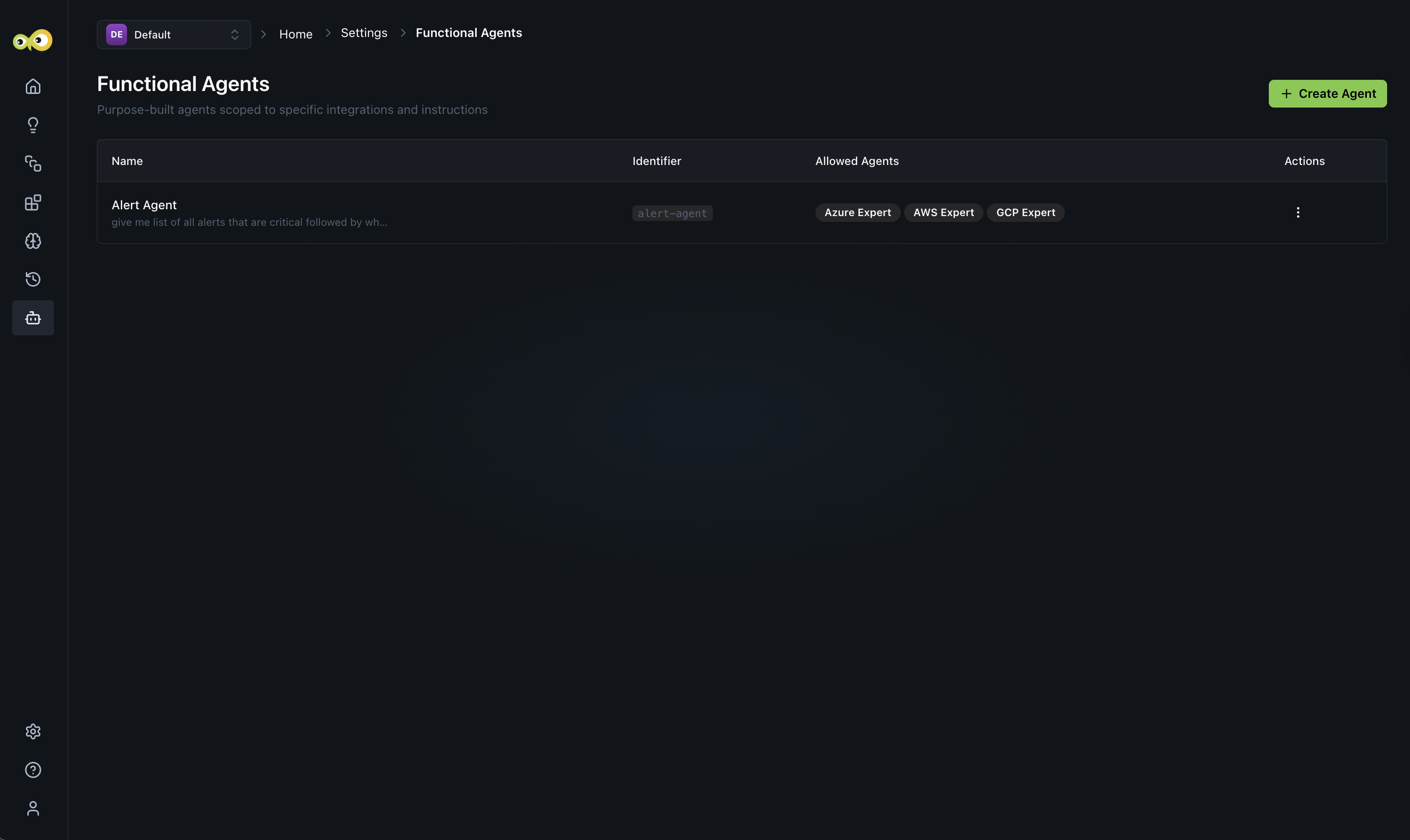
Each agent listed on this page includes:
- Name: The display name of the agent and a short preview of its instructions.
- Identifier: A URL-safe slug used as the agent's unique reference.
- Allowed Agents: The expert agents this functional agent can delegate to (for example, Azure Expert, AWS Expert, GCP Expert). If empty, the agent operates independently.
- Actions: Edit, delete, or disable the agent.
Creating a Functional Agent
Follow these steps:
- Click + Create Agent.
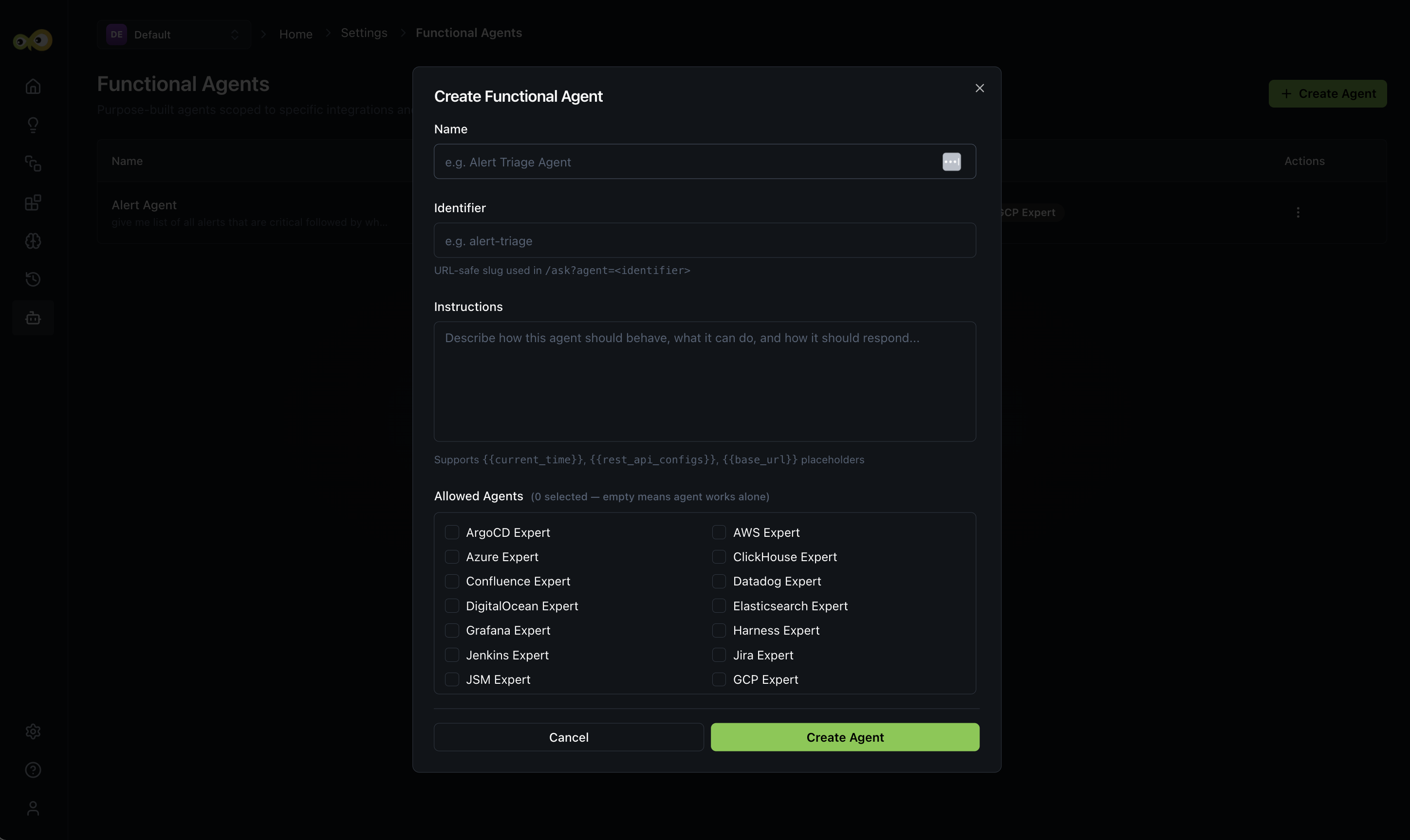
- Fill in the following fields:
- Name: A descriptive name for the agent (for example,
Alert Triage Agent). This is displayed in the agent list and used to identify the agent across the workspace. - Identifier: A URL-safe slug automatically derived from the name (for example,
alert-triage). You can edit it manually, use lowercase letters, numbers, and hyphens only. - Instructions: Describe how the agent should behave, what it can do, and how it should respond. Be specific, the more context you provide, the more accurately the agent performs its role. The instructions field supports the following placeholders:
{{current_time}}, inserts the current timestamp into the agent's context.{{rest_api_configs}}, injects any configured REST API settings available to the agent.{{base_url}}, inserts the base URL of your environment.
- Allowed Agents: Select one or more expert agents this functional agent is permitted to delegate to. If no agents are selected, the functional agent works independently without delegation.
- Name: A descriptive name for the agent (for example,
- Click Create Agent to save. The agent appears in the list immediately and is ready to use.
Use the {{rest_api_configs}} placeholder in your instructions if your agent needs to call external APIs as part of its workflow. Configure REST API settings under Settings -> Integrations before creating the agent.
Once created, the functional agent is invoked automatically by Aiden.
The identifier remains a stable, unique reference for the agent configuration.
Additional Resources
- Alerts: Triage active alerts and configure ingestion
- Investigations: Track and investigate alerts with Aiden
- Workspace Settings: Manage integrations and REST API settings
- Knowledge Hub: How agent context and discovered data are used