Themes, Governance Policy Scans, Direct Git Commits, and In-Place Module Updates
The June 2026 v2026.6.8 release adds selectable UI themes, governance policy scans against Terraform plan output, direct Git commits without a PR, and enhances how you update appStack-owned custom modules, so field changes apply in place and show up on the topology canvas without a delete-and-recreate cycle.
Explore the sections below to see what's new, enhanced, and fixed in this update.
| Feature | Link | |
|---|---|---|
| What's New | StackGen UI | Personalize Your Workspace with UI Themes |
| Policies | Governance Policy Scans on Terraform Plan Output | |
| Platform | Direct Git Commits Without a PR | |
| What's Enhanced | Topology | In-Place Updates for appStack-Owned Custom Modules |
| What's Fixed | Policies | Policy Generation UI Broken After UI Kit Changes |
| Platform | PAT Table Failing to Load |
What's New
Personalize Your Workspace with UI Themes
Click to view
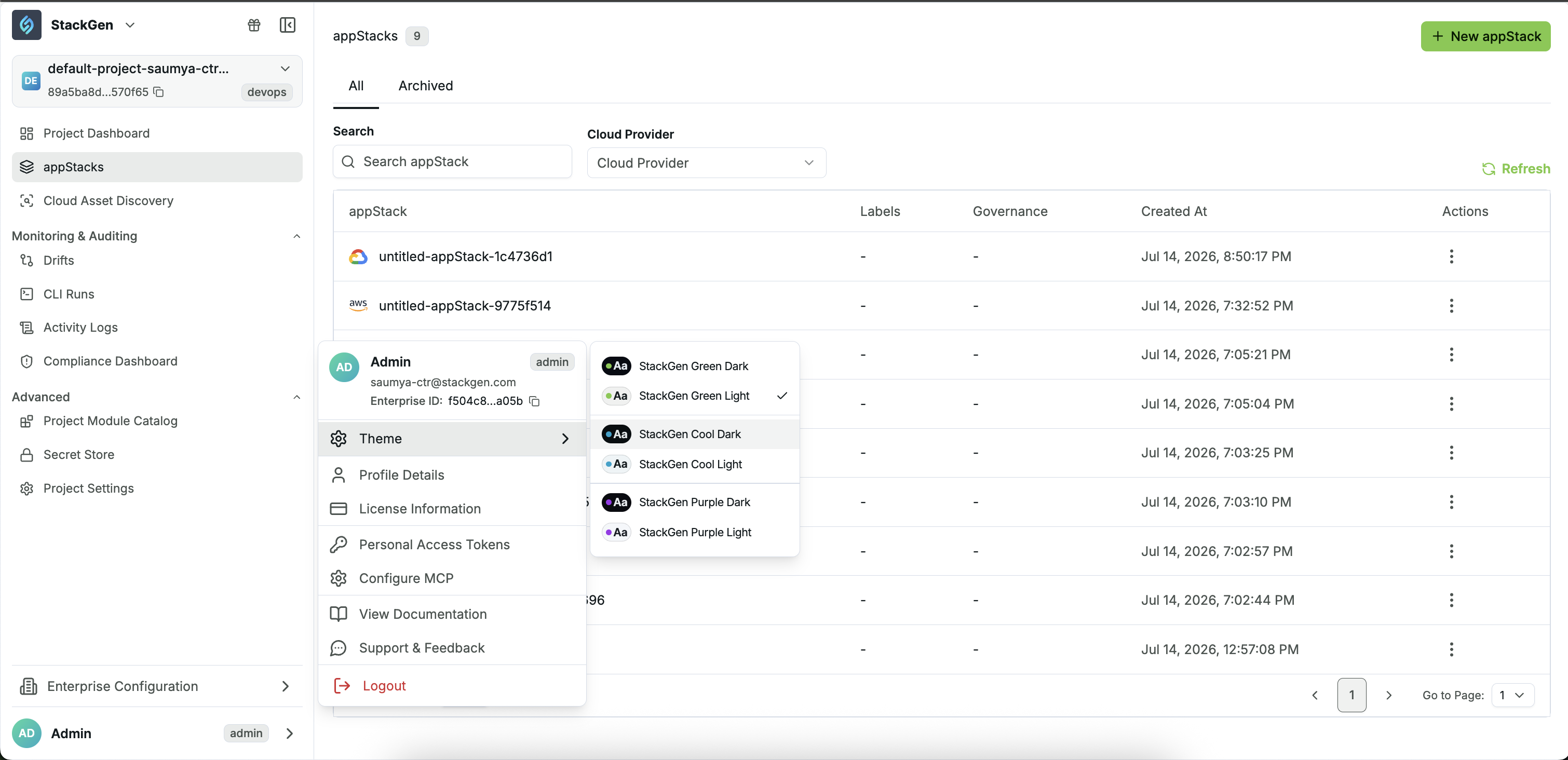
StackGen now includes selectable UI themes, letting you choose the color scheme that best fits how you work.
Key Features
- Six themes across three color families : Green, Cool, and Purple, each with light and dark variants.
- Immediate preview: Selecting a theme updates the interface right away, with no refresh required.
How to Change Your Theme
- From the StackGen Home page, click the dropdown arrow next to your profile.
- Click Theme.
- Select one of the available themes.
Why It Matters
Whether you prefer a light or dark interface, StackGen now lets you match the platform to your preference across green, cool, and purple theme families, without changing how you work in the product.
Governance Policy Scans on Terraform Plan Output
Click to view
StackGen now supports running a governance policy scan directly against Terraform plan output, in addition to the existing static analysis on an appStack.
Key Features
-
Run scans from Plan and Deploy: When you execute a terraform plan via the Plan and Deploy dialog, a new Run policy scan button lets you trigger a policy scan directly on that plan. The scan runs against the
plan.jsonfile that is generated for Terraform Plan. This is the same file that your users have historically scanned in their own CI pipelines and it is now available natively in StackGen.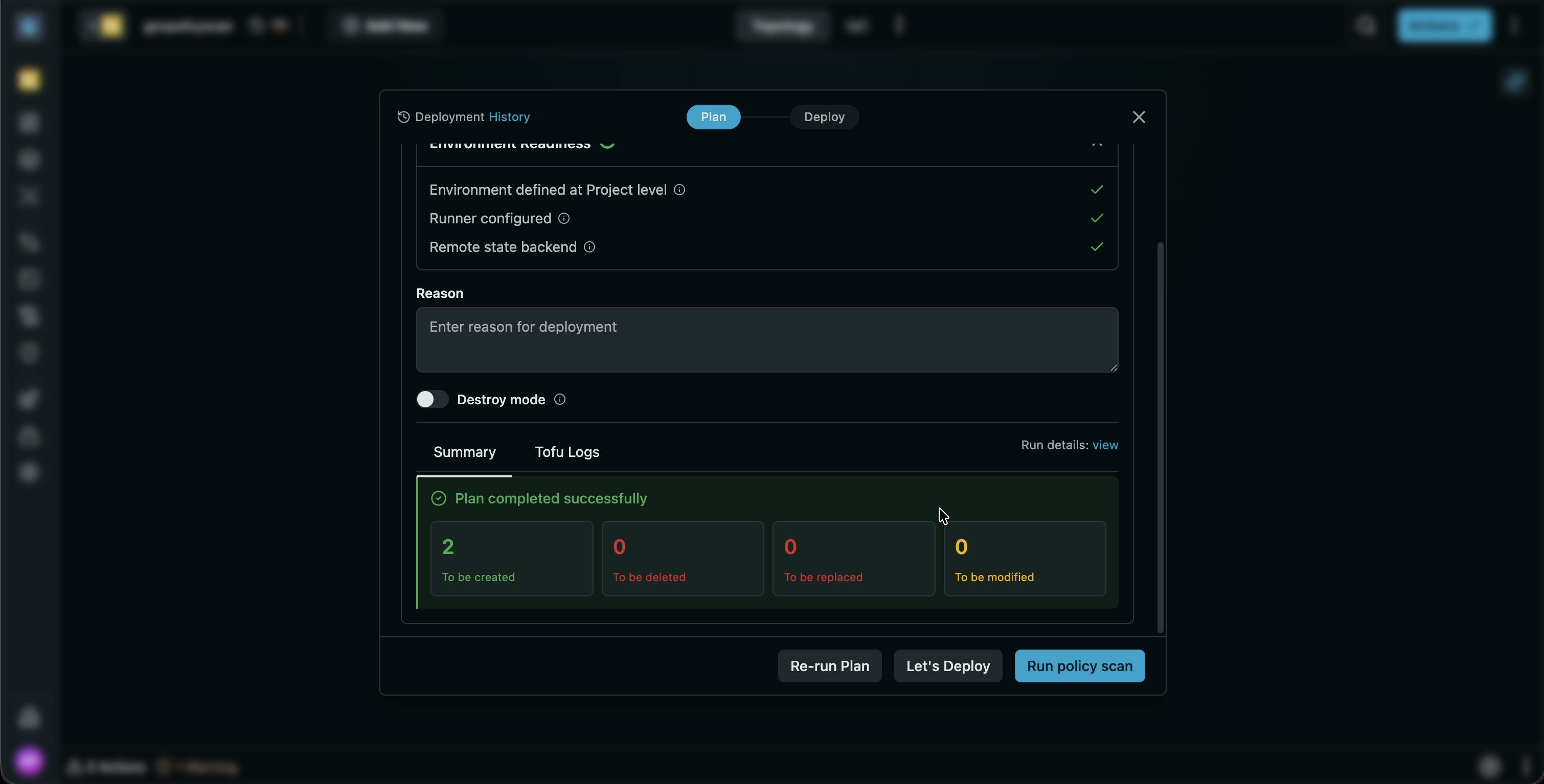
-
Violation management: Once the scan completes, it generates policy violations that can be fixed via Actions and Warnings dialog. You can fix these violations before proceeding with your plan, or bypass the violations and continue with the deployment.
-
Compliance Dashboard reporting: Scan results also flow into the Compliance Dashboard. Use the
policy eval against planRun Type filter to see which policies passed or failed, when they ran, and which resources were impacted.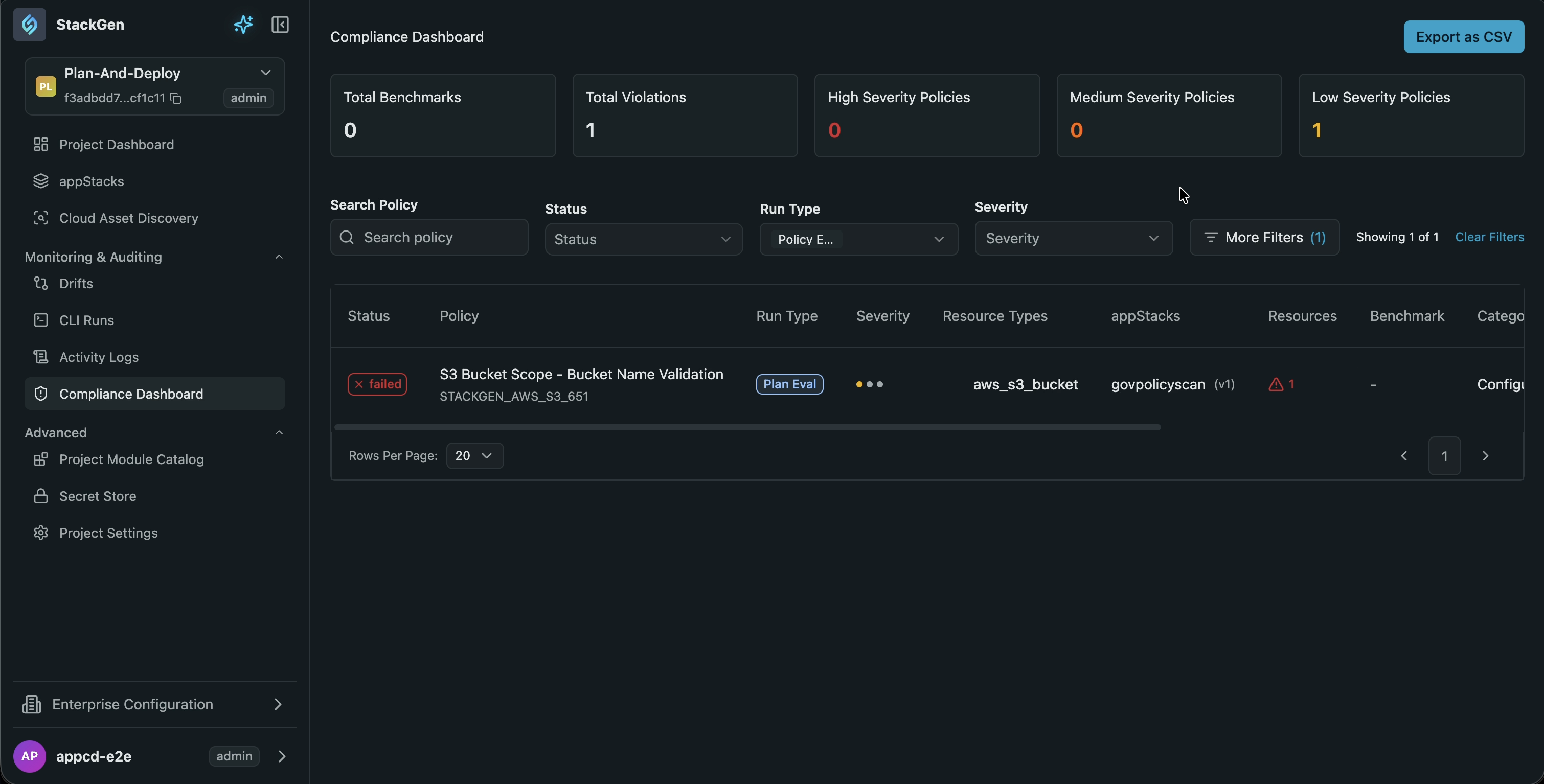
Why It Matters
Policy checks against plan output previously lived outside StackGen, in your CI pipelines. Bringing this scan into the platform means your teams get policy feedback right when you run a Plan, without leaving the UI. You can either fix violations or proceed without interruptions, all while keeping a full compliance record.
Direct Git Commits Without a PR
Click to view
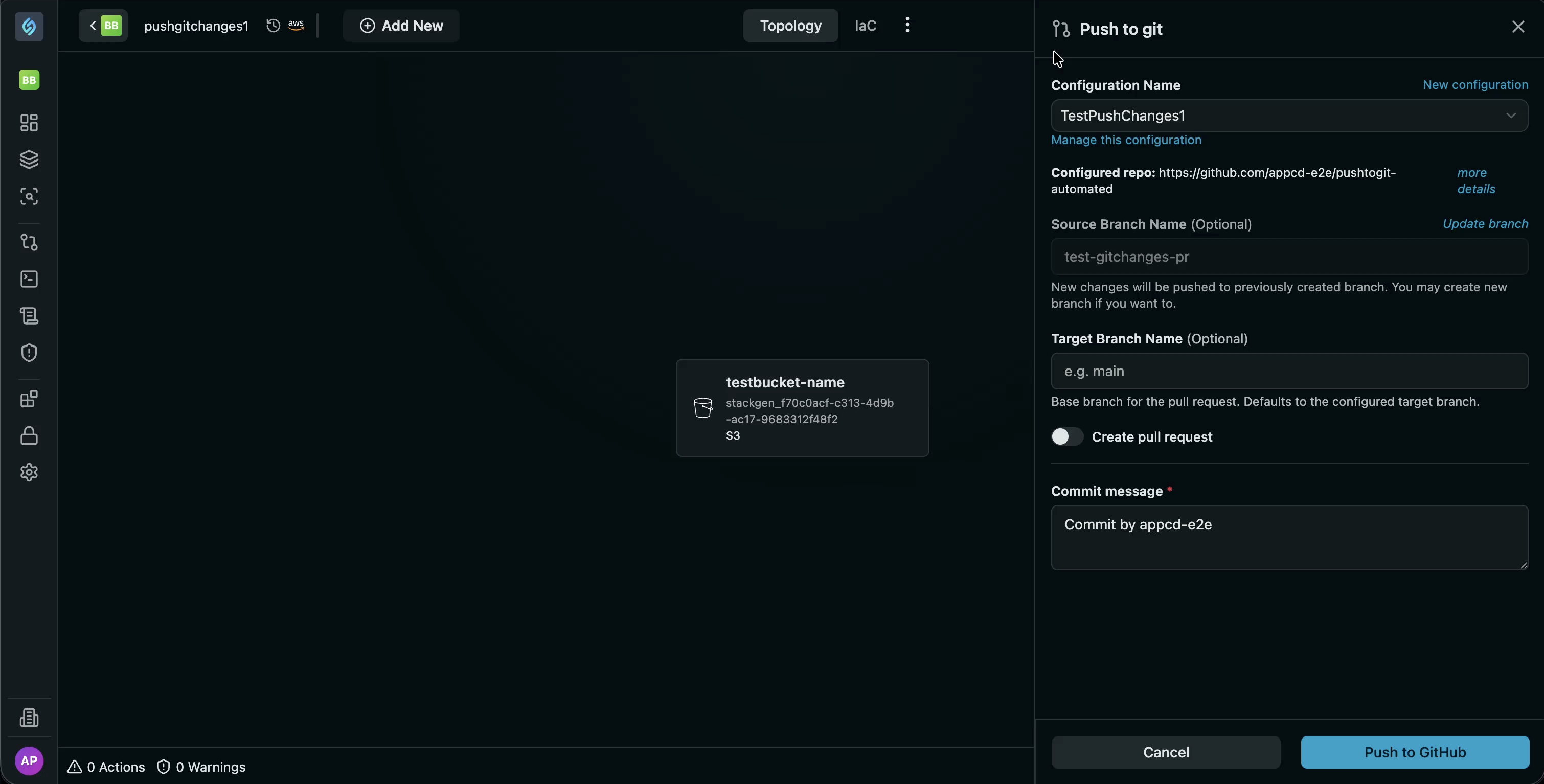
StackGen now includes a toggle that lets you push code changes directly to a branch in your Git repository, instead of creating a pull request.
Key Features
-
Toggle for PR vs. Direct Commit: A new toggle controls whether pushes go through a PR or commit directly to the branch.
importantDisabling the PR option places responsibility on the users to complete their own sanity checks before committing directly to a branch, since the PR review step is bypassed.
- PR flow retained by default: With the toggle turned on, StackGen follows the original workflow, creating a PR for every push.
- Direct commit when disabled: Turning the toggle off pushes your changes straight to the branch, skipping the PR step.
Why It Matters
Not every workflow needs a PR for every change you make. With this new feature, your teams can iterate fast by commmitting changes directly to a branch, while teams that want to enforce review gates can choose to go with the existing PR flow.
What's Enhanced
In-Place Updates for appStack-Owned Custom Modules
Click to view
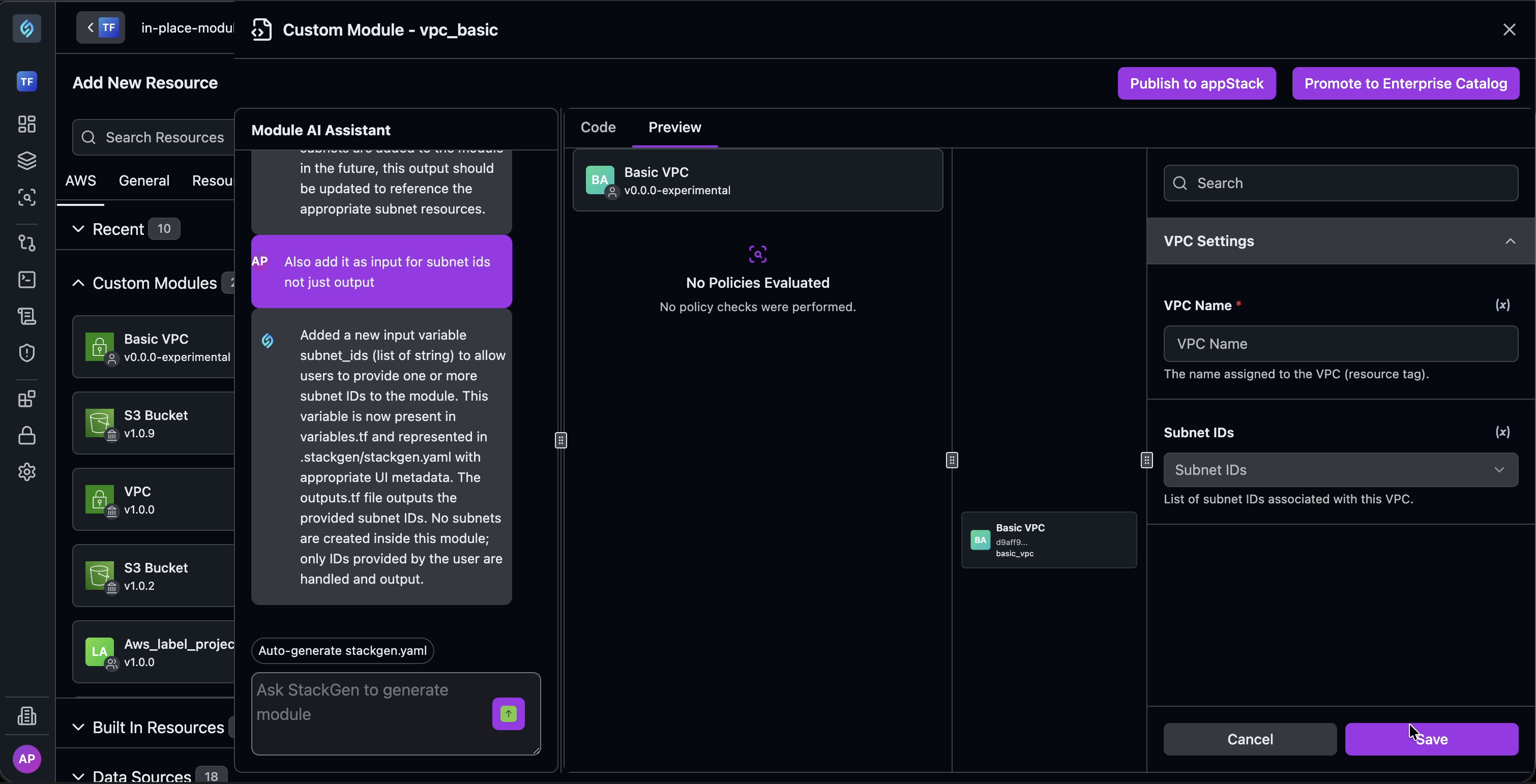
We've enhanced how appStack-owned custom modules are updated. Previously, applying any change to a module, including adding or modifying a field, required deleting the module from the topology and dragging it back in. Modules generated via the importer-cli flow went a step further and locked editing entirely.
Key Features
- In-place field updates: Add or modify fields directly within the module (for example, adding a subnet input) and publish those changes straight to the appStack.
- Dynamic topology sync: Updates reflect immediately in the topology canvas, with no delete-and-recreate cycle.
Why It Matters
Editing an appStack-owned module used to mean losing your place in the topology just to make a small change. Now updates, down to individual fields, apply directly and show up in the canvas right away, so teams can iterate on modules without rebuilding them.
What's Fixed
Policy Generation UI Broken After UI Kit Changes
Click to view
We have fixed an issue where the bottom section of the UI displayed after generating a policy was broken. This was caused by recent UI kit changes. These UI flows have now been corrected.
PAT Table Failing to Load
Click to view
We have fixed an issue where the Personal Access Token (PAT) table was failing to load properly.