Known Issues – December 2025
December 2025
We've listed all the Known Issues for the December 2025 release here. Once these issues are resolved in a future release, they will be included under the Bug Fixes section of the Release Notes.
- Grouping Selection Persists When Going Back to Cloud Discovery to Create Another appStack
- appStack Creation Fails When Creating Second appStack from Remaining Resources in Cloud Discovery
- Scan Results Are Incorrect for Terraform Registry Module
- Required Fields Not Marked as Errors and Error Count Not Updated for Imported Custom Module
In-ProgressGrouping Selection Persists When Going Back to Cloud Discovery to Create Another appStack
Click to view
Summary: In Cloud Discovery, resources have grouping labels and you can create an appStack by groups (for example, grouping by tags). When you go back to Cloud Discovery to create another appStack, the grouping selection you used for the appStack you already created still persists; it does not reset. So if you had chosen "Grouped by tags" before, that choice remains when you return to create more appStacks.
This can confuse your users. If the UI keeps "Grouped by tags" and the discovery they select has no tags (or most discoveries do not use tags), your users may see no resources and assume the discovery is empty or broken.
Cause: The grouping selection state is not cleared when you go back to Cloud Discovery to create another appStack. As a result, the UI retains the last selected grouping option instead of resetting it.
Workaround: There is no known workaround at the moment. When you go back to Cloud Discovery to create another appStack, manually change the grouping selection if needed until this issue is fixed.
In-ProgressappStack Creation Fails When Creating Second appStack from Remaining Resources in Cloud Discovery
Click to view
Summary: This issue has two parts:
-
Second appStack from remaining resources: When you create a new discovery and then try to create a new appStack by clicking "Create appStack from Cloud Asset Discovery," appStack creation fails with an error.
-
No feedback when no resources selected: In the same UI, when you click "Create appStack from all resources" without having selected any resources first, you move to the appStack selection page, and the check boxes next to resources are greyed out.
Cause: The cause is currently unknown. Creating a second appStack from the remaining resources in the same discovery fails, and the create flow does not enforce or indicate that resources must be selected before proceeding.
Workaround: There is no known workaround at the moment. We are investigating the issue and will update this section when we have more information on the root cause and a solution.
In-ProgressScan Results Are Incorrect for Terraform Registry Module
Click to view
Summary: When you import a Terraform registry module from Module Catalog, the scan results on the import screen are blank. However, violations appear after you run "Scan with StackGen" from the catalog once the module is imported.
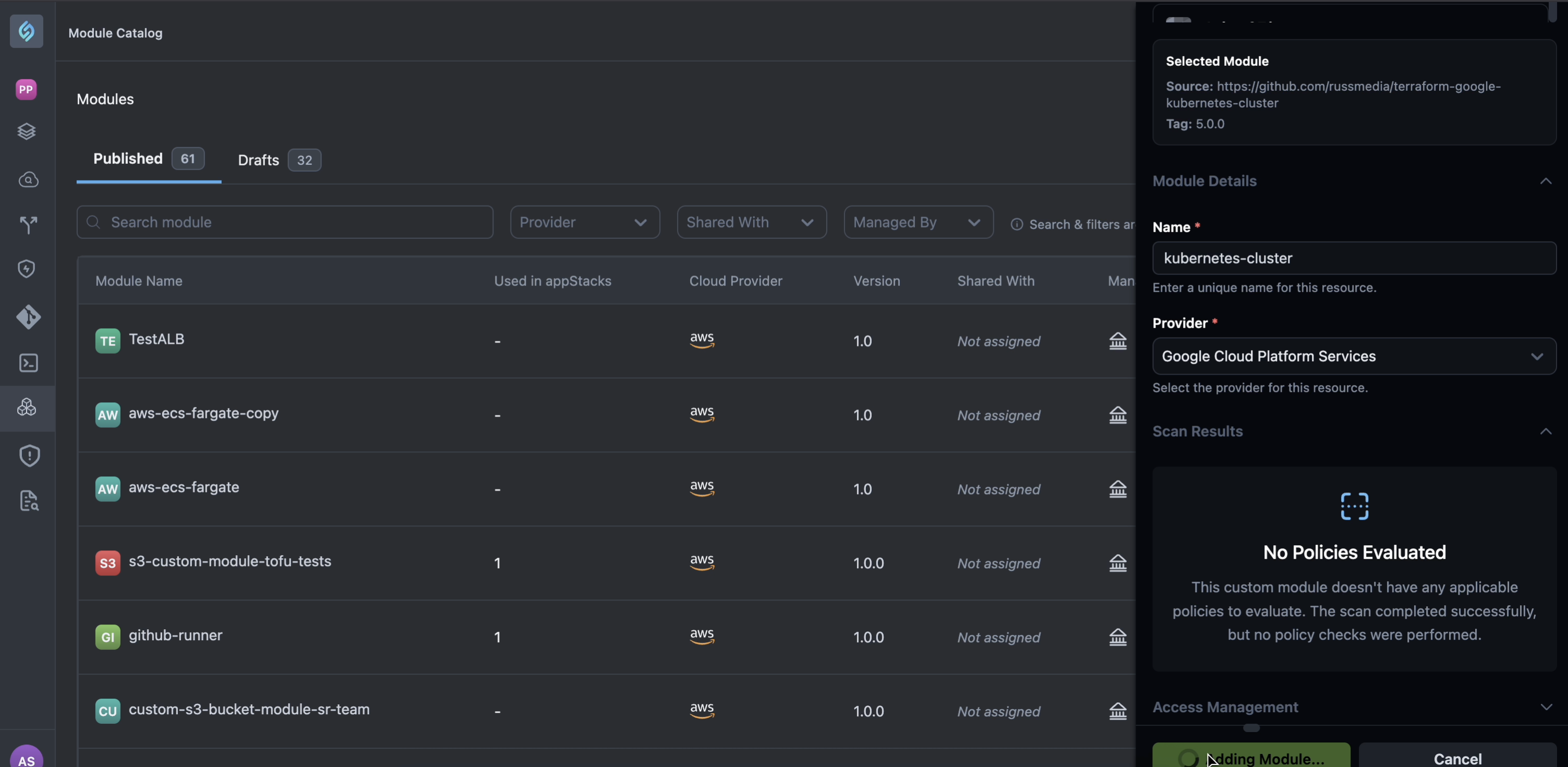
Cause: The cause of this issue is currently unknown. The import screen does not display the same scan results as the catalog scan for Terraform registry modules.
Workaround: There is no known workaround at the moment. Run "Scan with StackGen" on the module from the catalog after import to see the correct scan results until this issue is fixed.
In-ProgressRequired Fields Not Marked as Errors and Error Count Not Updated for Imported Custom Module
Click to view
Summary: When you import a custom module using the module importer and drag and drop it on the canvas, required fields are not marked as errors and the Error List count is not updated. The error count should be shown when required fields are missing, but it is not shown even when a field is marked as required.
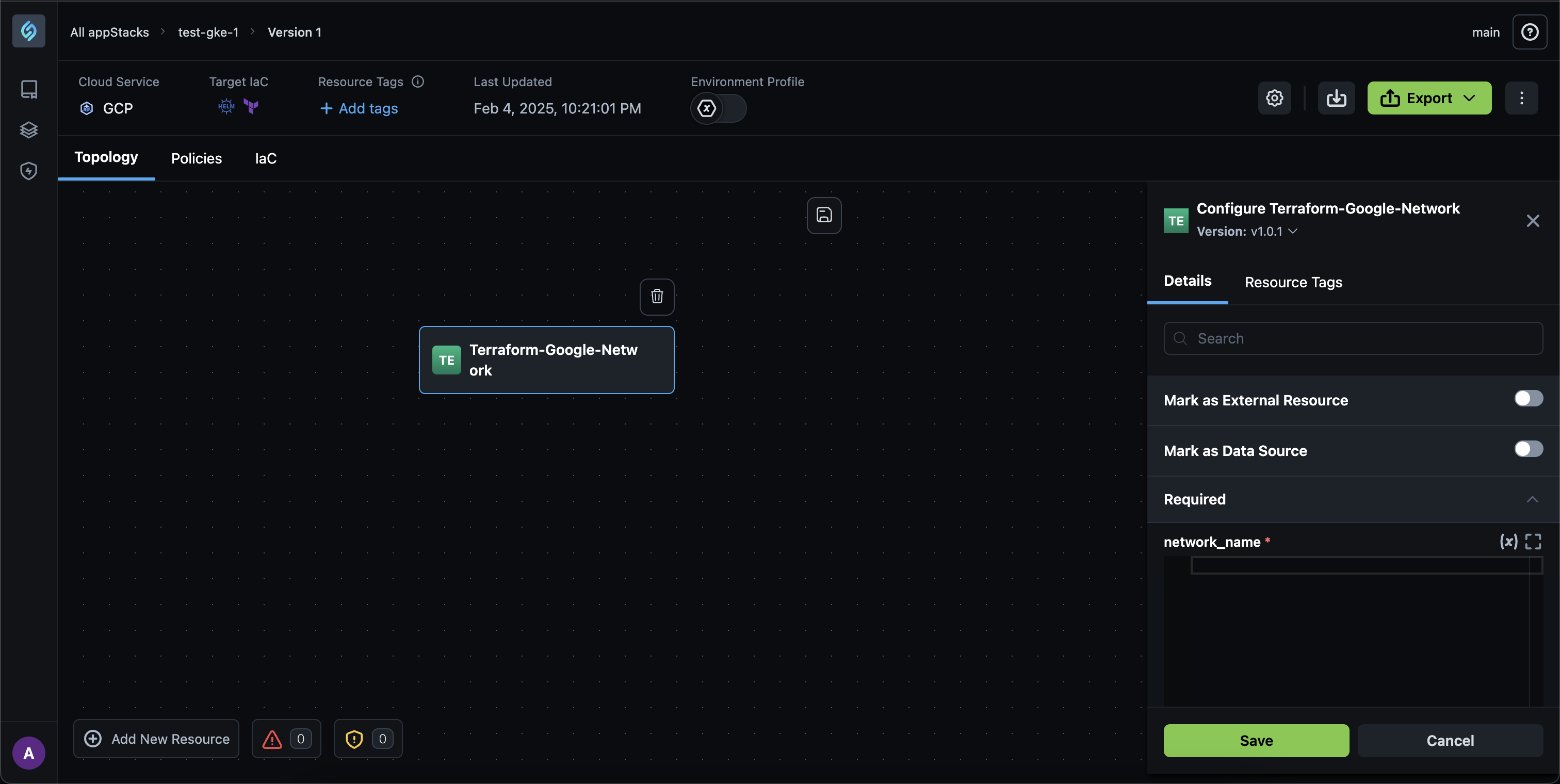
Cause: The cause of this issue is currently unknown. The Error List does not reflect required-field validation errors for imported custom modules.
Workaround: There is no known workaround at the moment. We are investigating the issue and will update this section when we have more information on the root cause and a solution.