Change Log
July 29, 2025
What's New
StackBuilder: Infra Generation and Deployment Agent For Developers And Platform Engineers
StackBuilder, your AI-powered assistant for simplifying Day 0 infrastructure tasks using natural language. Whether you're a platform engineer writing Terraform or a developer generating self-service environments, StackBuilder’s agentic workflows help you move faster.
Key Features
- Day 0 (Available Now): Generate and configure Infrastructure-as-Code (IaC), set up storage, networking, variables, and more.
- Day 1 & 2 (Coming Soon): Monitoring, drift detection, incident response, and auto-remediation.
How It Works
Powered by StackGen AI agents, StackBuilder blends deterministic guardrails with generative AI to automate infrastructure tasks, so you can spend more time shipping features.
- Platform Engineers: Use the TF Module Coding Agent to generate and manage Terraform modules.
- Developers: Use the Self-Service Agent to generate governed infrastructure from natural language prompts, producing an appStack.
Getting Started
-
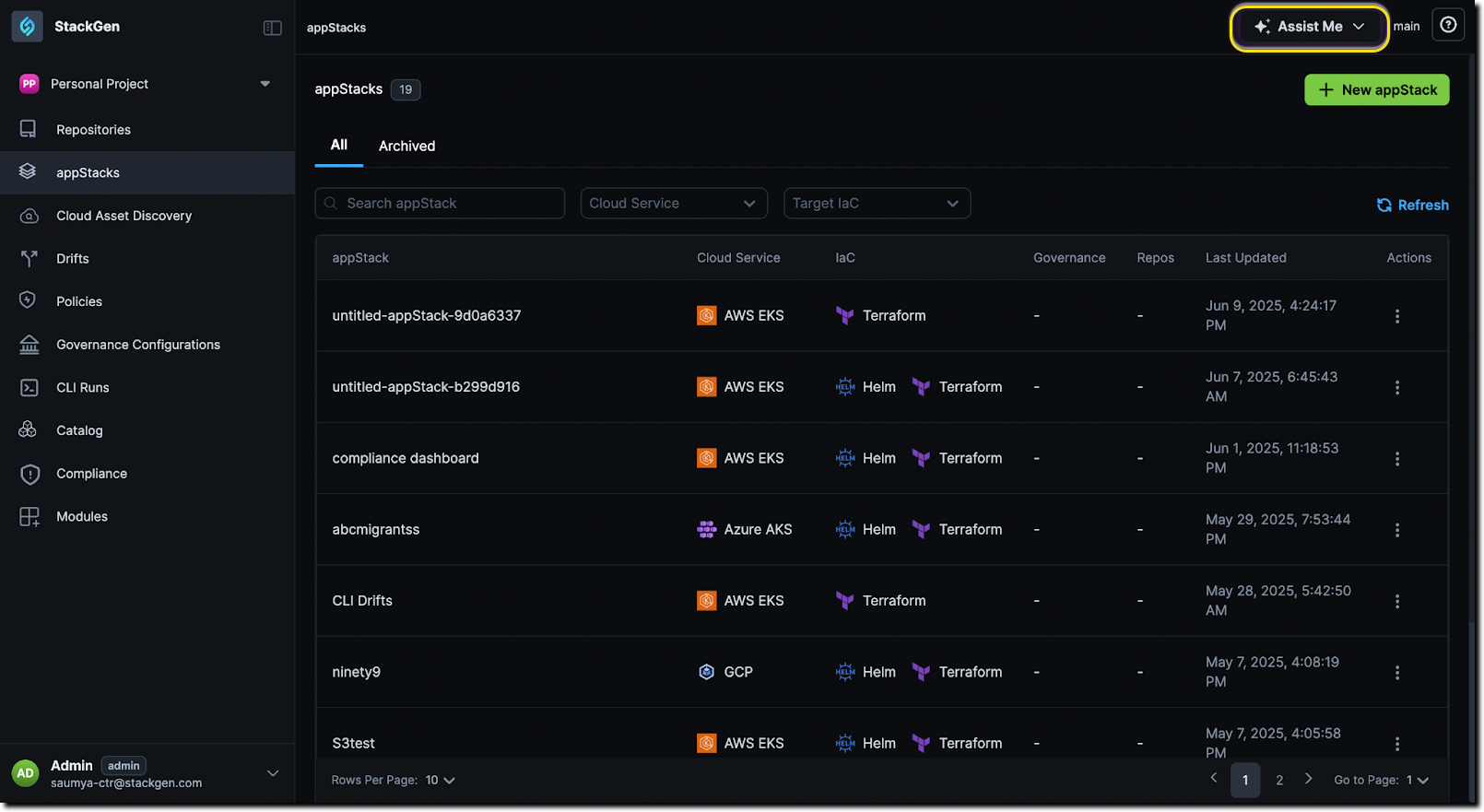
Navigate to StackGen > Click Assist Me > Launch StackBuilder.
-
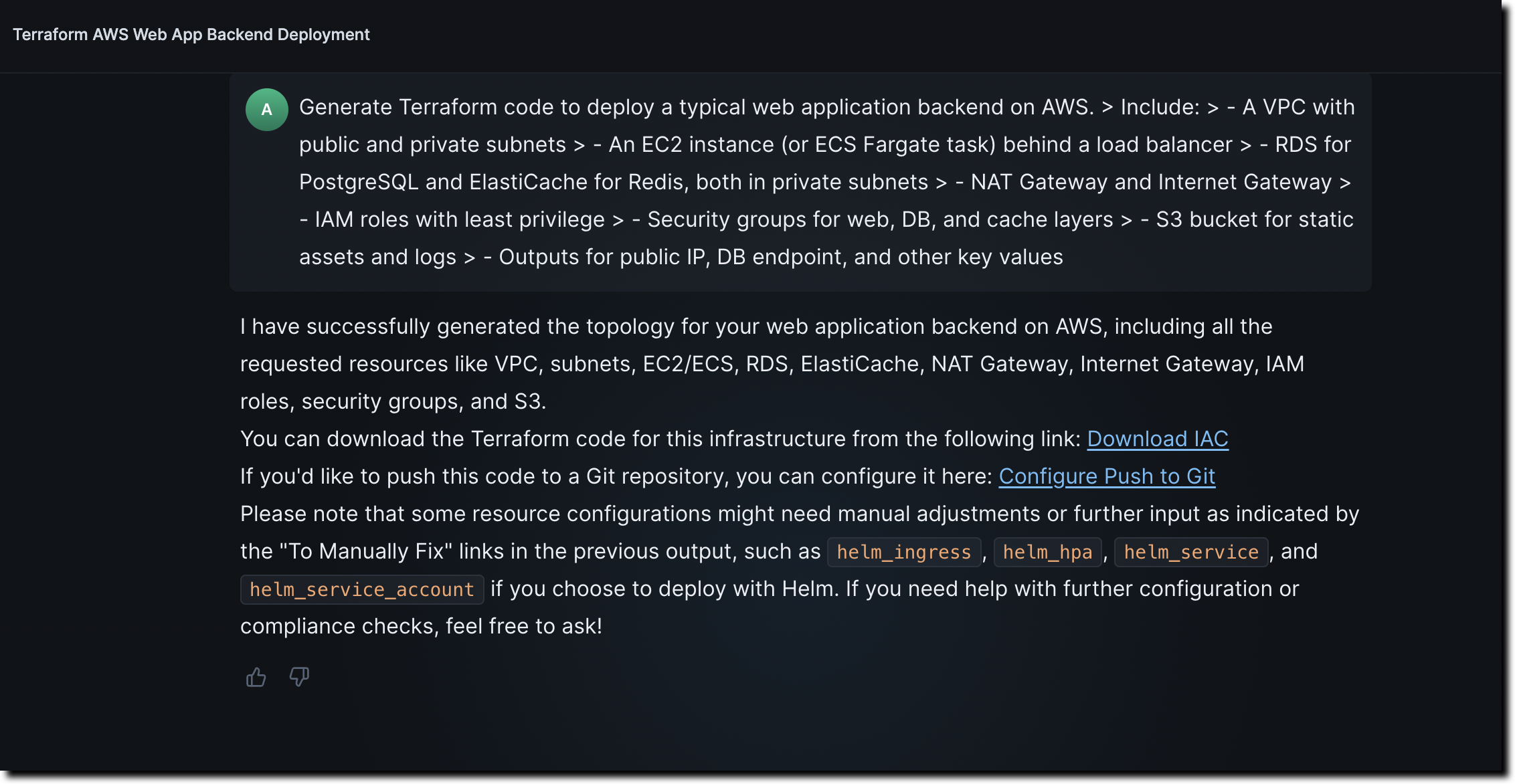
Use prompts like:
Generate Terraform code to deploy a typical web application backend on AWS. Include:
- A VPC with public and private subnets
- An EC2 instance (or ECS Fargate task) behind a load balancer
- RDS for PostgreSQL and ElastiCache for Redis, both in private subnets
- NAT Gateway and Internet Gateway
- IAM roles with least privilege
- Security groups for web, DB, and cache layers
- S3 bucket for static assets and logs
- Outputs for public IP, DB endpoint, and other key values
Follow AWS best practices for networking and security.
noteIf using Custom Modules, ensure they are pre-created and published in the Module Catalog for correct reference.
-
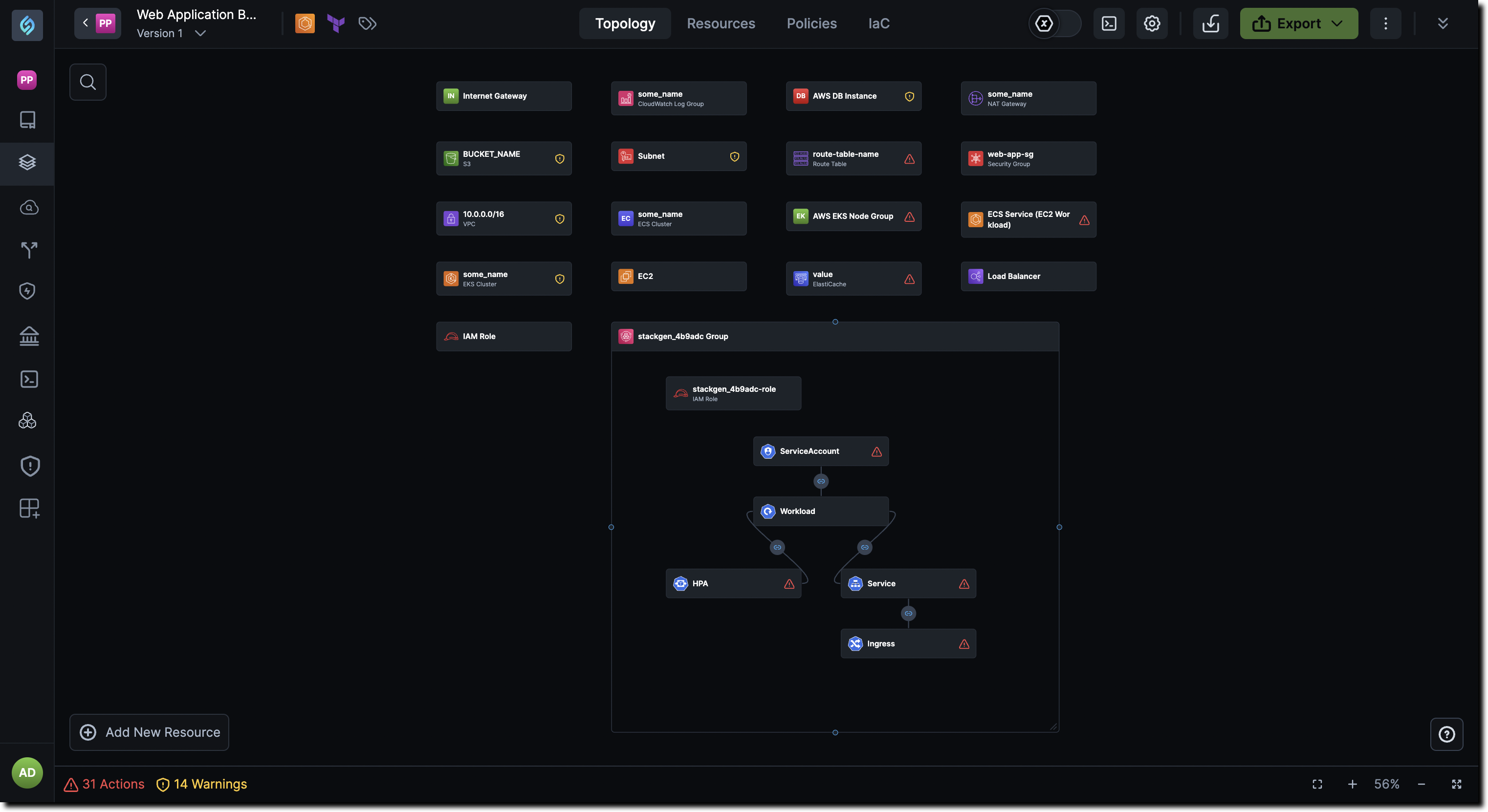
Configure, validate, and export your IaC—errors and policy violations are auto-detected and fixable.
Error Handling And Governance
- Errors, policy violations, and configuration issues are detected and clearly explained.
- Manual fixes may be required—work with your DevOps team if needed.
- Governance settings are enforced: if your request violates them, the agent will either block or auto-adjust the output accordingly.
Check out StackBuilder to learn more.
June 26, 2025
What's New
StackGen CLI v0.62.0 — OpenTofu Support
StackGen CLI now supports OpenTofu for infrastructure provisioning! The new --iac-tool flag for ILM commands lets you run provision, destroy, and drift using the default provisioning engine OpenTofu.
You can still default to Terraform by passing --iac-tool=terraform.
Example Usage
stackgen provision --iac-tool=tofu
stackgen destroy --iac-tool=terraform
stackgen drift --iac-tool=tofu
View the full usage guide to learn more about CLI Infra Provisioning with OpenTofu
StackBuilder Express: Idea to Infra in Seconds
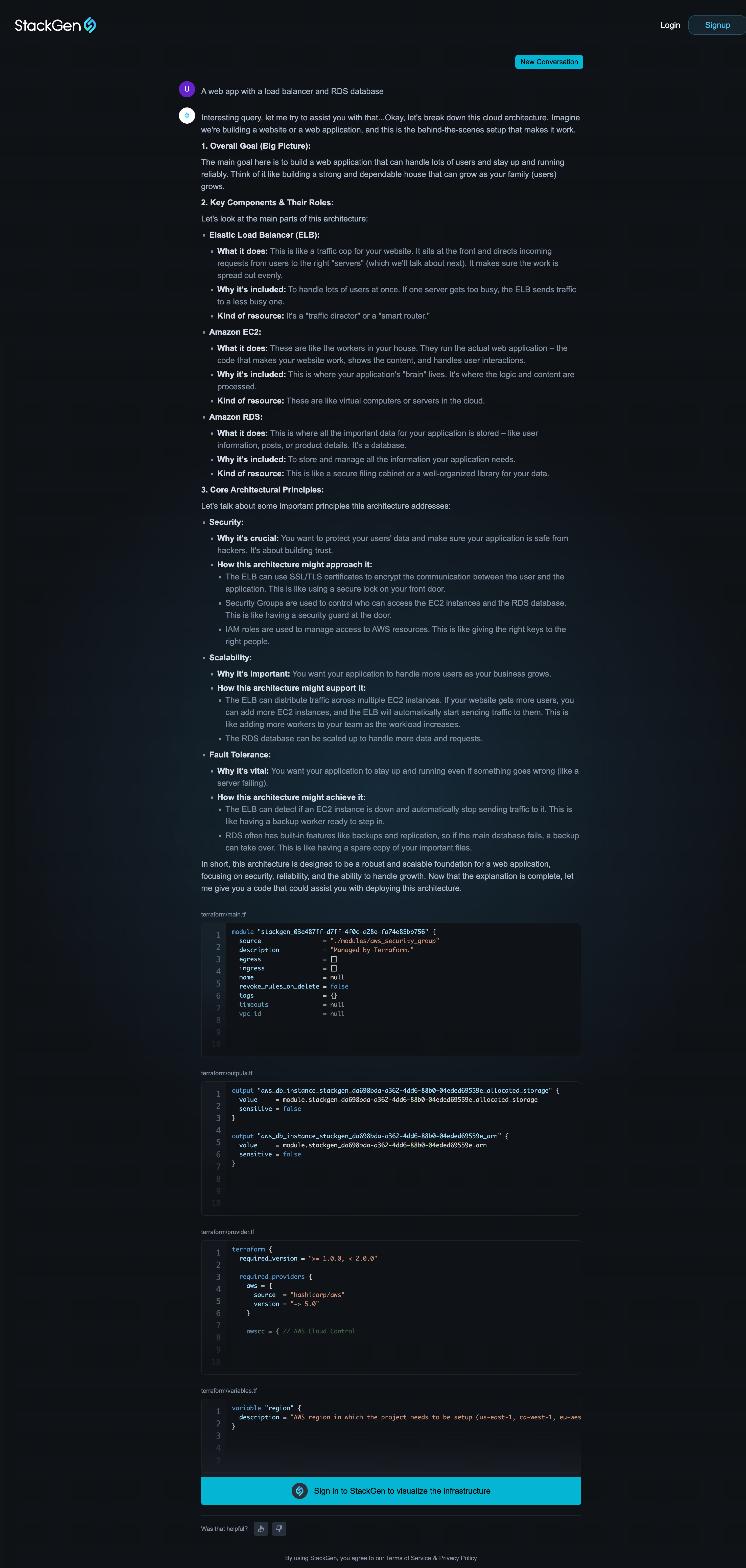
Transform your cloud ideas into Infrastructure as Code, instantly.
- Describe infra in plain English or upload a sketch
- Get real-time previews of Terraform/OpenTofu code
- Export and refine your architecture in StackGen
No account needed to try, just start typing or uploading!
Try Examples Like:
-
"A web app with a load balancer and RDS database"
-
Upload a whiteboard sketch or slide screenshot
Learn more about StackBuilder Express or get started right away.
What's Enhanced
Improved Custom Resource Management: Delete Your Custom Modules
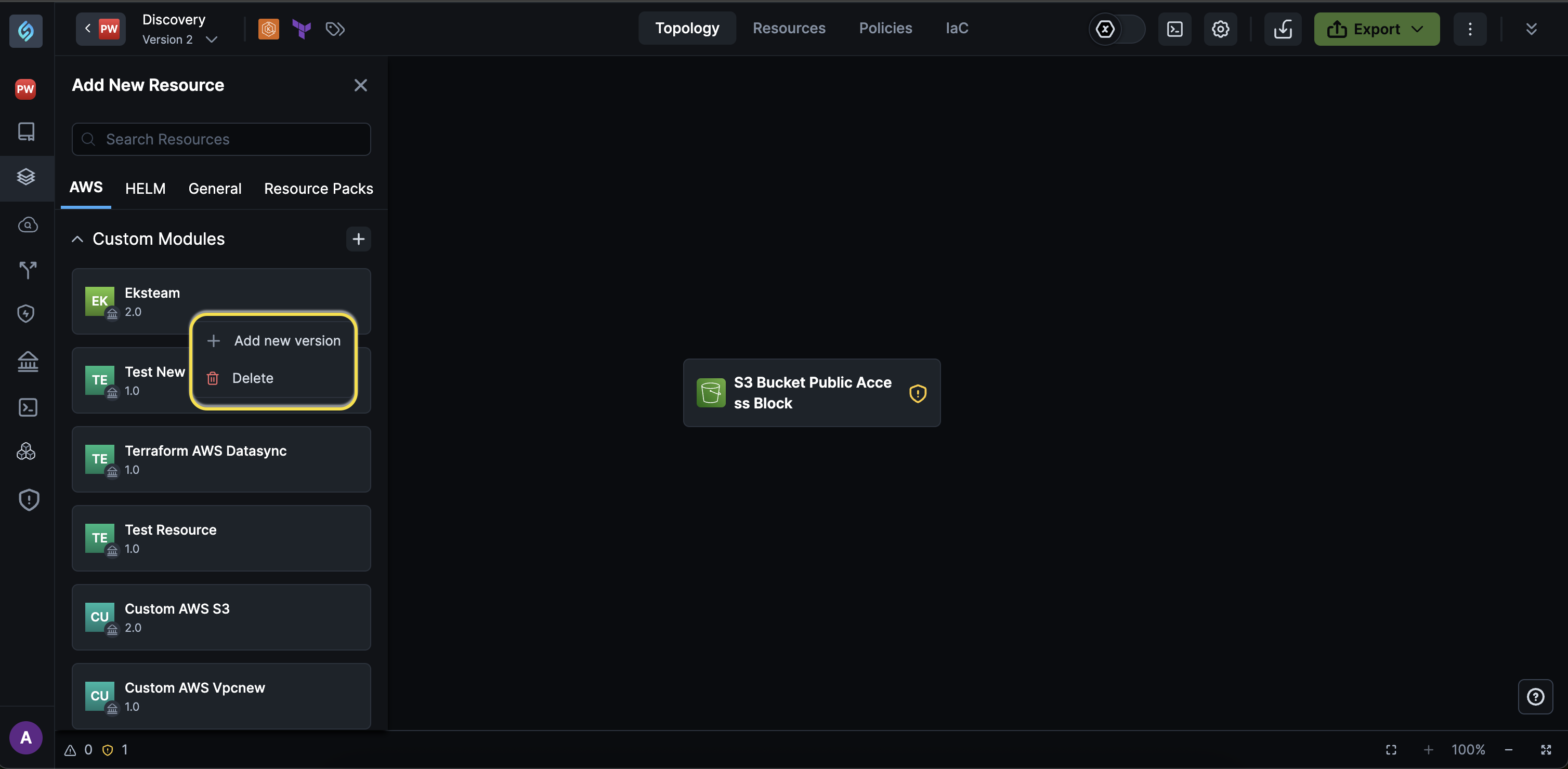
You can now delete custom modules directly from the topology canvas if you have a DevOps or Admin role. This feature lets you keep your workspace uncluttered by removing custom modules you no longer want to use from the Add New Resource panel.
Key features
-
Delete module and all versions: Deleting a custom module permanently deletes it and prevents further use in new deployments, and prompts you to remove it from your existing appStacks where it is used before you proceed.
-
Delete Module Versions: You can delete specific versions of a custom module, provided they are not actively used in any of your appStacks.
-
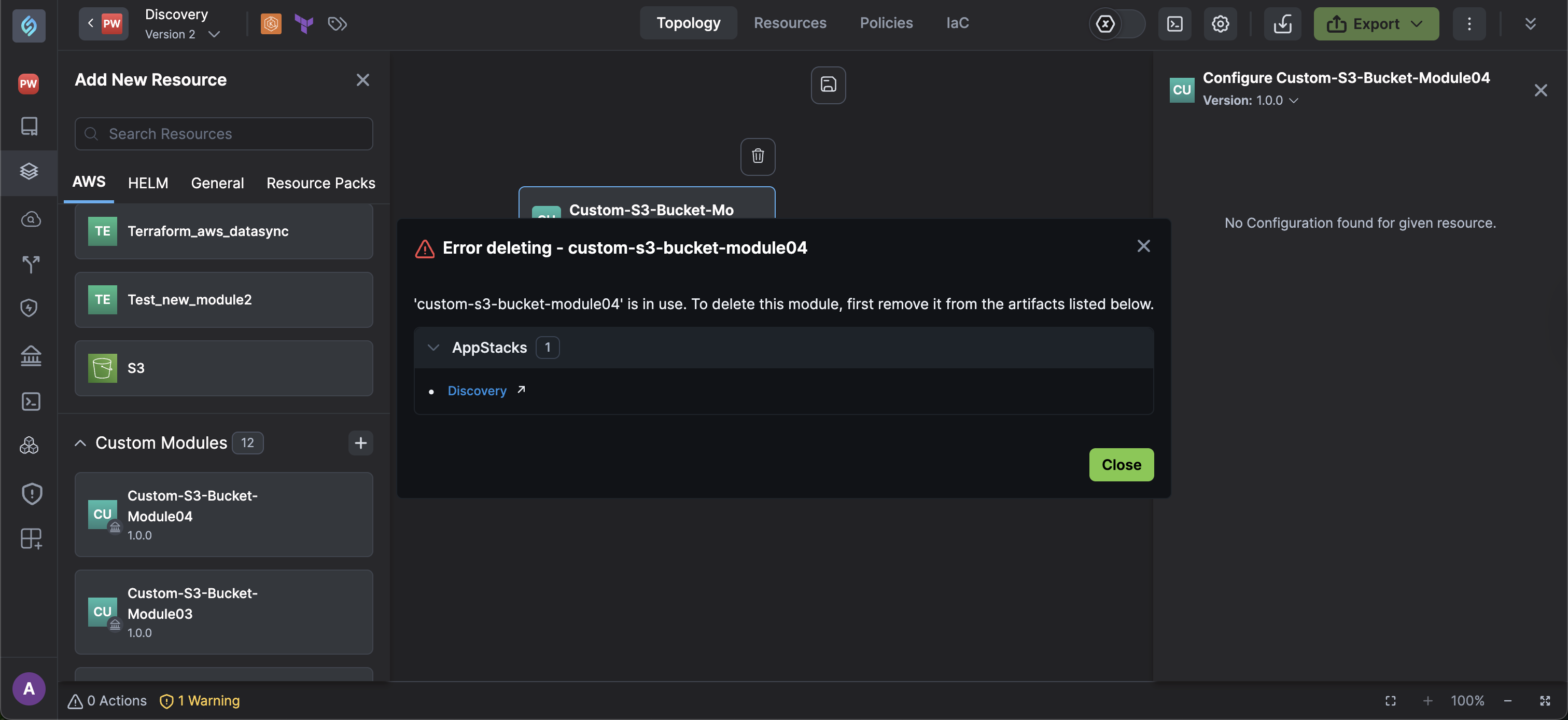
Error Handling: Attempts to delete custom modules that are still in use in one of your appStacks, Resource Packs, or Custom Resource Policies will throw an error pointing to the appStack where the custom module is in use. When deleting a module, the UI will show a warning explaining this behavior to avoid confusion.
noteYou cannot delete custom modules used in
- appStacks
- Resource packs
- Custom security policy
- Custom migration mapping policy
- Resource override mapping policy
For full details, refer to the Custom Modules page.